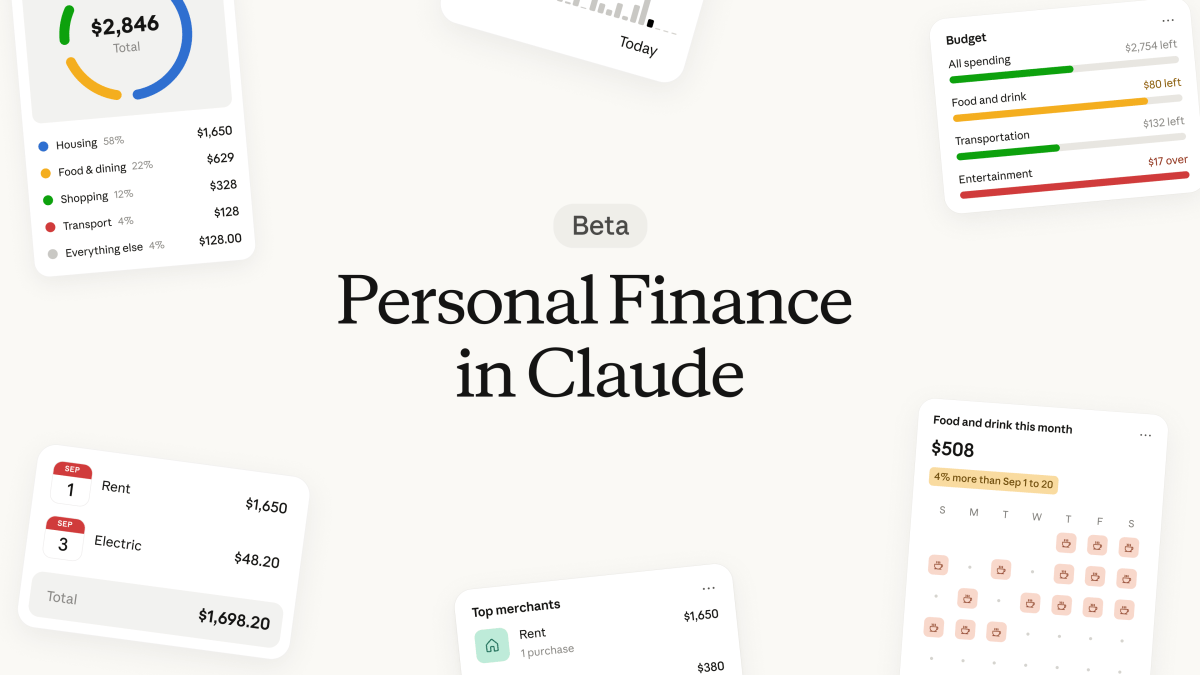

Anthropic just gave Claude access to something most apps beg for: your actual bank transactions. Claude personal finance is live in beta right now, and it reads your spending so you can ask normal questions like “where did my money go last month?”
Here’s the problem it solves. You’ve got a checking account, two credit cards, and a subscription you forgot about. Every budgeting app wants you to learn its dashboard, its categories, its whole system. Most people quit within a month. Meanwhile the answer you actually need is simple: what happened to my money, and is anything wrong?
What claude personal finance actually does
Claude connects to your bank through Plaid, the same network behind Venmo and half the budgeting apps you’ve already tried. Once linked, it reads your balances and up to two years of transaction history, then answers questions in plain English.
Ask “which subscriptions am I paying for?” and it scans your transactions and lists them. Ask “is that more than usual?” after a spending summary and it compares against your history. It also explains terms you’ve never googled. APR, for example, comes with a calculation showing how much interest you actually paid over the past year.
There’s a dashboard too. Widgets show spending, cash flow, subscriptions, and upcoming bills on one page. You can rearrange them, which is more than I can say for some banks’ own apps.
The feature goes beyond summaries, and this is the part worth paying attention to. Anthropic says it flags duplicate charges, unexpected fees, and bills that keep creeping up month after month. Those three things alone are where most people quietly lose money. For context on how AI companies handle your data in general, we covered the ChatGPT training setting that decides whether your chats train models.
Setting it up, step by step
Claude personal finance setup takes about five minutes if your bank plays nice with Plaid. Here’s the exact flow:
- Open Claude on web, desktop, or the mobile app.
- Find “Personal Finance” in the side menu. Don’t see it? Hover over “More” because it’s tucked there.
- Click “Get started” and pick your goals, or skip them.
- Select “Link accounts with Plaid.”
- A Plaid window opens. Choose your bank, sign in to it directly, and pick which accounts to share.
- Return to Claude within 10 minutes and wait for transactions to sync.
Two quirks worth knowing before you start. First, finish the Plaid step quickly. The window times out after about 10 minutes and you’ll redo it. Second, transactions don’t appear instantly. Give it a few minutes and refresh.
You can link up to 16 banks. Unlinking works per bank, not per account, so if you share three accounts from one login, all three go together.
What Claude can and cannot see
The access list is narrower than people assume. For each account you share, Claude reads:
- Bank name, account names, types, and the last four digits
- Balances and credit limits
- Up to 24 months of transactions, with amount, date, merchant, and category
It cannot move money, pay bills, or invest anything. Anthropic is explicit that the feature isn’t investment advice, and honestly that’s the right framing. It reads. You act.
Your bank password stays with Plaid, not Claude. Conversations inside the Personal Finance hub aren’t used to train Anthropic’s models, which matters if you’ve been keeping chats out of training elsewhere. One catch: if you link a bank, everything from that login gets linked, and Claude may see account numbers if your bank sloppily writes them into transaction descriptions.
There are real limits. US banks only, for now. It doesn’t work inside scheduled tasks, Claude Code, or most projects. Exports don’t include your dashboard. And figures can lag a day or two behind your bank’s app, so double-check anything important. Anthropic says it outright: Claude can make mistakes, so verify the numbers that matter.
Questions worth asking first
The fastest way to test the feature is with questions Anthropic designed it to answer. Try these in the Personal Finance hub or straight into a regular chat:
- “Where did my money go last month?” gets a category-by-category breakdown across every linked account.
- “Which subscriptions am I paying for?” surfaces the recurring charges you forgot about.
- “Is that more than usual?” compares this month against your own history.
- “Anything else I’m missing?” pushes Claude to flag duplicate charges and creeping bills.
- “Am I spending more than I earn?” answers the question most banking apps bury.
That last one is the sleeper. Most people never see a clean yes or no on it, and it takes Claude about ten seconds to compute.
Who can use it right now
Claude personal finance availability is the annoying part. The feature is in beta for Claude Pro, Max, and Ultra subscribers in the United States. Free, Team, and Enterprise plans are locked out entirely, and the rollout is gradual, so even paying US users might not see it yet.
Compare that to the competition. OpenAI launched a similar Plaid-powered setup in ChatGPT back in May, and Perplexity added one around the same time. Anthropic is playing catch-up here, but it’s pitching one difference loudly: no ads, no sponsored recommendations, and no credit card offers inside the money feature. Given how fast ads arrived in chatbots this year, that promise has a shelf life worth watching. We track that story in our piece on what ChatGPT ads mean for users.
If you want a second opinion on whether AI financial advice is worth trusting at all, that guide breaks down what actually works and what’s hype.
Who should skip it
Some people shouldn’t connect anything, and that’s fine.
If you’re on the free plan, this doesn’t exist for you yet. If your bank isn’t in Plaid’s US network, same answer. And if the idea of an AI reading two years of your transactions makes your skin crawl, skip it. Privacy is a legitimate dealbreaker, not a checkbox.
One more warning for the cautious type: when Claude builds a chart or file using your account data, it asks first, but the artifact sticks around even if you delete the chat. Shared chat links can expose your figures to whoever opens them. Clean up artifacts if you share anything.
Is it worth linking your bank?
For most US subscribers, yes, and the reason is simple. Reading raw transactions is something no one does. Asking “where did my money go” in a chat box is something people will actually do, and Claude personal finance turns that habit into duplicate-charge alerts and fee flags you’d otherwise miss.
Start small, though. Link one account, run the subscription question, and check its math against your bank app. If the answers hold up, link the rest. The feature is read-only, so the worst case is a wrong answer, not a missing paycheck.
The full official setup guide lives at the Claude Help Center if you want Anthropic’s exact wording on every step.
Takeaway: If you’re on Claude Pro or higher in the US, open the side menu and look for Personal Finance today. Link one account, ask where your money went last month, and let it flag the fees you’ve been overlooking. It’s read-only, it’s five minutes, and the worst case is you learn your streaming stack costs more than you thought.