
Most AI content automation pipelines never make it past the draft stage. You set up the automation, watch it generate 50 articles in a weekend, feel productive, and then never publish any of them. The problem isn’t the AI. It’s that building a pipeline that goes from idea to published post requires connecting at least five different tools, and most people stop at two. Here’s how to build one that actually finishes the job.
What a real content pipeline looks like
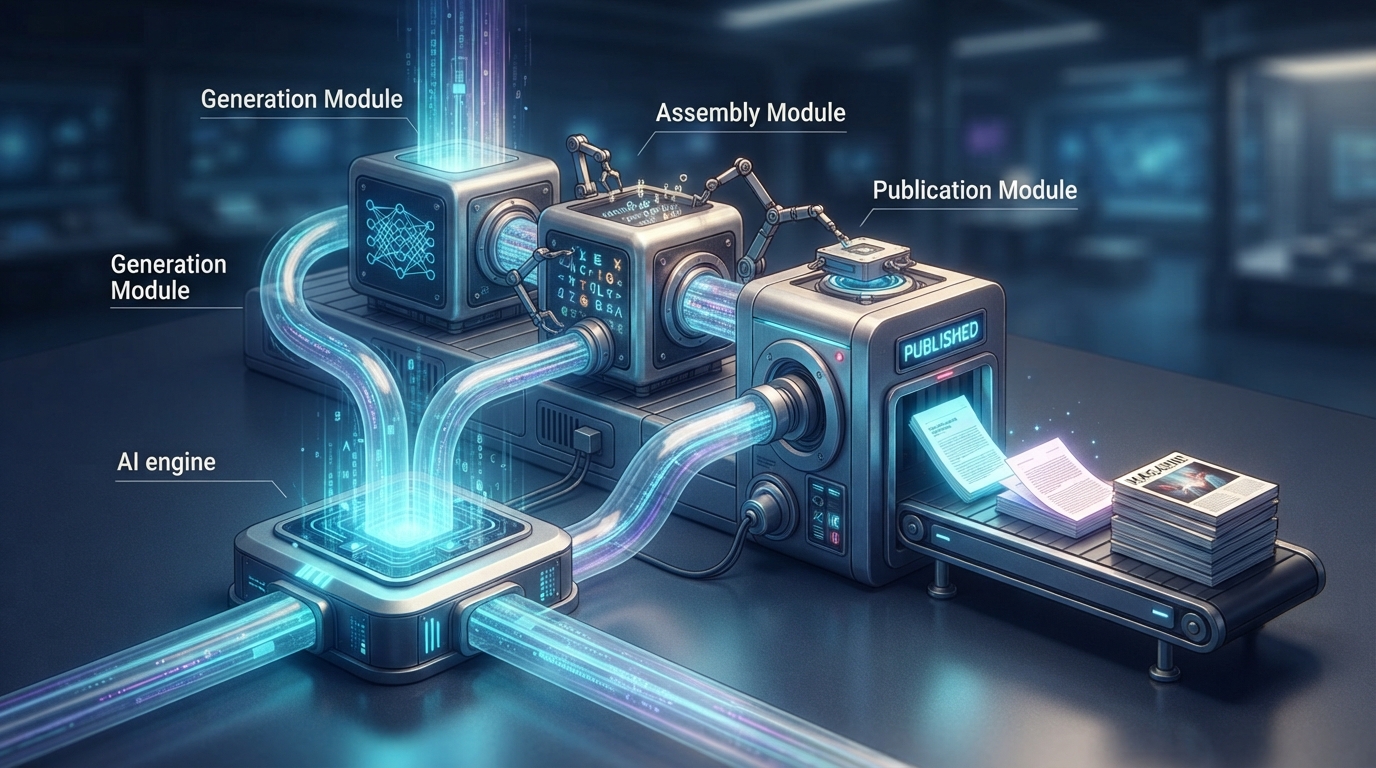
An AI content automation pipeline has five layers: data, brief, generation, QA, and distribution. Each layer has a clear input and output. Data goes in as keyword opportunities and comes out as structured briefs. Briefs go in and come out as drafts. Drafts go in and come out as optimized, published content. Simple in theory. The trick is connecting them so that articles move forward without you babysitting every step.
According to a 2026 analysis of 23 content automation case studies, the median pipeline produces 5-10x more content than manual workflows while maintaining a 4.2x ROI over 12 months. But 80% of AI content automation projects fail because teams think buying one AI tool is enough. It’s not. You need an architecture, not a subscription.
Layer 1: Data (Where your ideas come from)
Every AI content automation pipeline starts with structured data. Without it, you get generic articles that match 47 other results on Google. The data layer pulls from tools you’re probably already using: Google Search Console API for queries you rank for, Ahrefs or Semrush for keyword gaps, and SERP scraping to understand what’s already ranking.
The simplest version: export your GSC queries to a Google Sheet, filter by impressions above 100 and position 11-30 (pages where you’re close to ranking), and use that as your topic queue. That alone gives you a prioritized list of articles that have proven search demand. I’ve seen teams go from “what should we write about?” to a 3-month content calendar in 20 minutes using this method.
Stack A: No-code data (For beginners)
Ahrefs keyword export into a Google Sheet, sorted by search volume and keyword difficulty. Free, simple, and it works for up to 15 articles per month. The limitation: no automation. You’re manually exporting and sorting every time.
Stack B: Automated data (For scaling)
Make or n8n connects to Ahrefs API and GSC API, pulls keyword data weekly, filters by your criteria, and pushes new opportunities into an Airtable board. Set it up once, and your topic queue grows automatically. Cost: $0-30/month depending on the automation tool you pick. Make’s free tier handles 1,000 operations per month, which is plenty for a solo content operation.
Layer 2: Brief (Where quality is decided)
The brief layer determines 70% of your final article quality. This is where you define the heading structure, secondary keywords, FAQ candidates, and sources to cite. A good brief gives the AI content automation pipeline enough direction to write something specific rather than generic.
In 2026, the pattern that works is SERP-driven briefs. Scrape the top 10 results for your target keyword, extract their H2/H3 structure, identify gaps they missed, and feed that into a structured brief. The AI then writes an article that covers what competitors already cover plus the gaps they didn’t.
The tooling here is flexible. ChatGPT Custom GPTs, Claude Projects, or even a well-crafted prompt template in your automation platform. The key is consistency: every brief should follow the same format so your generation layer produces predictable quality.
Layer 3: Generation (Where AI does the writing)
This is the layer everyone focuses on and the layer that matters least. The AI writes your draft based on the brief. In 2026, the best practice for AI content automation is section-by-section generation instead of one-shot full articles. Each H2 gets its own generation pass, which produces better coherence and fewer repetitive patterns that trigger AI detectors.
Multi-pass generation works even better: draft, then AI critique, then rewrite. The critique step catches filler, repetition, and generic phrasing before it reaches human review. It adds 30 seconds per article and saves 10 minutes of editing. Task-specific models also help: use Claude Sonnet for writing, Haiku for optimization tasks like meta descriptions, and Opus for complex briefs that need deep reasoning.
Never publish raw AI output
This needs to be said clearly because it’s where most AI content automation pipelines break. Layer 4 (QA) is mandatory. Raw LLM output has predictable problems: repetitive sentence structures, generic transitions (“furthermore,” “in addition”), factual hallucinations, and a tone that reads like an instruction manual. Your QA layer catches all of this before anything goes live.
Layer 4: QA (Where you catch the problems)
The QA layer combines automated checks and human review. Automated checks should verify: similarity against existing sources (below 30% to avoid Google’s helpful content penalty), keyword density (0.8-1.5%), readability score (Flesch above 50), and that all cited facts actually check out against the original sources.
Human QA doesn’t need to review every article. The proven ratio is 20% fully reviewed, 100% spot-checked for key claims and figures. At scale, this means human touch time of 8-15 minutes per article instead of the 2-3 hours that full manual editing requires.
Layer 5: Distribution (Where content goes live)
The final layer publishes to your CMS, adds schema markup, generates internal links, and pings IndexNow so Google discovers the article within hours instead of weeks. For WordPress sites, the REST API handles publishing. For schema markup, automation tools like Make can generate JSON-LD and inject it via meta fields.
Distribution also includes social promotion. A solid AI content automation pipeline auto-generates a LinkedIn or X post for each published article and adds it to your newsletter queue. It sounds minor, but the single biggest reason content pipelines stall is that articles get published and nobody knows. Automation fixes that.
How much does this cost
Here’s the real question most people want answered. Three stacks, three budgets:
| Stack | Articles/month | Tool cost | Human time per article | Cost per article |
|---|---|---|---|---|
| No-code (beginner) | 5-15 | Free to $50/mo | 2-3 hours | $15-40 (your time) |
| Low-code (SMB) | 20-60 | $100-300/mo | 25-40 minutes | $4-12 |
| Custom (agency) | 100-1000+ | $500-2000/mo | 8-15 minutes | $1.50-4 |
The no-code stack works fine for solo bloggers and small teams. You’re already using ChatGPT and Google Sheets. Add a free Make account, connect WordPress via REST API, and you have a working pipeline in a weekend. The low-code stack is where most businesses should aim. At $4-12 per article with 25-40 minutes of human time, it beats outsourcing to freelance writers on quality consistency. The custom stack is for agencies and SaaS companies publishing at scale, and it requires a developer on the team.
For specific automation tool recommendations, check out our comparison of Zapier alternatives and our step-by-step guide to building your first AI automation workflow in 20 minutes. The automation platform you choose matters less than the architecture you build around it.
The one thing that matters most
Pipelines don’t fail because of bad AI. They fail because the human stops maintaining them. Automating content isn’t a set-it-and-forget-it project. You need to review the QA reports, tweak prompts when quality drops, update your keyword sources monthly, and prune the topic queue. Budget 2-4 hours per week for pipeline maintenance. Treat it like a garden, not a vending machine.
The platforms that handle this best in 2026 are Make (for visual workflow building), n8n (for developers who want more control), and direct API integrations (for teams that don’t need a visual builder). Start simple, measure output quality weekly, and add complexity only when the simple version works. A well-run AI content automation pipeline that publishes three good articles per week is infinitely better than one that generates 50 drafts nobody reads.