
Here’s an uncomfortable stat: people who use AI at work end up with workdays up to 90 minutes longer than everyone else. AI productivity was supposed to buy us free time. Instead, new behavioral data shows it’s stretching the day.
Where this data comes from
Most AI productivity studies are surveys. People guess at their own habits, and everyone lies a little. This one is different.
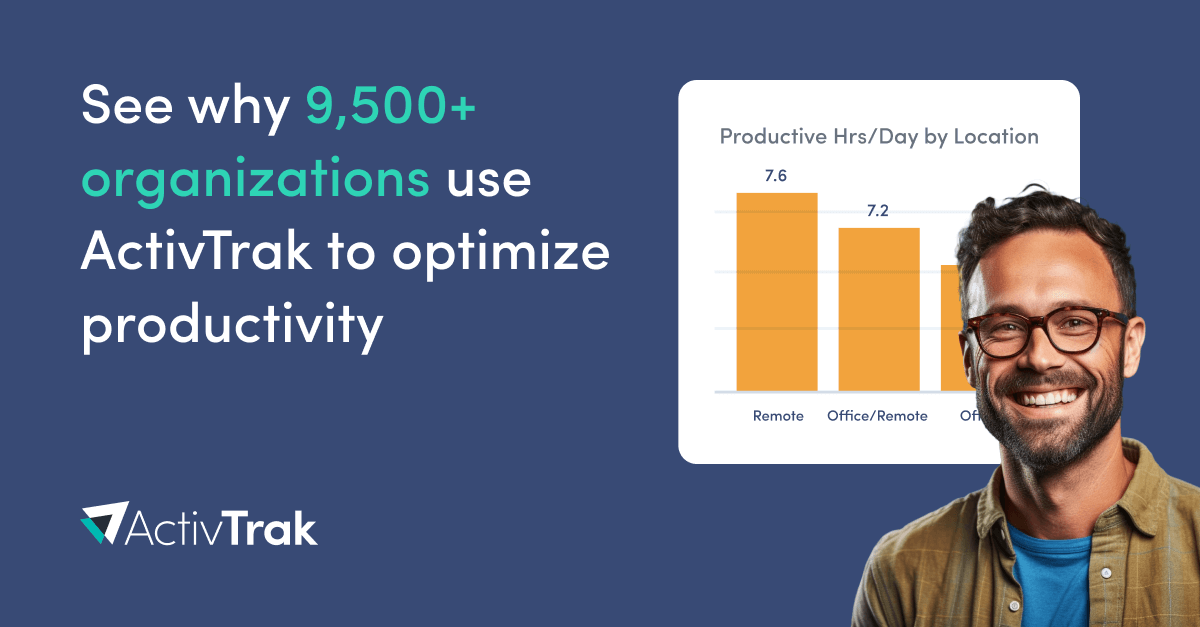
ActivTrak’s Productivity Lab published the full analysis in late October 2026, and it runs on measured behavior instead of self-reporting. The team analyzed actual digital work patterns from 9,140 knowledge workers across 467 companies, collected between April 1 and September 25, 2026.
The core findings:
- AI users have workday spans of 8.4 to 9.1 hours, versus 7.6 hours for non-users
- Heavy AI users average 37.8 minutes of uninterrupted focus, versus 48.2 minutes for light users
- Heavy users switch applications 15.2% more often than non-users
- They spend only 3% of their day in meetings, versus 5% for non-users
So AI users work longer, focus worse, and skip more meetings. That last part might be the only good news.
The swivel-chair tax is real
Researchers found something they literally call the “swivel-chair tax.” It’s the cost of bouncing between your work app and a browser tab where your AI lives.
The numbers are stark. Employees using browser-based AI tools switch applications 4.2 times per hour. Non-AI users switch 0.95 times. That’s more than four times the hopping, all day long.
Meanwhile, people using AI embedded inside their primary apps switch just 0.6 times per hour. Seven times less than browser users. Their focus sessions last longer, and their workdays run shorter.
| Setup | App switches per hour | What it feels like |
|---|---|---|
| Browser-based AI (tab hopping) | 4.2 | Constant context switching |
| No AI at all | 0.95 | Normal, focused work |
| Embedded AI (inside your apps) | 0.6 | Flow that actually holds |
If your AI workflow means copying text into ChatGPT, waiting, then pasting results back, you’re paying this tax every hour. It’s small per switch. It’s enormous per week.
Why longer days happen anyway
Here’s the strange part: the AI productivity gains are real. Even with all that switching, AI users get more done. Work expands to fill available capacity, and AI quietly raises your capacity.
Once you realize you can draft the report in 20 minutes, three things happen. First, you take on more work because you can. Second, expectations around you adjust, so “done by Friday” becomes “done by Wednesday.” Third, the saved time gets refilled with more tasks instead of rest.
The study even caught it after hours. Heavy AI users spend about 32.3% of their workday outside normal hours, almost identical to non-users at 31.9%. Because their days start earlier and run longer, that same share adds 18 extra minutes per day. As a result, the third shift quietly grows.
Sound familiar? That’s the AI productivity paradox in one paragraph. The tool saves time. The calendar absorbs it.
4 fixes that actually work
The data points to specific fixes for the AI productivity drain. None of them require discipline superpowers.
1. Embed your AI where you already work
This is the single highest-impact move. Switching from browser-based AI to embedded tools correlated with 0.6 switches per hour instead of 4.2. Practically: use ChatGPT’s integrations in Google Drive, AI features inside Notion, Copilot inside Office, or connectors inside your CRM. Keep the browser tab for deep research only.
2. Batch your AI tasks
If you must use browser AI, stop switching hourly. Collect your AI tasks in a list and burn through them in two or three dedicated blocks. Context switching costs far more than the task itself, so 40 focused minutes beat 8 scattered ones.
3. Guard one deep-focus block daily
Heavy AI users lost about 10 minutes of focus per session. You can claw that back with one protected block, 60 to 90 minutes, notifications off, AI closed. Automations can help here too; our Zapier Sidekick examples show busywork you can hand off so that block stays protected.
4. Bank some savings as time, not output
When AI saves you two hours, deliberately keep 30 minutes of it. Walk, read, close the laptop. If you’re using AI for meeting notes instead of attending everything, tools like Meetily or our guide to AI note-taking apps and privacy can cut meeting load without adding a new spy in your tabs. The work will still be there. Your evenings shouldn’t be the sponge that absorbs your efficiency.
Your job changes the answer
One more finding deserves attention, because the averages hide it. Software engineers in the study, who mostly use embedded AI tools, averaged just 0.6 app switches per hour and spent 78.5% of their active time inside core coding applications. Operations managers landed at the other end, closer to the browser-based pattern, with more hopping and less uninterrupted time.
So your fix depends on your role. If your work already lives inside one big app, find the AI features inside it before you open a new tab. If your day spans many small tools, the browser problem is structural, and batching matters twice as much. Either way, the goal is identical: fewer hops, longer stretches of real focus, shorter days.
The question managers should ask
If you lead a team that adopted AI, this research should change what you measure. Longer workday spans are not proof of effort. They’re often proof of friction.
Ask two things instead. First, how is AI being accessed? The 0.6 versus 4.2 switches per hour gap means tooling choices matter more than enthusiasm. Moving your team from browser tabs to embedded AI is a one-week project that buys back focus every single day after. Second, what happened to the time AI saved? If nobody can answer, the answer is probably “more work,” and that’s how burnout arrives wearing a productivity costume.
AI productivity was sold as a time machine. The honest version: it’s a capacity machine. Whether capacity turns into breathing room or a longer treadmill depends on decisions someone has to make on purpose. Make them before the third shift makes them for you.
The takeaway
The ActivTrak data isn’t an argument against AI at work. It’s an argument for embedding it properly and defending the time it frees. This week, move your AI into the apps you already use, batch whatever’s left in browser tabs, and protect one focus block. Otherwise the 90 extra minutes are already yours, whether you wanted them or not.