
Grace Clarke ran a service business. Every week, she spent twenty hours on repetitive administrative work. Client proposals. CRM updates. Email responses to leads. Invoice preparation. Project status reports. It was soul-crushing. Then she discovered Claude Code. In two months, she automated her entire admin workflow. Twenty hours per week became one hour. A 95% reduction. This isn’t about being a developer. It’s about using AI to reclaim your time. Claude Code productivity transforms how you work. Here’s how Grace did it. And how you can too.
What Claude Code actually does for productivity
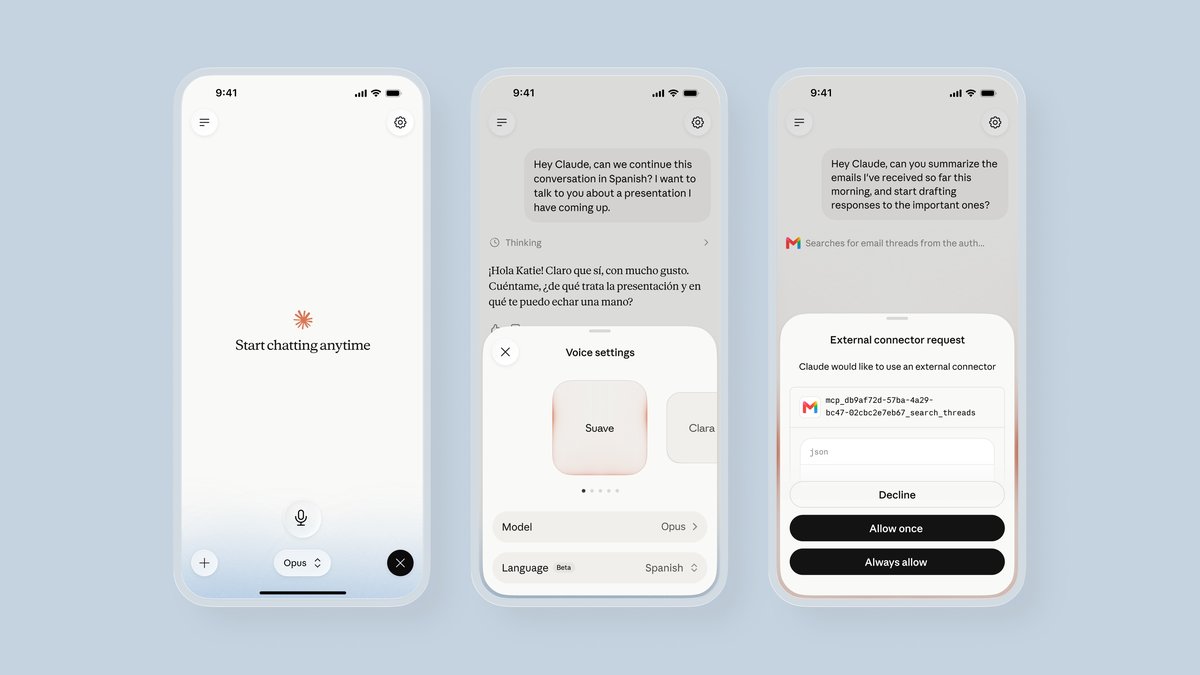
Claude Code is not just an autocomplete tool. It’s a coding assistant with three superpowers that most people never use. Skills, voice mode, and project understanding. Skills are reusable AI patterns. You teach Claude Code how to do a task once. It remembers forever. One-click reuse. Voice mode lets you speak coding commands instead of typing. Dictate while you type. Explain complex logic by talking. Project understanding means Claude Code knows your entire codebase. It references files across projects. Understands dependencies. Suggests fixes based on full context. These features together are what enable massive Claude Code productivity gains. Most people only use Claude Code for basic code completion. They’re missing 90% of the value. The real power comes from building automation workflows. Not just getting autocomplete suggestions.
Grace Clarke’s 20-hour automation case study
Grace’s business was drowning in admin work. She spent five hours per week writing client proposals. Three hours updating her CRM with new leads. Four hours responding to initial email inquiries. Three hours preparing invoices. Five hours on project status reports. Twenty hours total. Almost half her work week. She tried automating with scripts. Wasted hours debugging. Tried no-code tools. Couldn’t get the flexibility she needed. Then she found Claude Code. Here’s what she built. First, a “client proposal” skill. She described her proposal structure in detail. Claude Code generated a template. She refined it. Saved it as a skill. Now when a new client opportunity comes in, she triggers the skill. Claude Code pulls client data from her notes. Generates a personalized proposal. It takes thirty seconds. Used to take an hour. Five hours per week saved. Next, she automated CRM updates. Built a skill that reads email subject lines. Extracts lead information. Updates her CRM via API. She tagged incoming leads with “follow-up.” Claude Code now processes these automatically. Three hours per week saved. Email automation came next. A skill that reads incoming inquiries. Categorizes by topic. Drafts personalized responses based on templates. Grace reviews. Hits send. Two minutes per email. Used to take twenty. Four hours per week saved. Invoices and status reports were automated similarly. Skills that pull project data. Generate formatted documents. Email to clients. The total time investment: three days of setup. The ongoing savings: nineteen hours per week. That’s the power of Claude Code productivity when you use the full feature set.
Claude Code skills explained in plain English
Skills are the secret weapon. Think of them as reusable AI recipes. You teach Claude Code a pattern once. It repeats forever. Here’s how to create a skill. First, do the task manually while Claude Code watches. Explain each step. Show Claude Code the input data. Describe the desired output. Ask it to analyze the pattern. Claude Code identifies the structure. Recognizes the variables. Understands the transformation. Then ask it to generalize. “Turn this into a reusable skill.” Claude Code writes the skill. You test it. Refine it. Save it. Now you have a one-click automation. For Grace’s proposal skill, the workflow was: read client notes, identify project scope, calculate pricing based on rate card, generate proposal text, format as PDF. Each step was manual. Claude Code learned the pattern. Now it’s automatic. Skills work for any repetitive task. Data cleaning. Email responses. Report generation. Code documentation. If you can explain the pattern, Claude Code can learn it. The best part: skills improve over time. As you use them, Claude Code learns your preferences. Refines the output. You don’t need to be a programmer to build skills. You just need to be clear about what you want.
How voice mode doubles your coding speed
Voice mode is another underused productivity booster. Most people type long prompts to Claude Code. This is slow. Voice mode lets you speak instead. Explain complex logic by talking. Dictate code requirements while reviewing existing code. Walk through a problem verbally while Claude Code generates solutions. The speed increase is dramatic. Typing takes mental effort. Speaking is natural. Your hands stay on the keyboard. You can review code while giving instructions. This changes the workflow. Instead of: stop typing → write prompt → wait for response → continue coding. You do: continue typing while speaking → see response immediately → keep coding. It’s a continuous flow. For Grace, voice mode was crucial during the automation phase. She could explain business logic while Claude Code generated the underlying code. She could walk through the proposal structure while Claude Code built the template. The cognitive load was lower. She didn’t have to translate her thoughts into text first. She could just speak them. Voice mode shines for complex tasks. Architecture discussions. Algorithm explanations. Multi-step workflows. Things that take paragraphs to type can be explained in seconds with voice. If you’re not using voice mode with Claude Code, you’re leaving speed on the table. It’s not just a gimmick. It’s a genuine Claude Code productivity accelerator.
Step 1: Identify your repetitive tasks
Before automating, you need to know what to automate. Spend one week tracking your time. Every hour, write down what you did. Be specific. “Email” is too vague. “Email response to new lead” is specific. “Admin work” is too vague. “Prepare invoice for client X” is specific. At the end of the week, look for patterns. What do you do daily? Weekly? Monthly? What involves copy-pasting? Data entry? Repetitive formatting? These are automation candidates. Grace found five patterns. Client proposals. CRM updates. Lead responses. Invoices. Status reports. These happened every week. Every time. The format was consistent. Only the data changed. Perfect for automation. Another angle: what do you hate doing? If a task makes you procrastinate, automate it. If a task drains your energy, automate it. Your motivation will make the upfront work worth it. Finally, consider the time investment. If a task takes 10 minutes per day and happens daily, that’s 50 minutes per week. If automating it saves you 45 minutes per week, the payback is huge. If the task takes 2 hours per year, automation might not be worth the setup time. Focus on high-frequency, high-friction tasks first.
Step 2: Build your first Claude Code skill
Start small. Choose one task. The simplest one. Don’t try to automate everything at once. For Grace, the first skill was the client proposal. Here’s the process. First, gather examples of the manual work. Three to five examples of completed proposals. These show the pattern. Second, open Claude Code. Upload the examples. Explain the context. “These are client proposals I write every week. Here’s the structure. Here’s what varies. Help me create a skill to generate these automatically.” Third, work through the examples with Claude Code. Explain each section. Why it exists. What information it needs. How to calculate values. Claude Code will ask clarifying questions. Answer them. This is where Claude Code learns your business logic. Fourth, ask Claude Code to generate a skill. “Now create a skill that generates proposals based on client notes.” Fifth, test the skill. Provide new client data. See what Claude Code generates. Compare to your manual work. Identify gaps. Refine the skill. Ask Claude Code to adjust. Iterate. Sixth, save the skill. Give it a clear name. “Client Proposal Generator.” Now you can trigger it with one click. This entire process takes time. Grace spent four hours on her first skill. But that skill saved five hours per week. The payback was immediate. After building one skill, the next one is faster. You learn Claude Code’s patterns. You learn how to explain tasks clearly. You build a library of skills that compound in value.
Common automation workflows by profession
The patterns vary by profession, but the approach is the same. Freelancers can automate invoicing, project reports, client onboarding emails. Build a skill that pulls project data from a notes file. Generates a formatted invoice. Emails it to the client. Save five hours per week. Small business owners can automate inventory tracking, order processing, customer support responses. Build a skill that reads new orders. Updates inventory. Sends confirmation emails. Save ten hours per week. Consultants can automate meeting notes summaries, proposal templates, client follow-ups. Build a skill that transcribes meeting audio. Summarizes key points. Generates action items. Email them to participants. Save three hours per week. Developers can automate code reviews, documentation generation, bug report summaries. Build a skill that reads code changes. Checks for issues. Generates review comments. Creates documentation. Save eight hours per week. The common thread: identifying repetitive patterns. Documenting the workflow. Teaching Claude Code the pattern. Reaping the time savings. Grace wasn’t a programmer. She was a business owner. Her automation was administrative, not technical. That’s the beauty of Claude Code productivity. It’s not about code. It’s about patterns.
Is Claude Code right for your work?
Claude Code isn’t for everyone. If your work is highly creative and never repeats, automation won’t help much. Writers, artists, designers—their work varies too much. But if you have repetitive tasks, administrative work, or structured workflows, Claude Code can transform your productivity. The sweet spot is knowledge work with patterns. Consulting. Freelancing. Small business management. Project management. Operations. These domains are filled with repetitive tasks. Automation can save hours per week. The learning curve is modest. You don’t need to be a developer. You need to be clear about what you want. The time investment is front-loaded. Spend a few days building skills. Save hours every week going forward. The math is compelling. Even if you only save five hours per week, that’s 250 hours per year. More than a month of full-time work. Grace saved nineteen hours per week. That’s nearly 1000 hours per year. Time she reinvested in client work. Her revenue increased. Her stress decreased. She actually enjoys her work again. Claude Code productivity isn’t just about efficiency. It’s about reclaiming your time for high-value work. The work that matters. The work that pays. The work that energizes you. Administrative busywork does none of that. Automate it. Reclaim your time.
[Link to How to build a mini app in Claude for app-building workflows.] [Link to How to connect AI agents to your apps for free for broader automation context.] [Outbound link to Claude Code]