
Most people think running powerful AI locally requires an expensive gaming PC with 64GB of RAM and a beefy GPU. Wrong. You can run LLM locally laptop with just 16GB of memory. No GPU needed. No cloud subscription. No monthly fees. Ornith 9B is a 9-billion-parameter model that delivers performance comparable to 35-billion-parameter models. It runs on standard laptops. It processes images. It works completely offline. And it’s free. Here’s how to get near-frontier AI power on hardware you already own.
Why Ornith 9B is special for laptop users
Ornith 9B punches way above its weight class. Through clever architecture—compressed memory, attention across depth, latent expert routing—it delivers output quality that rivals models four times its size. This matters because size correlates with hardware requirements. Bigger models need more RAM. More GPU power. More cooling. Ornith 9B runs on a standard 16GB laptop. That’s the sweet spot for most modern machines. No special hardware. No $5,000 GPU. Just your existing laptop. The model is multimodal too. It can read and analyze images. Most local models this small are text-only. Ornith 9B can describe screenshots. Extract text from photos. Analyze charts and graphs. This capability alone makes it unique in the 9B class. Plus it’s completely free. No API credits. No paywall. Download once. Run forever. This is what makes it possible to run LLM locally laptop without compromises.
What you need to run Ornith 9B
The requirements are modest. You probably already have what you need. Minimum: 16GB of RAM. That’s the baseline for any serious AI work. 10GB of free storage space for the model file. And a modern operating system—Windows 10+, macOS 12+, or Ubuntu 20.04+. That’s it. You don’t need a dedicated GPU. Ornith 9B runs on CPU. It’s not lightning fast, but it’s fast enough for real work. Recommended but not required: 32GB of RAM for faster processing and larger context windows. An SSD for quicker model loading. And if you have an RTX 3060 or better GPU, you can accelerate inference. But none of this is necessary. Ornith 9B will run LLM locally laptop with just the minimum specs. The model file is around 6GB in compressed format. Download takes 10-30 minutes depending on your internet speed. Once downloaded, you’re set. No more downloads. No internet connection required. It works on airplanes. In coffee shops with bad WiFi. Anywhere.
Method 1: LM Studio (easiest way)
LM Studio is the most beginner-friendly way to run Ornith 9B. It’s a graphical application that makes local AI feel like using ChatGPT. Here’s how to set it up. First, download LM Studio from lmstudio.ai. It’s free and works on Windows, Mac, and Linux. Install it like any other application. Open LM Studio and search for “Ornith” in the model marketplace. You’ll see Ornith 9B in several quantization formats. Choose the Q4_K_M version. It’s the best balance of speed and quality for 16GB systems. The download will start automatically. Grab coffee. This takes a while. Once downloaded, click the “Chat” button. That’s it. You’re now running Ornith 9B locally. Type prompts. Get responses. No API keys. No configuration. LM Studio handles everything. The interface is clean. Conversation history is saved. You can create multiple chats for different projects. This is the fastest way to get started. If you can install an application, you can run Ornith 9B with LM Studio.
Method 2: Ollama (fastest for Mac/Linux)
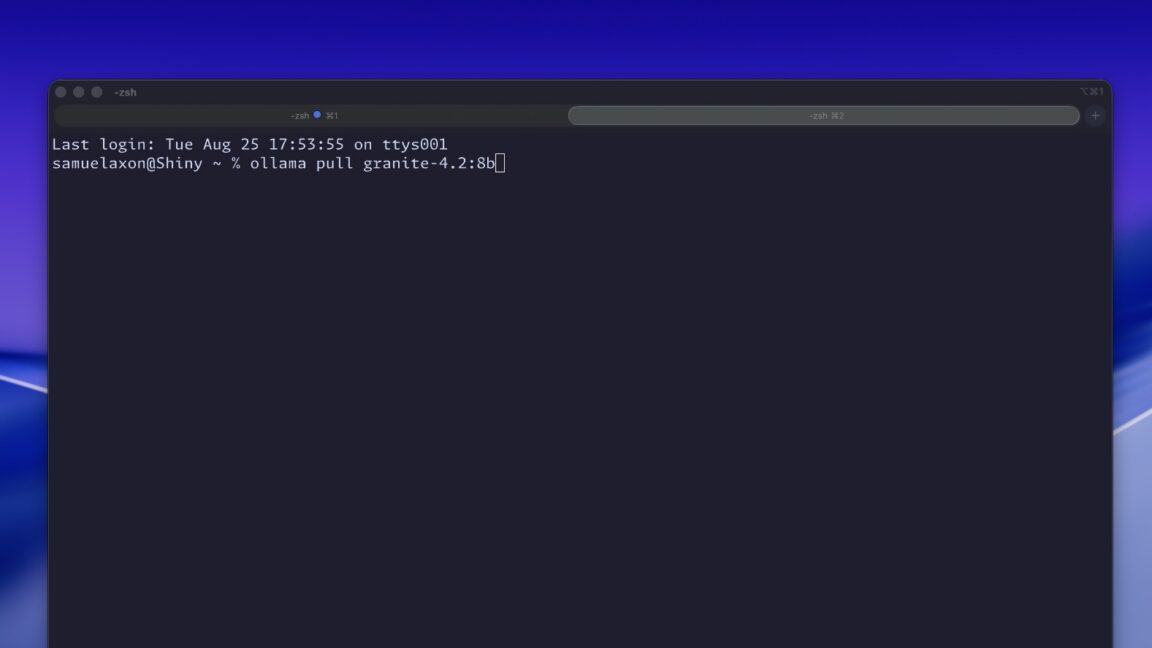
Ollama is a command-line tool that’s incredibly simple to use. It’s available for Mac and Linux. It’s faster than LM Studio because it’s optimized for performance. Here’s the setup. Open your terminal and run this command: `curl -fsSL https://ollama.ai/install.sh | sh`. This installs Ollama on your system. Once installed, running Ornith 9B is a single command: `ollama run ornith:9b`. That’s it. Ollama automatically downloads the model if you don’t have it. Then it launches an interactive chat session. The response time is noticeably faster than LM Studio on the same hardware. Ollama integrates with your system. You can pipe commands to it. Use it in scripts. Embed it in applications. It’s the power user’s choice for running local AI. The limitation: command-line interface. No graphical buttons. If you’re comfortable with terminals, Ollama is your best bet. If you prefer point-and-click, stick with LM Studio.
What Ornith 9B can actually do
You’re probably wondering how it compares to the cloud models you’re used to. Here’s the honest assessment. Ornith 9B excels at coding. It understands most programming languages. Can generate functional code. Debugs errors. Explains complex logic. For simple to moderate coding tasks, it rivals GPT-3.5. Sometimes beats it on specific languages. Summarization is another strength. It can condense long documents into concise summaries. Accuracy is solid. Similar to Claude 3 Haiku. The multimodal capability is unique for this size. Upload a screenshot. Ornith 9B describes what it sees. Extracts text. Analyzes charts. This is rare for a 9B model. Most can’t handle images at all. For creative writing, it’s decent. Not great. It generates coherent text but lacks the flair of larger models. The responses are functional but uninspired. For brainstorming, it works fine. Lists ideas. Expands on concepts. Nothing revolutionary but gets the job done. The big limitation: complex reasoning. Multi-step logic puzzles. Mathematical proofs. Architectural decisions. Ornith 9B struggles here. It loses the thread. Makes logical leaps that don’t follow. This is where the 35B and larger models shine. But for 80% of everyday tasks? Coding, summarization, brainstorming, image analysis? Ornith 9B is surprisingly capable.
When Ornith 9B falls short
Be realistic about the limitations. Complex multi-step reasoning is the weak point. If you need an AI to chain together five logical steps, reach conclusions, and explain the reasoning path, Ornith 9B will likely fail. It gets confused. Loses context. Makes invalid inferences. Large context windows are another limitation. Most frontier models handle 128K tokens or more. Ornith 9B tops out around 8K. That’s enough for most documents but not for processing entire books or massive codebases. Response speed is slower than cloud models. On a 16GB laptop without GPU, you’re looking at 10-20 seconds for a 300-word response. It’s not instant. The training cutoff is another constraint. Ornith 9B only knows what it was trained on. No real-time web access. No current events. If you ask about something that happened last month, it won’t know. Cloud models can browse the web. Local models cannot. Privacy is the trade-off. You get offline security but sacrifice fresh information. The final limitation: task specificity. Ornith 9B is a general-purpose model. It’s not fine-tuned for specific domains like medicine or law. For specialized tasks, cloud models with domain tuning will perform better.
Is it worth switching from cloud AI?
This depends on your use case. If you need real-time web access, complex reasoning, or specialized knowledge, cloud AI remains superior. Pay for GPT-4 or Claude 3 Opus. The subscription is worth it. But if your needs are different—offline work, privacy concerns, budget constraints—Ornith 9B is a game-changer. Imagine working on a plane. No WiFi. Need to analyze a document. Generate code. Brainstorm ideas. Cloud AI is dead. Ornith 9B works. Same for sensitive data. Financial reports. Medical records. Legal documents. Sending this data to cloud APIs risks privacy. Processing locally keeps everything on your machine. Budget is another factor. AI subscriptions add up. $20 per month for ChatGPT. $20 for Claude Pro. $20 for others. That’s hundreds per year. Ornith 9B is free after the initial download. The math is simple. And the performance gap is smaller than most people realize. For everyday tasks—coding, summarization, brainstorming, image analysis—Ornith 9B delivers 80% of the value at 0% of the cost. That’s why it’s worth learning how to run LLM locally laptop. The setup takes an hour. The savings last forever. And you get genuine privacy and offline capability that cloud AI can’t match. Stop paying for subscriptions you don’t need. Start using the power that’s already in your machine.
[Link to On-device AI: How to use AI on your phone without internet for mobile local AI options.] [Outbound link to LM Studio] [Outbound link to Ollama]