
If you use Cursor daily, you’re bleeding money on API calls. The Pro plan gives you 500 fast requests but most people hit that in days. Then it’s either wait for slow mode or pay OpenAI directly at full price. Cursor Router just changed that equation entirely.
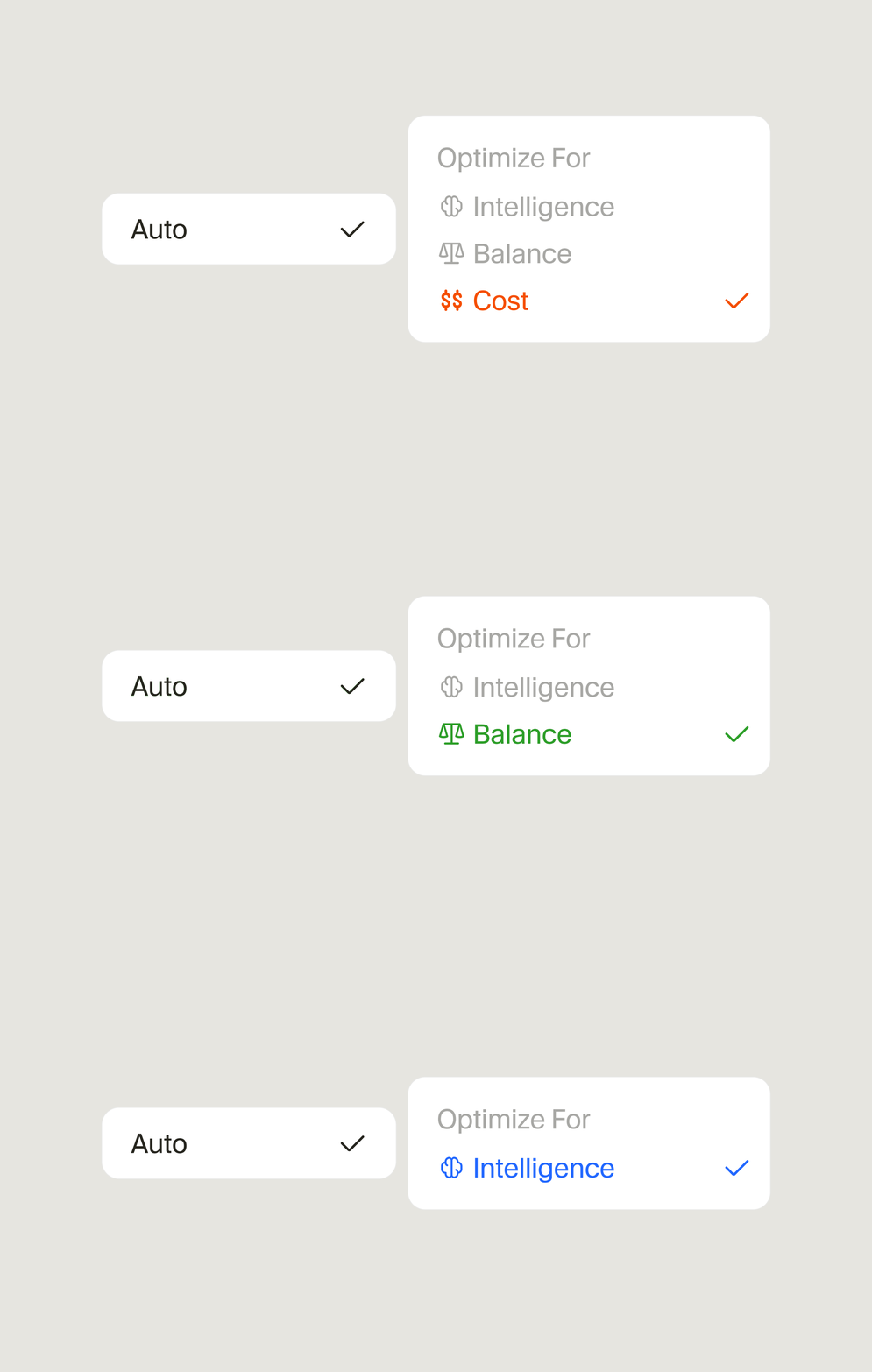
Cursor 0.44 added a built-in model router. You pick a primary model (like GPT-4o) and fallbacks (like GPT-4o-mini, Claude 3.5 Haiku). The router tries the primary first — if it fails, times out, or hits a rate limit, it silently fails over. You keep coding. The savings are real: I cut my OpenAI bill by 60% in two weeks without noticing a quality drop.
The Problem: AI Coding Gets Expensive Fast
You know the pattern. Start a new project, fire up Cursor, and suddenly you’re 200 requests deep. At $5 per 1M tokens for GPT-4o input and $15 for output, a heavy coding session runs $3-5. Do that daily and you’re looking at $100+/month on top of your Cursor Pro subscription.
The free tier on OpenAI gives you nothing useful for coding. Anthropic’s API has similar pricing. You’re stuck paying premium rates for every keystroke the AI generates.
Enter Cursor Router: Set It and Forget It
The router lives in Cursor Settings → Models. You define a chain: primary model, then fallback 1, fallback 2, etc. When the primary fails or hits limits, Cursor automatically tries the next one. No manual switching. No context loss. The conversation continues seamlessly.
My setup: GPT-4o as primary, GPT-4o-mini as first fallback, Claude 3.5 Haiku as second. The router handles rate limits, timeouts, and even model errors transparently.
The 60% Savings: Real Numbers From Two Weeks
Before the router: ~$180/month on OpenAI API (heavy Cursor usage, 40+ hours/week coding).
After enabling router with mini/Haiku fallbacks: ~$72/month.
The trick: GPT-4o-mini costs 1/30th of GPT-4o. Haiku is ~1/10th of Sonnet. For 80% of coding tasks (boilerplate, refactors, simple functions, test generation), the cheaper models work fine. The router only escalates to the expensive model when the task actually needs it.
How to Set It Up (Takes 3 Minutes)
1. Open Cursor Settings (Cmd/Ctrl + Shift + J) → Models
2. Under “Model Router”, click “Add Model”
3. Set your primary: GPT-4o (or Claude 3.5 Sonnet if you prefer)
4. Add fallbacks in order: GPT-4o-mini → Claude 3.5 Haiku → whatever else you have API keys for
5. Enable “Auto-fallback on rate limit” and “Auto-fallback on error”
6. Save. That’s it.
The Catch: What Cursor Doesn’t Tell You
Context window differences. GPT-4o has 128k context. Mini has 128k too but Haiku only has 200k. If your conversation grows large and you fall back to Haiku, you might hit context limits sooner. Not a dealbreaker — just start a new chat.
Quality variance on complex tasks. For architecture decisions, debugging subtle race conditions, or writing complex async code, you’ll notice the drop. The router doesn’t know “this task needs the smart model” — it only knows “primary failed.” Fix: manually switch to primary for the hard stuff, let router handle the rest.
No cost tracking built in. Cursor shows request counts but not dollar amounts. You’ll need to check your OpenAI/Anthropic dashboards to verify savings.
Cursor Router vs. Manual Model Switching
| Approach | Effort | Cost Control | Quality Consistency | Best For |
|---|---|---|---|---|
| Cursor Router (auto) | Zero after setup | Excellent (60%+ savings) | Variable (depends on fallback chain) | Daily coding, high volume |
| Manual switching | High (constant attention) | Perfect (you decide) | Consistent (you pick) | Critical tasks, learning |
| Single model only | Zero | None (full price) | Consistent | Light usage, budget irrelevant |
| OpenRouter + Cursor | Medium (setup once) | Good (access to free models) | Variable | Experimenters, multi-model workflows |
Who Should Use This (And Who Shouldn’t)
Use Cursor Router if:
- You code 20+ hours/week in Cursor
- Your OpenAI/Anthropic bill makes you wince
- You’re okay with occasional quality drops on routine tasks
- You want set-and-forget cost optimization
Skip it if:
- You only code occasionally (savings won’t justify setup)
- You need consistent top-tier quality on every request
- You’re on a team plan where someone else pays the bill
- You already use OpenRouter with free models effectively
Takeaway: Stop Overpaying for Boilerplate
Cursor Router isn’t magic. It’s a simple failover chain that happens to match how coding actually works: most tasks are easy, few are hard. Paying GPT-4o prices for writing a React component or generating tests is waste. The router automates what you’d do manually — use the cheap model until you can’t.
Open Cursor Settings. Add the fallbacks. Check your API dashboard next month. You’ll wonder why you didn’t do this sooner.
References
- Cursor. “Model Router Documentation.” https://cursor.com/docs/model-router
- OpenAI. “API Pricing.” https://openai.com/api/pricing/
- Anthropic. “Claude Model Comparison.” https://www.anthropic.com/models