
I pay $20 a month for both Claude Pro and ChatGPT Plus. Last week I handed each one the same three jobs. One made me feel like I had a competent coworker. The other felt like a eager intern who needs constant supervision. The difference wasn’t even close.
Both Anthropic and OpenAI launched “workspace” features this summer. Claude Cowork and ChatGPT Work promise to take a task, figure out the steps, and get it done while you do something else. Sound familiar? That’s the dream. The reality is messier.
What Are Claude Cowork and ChatGPT Work?
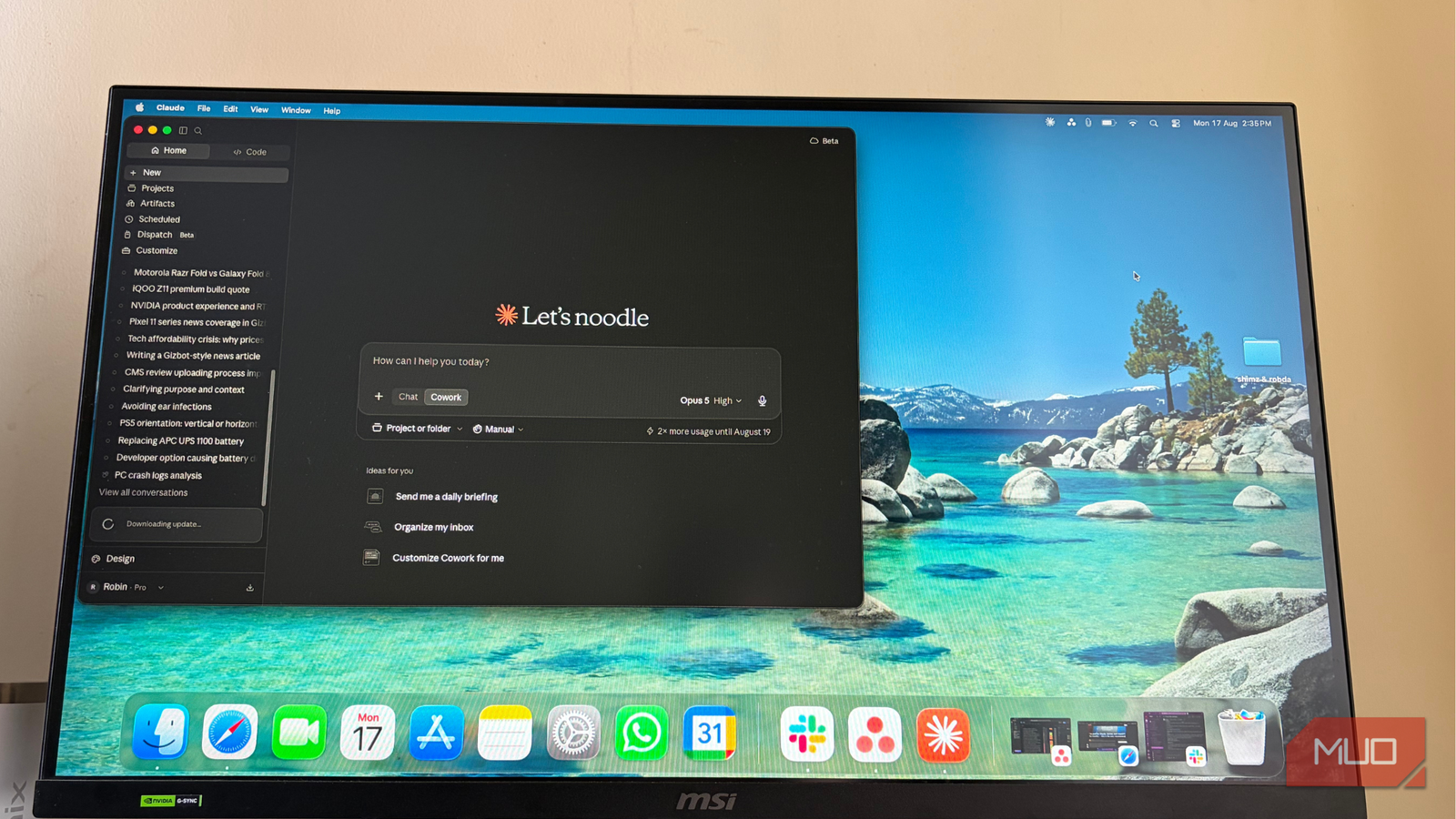
Claude Cowork in 30 seconds
Think of it as an agentic workspace. You don’t ask Claude a question and wait for an answer. You hand it a job — “rename these 500 images following this pattern” or “build a presentation from these research docs” — and it works through the task. It can dig through local files, research the web, connect to Slack and Teams, and create documents, presentations, and spreadsheets along the way. A task might take minutes or hours. You check back when it’s done.
ChatGPT Work in 30 seconds
Similar concept. Hand over a workflow and let ChatGPT handle research, app connections, and local files. But it adds a few tricks Claude doesn’t have: it can build Sites (mini web pages), schedule recurring tasks, run jobs on a timer, and generate images. On paper, it looks more feature-packed.
Both cost $20/month. Both require a paid tier. That’s where the similarity ends.
How I Tested Both (Same Tasks, Fair Comparison)
I didn’t want a feature list. I wanted to know which one actually saves time. So I gave both the exact same three tasks over a week.
Test 1: Recurring daily task
I need a message posted to a Google Chat group every weekday. Simple, repetitive, perfect for delegation.
Claude Cowork went first. Before setting anything up, it asked questions. “What time?” “Weekends included?” “What exactly should the message say?” It gave me poll-style choices when something needed clarification. Didn’t rush. Made sure it understood.
ChatGPT Work took the opposite approach. Jumped straight to implementation. But ironically, setup took longer. Less back-and-forth meant I didn’t get the same confidence it understood the broader context.
Result: Both got the message sent on time, weekdays only. But Claude made me feel comfortable walking away. ChatGPT made me want to double-check.
Test 2: Local file cleanup
I had a folder of images with messy names. Needed them renamed by date and project code. The kind of mindless task you’d happily never do again.
ChatGPT Work nailed it. Understood the naming convention, worked through the folder, sent a notification when finished. Didn’t need me to watch.
Claude Cowork had already done this exact job in a previous test. Equally good.
Result: Tie. Both handled local file operations smoothly.
Test 3: Complex presentation build
This was the real test. I provided research docs, supporting files, and a detailed brief. “Build me a presentation following this template.”
Claude Cowork took time to understand the template first. Asked clarifying questions. Then built something that felt close to finished. Few corrections needed.
ChatGPT Work completed it too. But I found mistakes. Wrong slide order. Missing sections. Formatting issues. Each mistake meant another round of “fix this, then fix that.” The convenience of delegation started disappearing when I had to micromanage.
Result: Claude Cowork, clearly.
The Results — Where They Differ
Understanding the task (Claude wins)
This is the biggest difference. Claude Cowork acts like someone who wants to get it right the first time. It asks. It clarifies. It proposes options. You spend more time upfront, less time fixing.
ChatGPT Work optimizes for speed-to-first-action. It starts fast but the setup drags on. And the lack of clarification loops means misunderstandings surface later — when they’re more expensive to fix.
For a beginner, this matters. You don’t want to learn prompt engineering just to delegate a task. You want the tool to meet you halfway.
File operations (Tie)
Both handle local files well. Both can navigate folders, read docs, execute batch operations. If your main use case is “clean up this folder” or “rename these files,” either works.
Complex projects (Claude wins)
Multi-step work with dependencies — presentations, reports, research synthesis — is where the clarification habit pays off. Claude’s upfront investment compounds. ChatGPT’s speed becomes technical debt.
What ChatGPT Work Does Better
Credit where it’s due. ChatGPT Work has features Claude Cowork doesn’t:
- Sites: Build and deploy mini web pages from a prompt
- Scheduled tasks: Run workflows on a timer, not just “now”
- Image generation: DALL-E integration built in
- Longer workflows: Can monitor ongoing processes
On a feature checklist, ChatGPT Work wins. In practice, I didn’t need most of those for my actual work. Your mileage may vary.
Price & Value — Both $20/Month
Here’s the thing. You’re probably already paying for one of these. Claude Pro = $20. ChatGPT Plus = $20. The workspace features come included.
If you have both, the question isn’t “which subscription.” It’s “which tab do I keep open?”
If you only have one, don’t switch subscriptions for the workspace feature alone. The core model capabilities (coding, writing, analysis) are comparable. The workspace is a bonus, not a reason to migrate.
Which Should You Choose?
Choose Claude Cowork if:
- You want to hand off a task and trust it’s handled
- You’d rather answer a few questions upfront than fix mistakes later
- Your work involves documents, presentations, research synthesis
- You value “set it and forget it” over feature checklists
Choose ChatGPT Work if:
- You need scheduled/recurring automation (daily reports, weekly summaries)
- You want to build simple web pages without coding
- Image generation is part of your workflow
- You already live in the ChatGPT ecosystem and don’t want context-switching
The Bottom Line
After a week of real work, I’m keeping Claude Cowork in my daily rotation. ChatGPT Work is impressive on paper. But the feature I use most — delegation without babysitting — works better with Claude.
Try this: pick one task you do every week. Hand it to your current AI. See how many times you have to intervene. That number tells you everything.
If it’s zero, you’re good. If it’s three or more, maybe it’s time to try the other one.