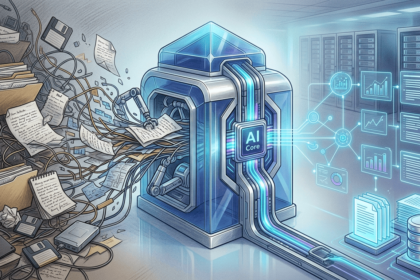

Somebody forwarded you an AI-generated email this week. Maybe five paragraphs of confident mush that took longer to decode than a normal message would have taken to read. That’s AI slop, and Shopify’s CEO just gave the problem a name that sticks: slop grenades. He says they’re making work worse for everyone.
The problem nobody planned for
Two years ago, companies pushed AI hard. Shopify went further than most. CEO Tobi Lütke told employees that using AI was a baseline expectation, and that teams should prove they couldn’t get something done with AI before asking for more people. On paper, it sounded like a productivity dream.
Then the output started arriving.
“We call those ‘slop grenades’ that people toss at each other,” Lütke said on The Knowledge Project podcast in mid-September, as Fortune reported. “That’s definitely a bad thing.” His complaint wasn’t that employees were slacking. It was that they were producing enormous amounts of unreviewed AI output and tossing it over the wall. Nobody reads it before sending. The colleague on the other end has to.
Here’s the part that should make every manager squirm: the bottleneck didn’t disappear. It moved. Instead of paying people to write, companies are now paying people to clean up AI slop that looked done but wasn’t.
Why AI slop spreads so fast
AI slop isn’t just bad writing. It’s unexamined work that looks finished. Grammar: perfect. Structure: clean. Bullets: tidy. That surface polish is exactly what makes it dangerous, because it tricks the sender’s brain into skipping the review step.
Lütke described the mechanism precisely. You let AI “go nuts” on a draft, you don’t really read the result, and off it goes. Later, a colleague finds something that doesn’t look right and now has to untangle it. The original author saved twenty minutes. The reviewer lost an hour. Multiply that across a company and you get the mess Shopify is openly talking about.
There’s data behind the annoyance too. A 2026 survey by marketing platform Bynder asked more than 1,000 US consumers what happens when they suspect a text was machine-written. Over half said they’d tune out: fewer page views, shorter reading time, less sharing. If strangers disengage from sloppy AI content, colleagues disengage even faster. Efficiency at the individual level creates congestion at the team level. Traffic engineers know this pattern well.
What “finished” actually means now
The slop problem boils down to a definition dispute. Plenty of people treat an AI first draft as finished work. Lütke clearly doesn’t. In his telling, output only counts when the author could explain and defend every line of it. Otherwise, as he put it, you’re “just letting AI do the work for you.”
That reframes the review step. Reading your AI draft isn’t bureaucracy. It’s the part where the work becomes yours. Skip it, and the document carries your name without carrying your judgment, which is exactly what colleagues sniff out when they write back asking what a paragraph was supposed to mean.
His own example shows where it goes wrong. AI should help you synthesize the points in an email, he said, not turn it into “a big missive” that wastes everyone’s time. The tool isn’t the problem. The missing read-through is. And timing matters as much as intent: reviews catch slop in minutes when they happen before sending, but cost hours when they happen after, with a confused coworker on the other end. Cheap early, expensive late. Every process works that way.
The five checks before you hit send
So how do you use AI at work without becoming the person everyone quietly avoids? The fix costs about two minutes per message.
1. Read it like you wrote it. Would you put your name on every claim in that draft? If a sentence surprises you, that’s a fact to verify, not style to admire. Delete anything you can’t personally back up.
2. Cut the length in half. AI drafts inflate. If your “quick update” is nine paragraphs, it’s a slop grenade with a pin pulled. Rewrite the first two paragraphs yourself and delete the rest. Your colleagues will notice the difference and never know why.
3. Kill the hedge soup. Count the phrases like “it’s important to note” and “it depends on various factors.” AI pads with these. Real communication picks a position. One clear sentence beats three cautious ones.
4. Check the numbers separately. This one’s non-negotiable. AI models get figures wrong constantly, and a confident wrong number in a spreadsheet or client email is how careers get dented. Any stat, date, or price gets verified against the source before it ships.
5. Ask one question: what does the reader need to do? If the answer is “nothing, this is just an FYI,” reconsider sending it at all. Most slop exists because generating text is free now, not because anyone needed the text.
This is the same discipline we described in our guide to using AI at work safely, where the rule was simple: you own the output, no matter which tool produced it. Sloppiness with an AI signature is still sloppiness.
What leaders should actually measure
Shopify’s experience carries a lesson for anyone managing a team through this transition. Measuring AI adoption by output volume rewards exactly the behavior Lütke is now complaining about. If your team ships twice the documents, ask who’s reading them.
The better metric is downstream: how often does work come back for rework? How long do review cycles take? A team drowning in AI slop looks incredibly productive until you count the hours spent fixing avoidable mistakes. We saw a version of this in the experiment where AI agents ran real businesses and earned exactly zero dollars; activity is not the same thing as results, and AI makes it dangerously easy to confuse the two.
Some companies are already adjusting. The failure mode has flipped, as one analysis of the Shopify story put it: the problem used to be too little output, and now it’s too much. The teams winning right now aren’t the ones generating fastest. They’re the ones with the tightest feedback loops between producing and thinking.
Job seekers are feeling the flip side of the same cycle. When everyone automated applications, employers automated screening, and the whole thing turned into an arms race that wastes everyone’s time. We broke down that dynamic in our piece on the AI job application doom loop, and it ends the same way the slop cycle does: volume up, value down.
Where this leaves you
None of this means stop using AI at work. Lütke still wants his teams using these tools constantly. The message is narrower than that: an unreviewed AI draft isn’t finished work, and treating it as finished is how a time-saving tool becomes a time-wasting one.
Before you forward that next AI-drafted document, give it the two-minute treatment. Read every claim, cut the length, verify the numbers. Your colleagues won’t thank you out loud, but they’ll stop dreading your name in their inbox. And that’s worth more than any productivity stat.