
You have a folder called “side-projects.” Inside: twelve repositories. Three have a README. One has a package.json. Zero are deployed. You’ve rewritten the same auth system four times. You’ve researched “best React state management” six times. You’ve never shipped.
Sound familiar? There’s a feature in ChatGPT Codex that fixes this. It’s been there for months. Most people don’t know it exists.
The Problem — Your Graveyard of Unfinished Projects
Why “tomorrow” never comes
You know the cycle. Sunday night: “This week I’ll finally build that idea.” Monday: work gets busy. Tuesday: you’re tired. Wednesday: you forget. Thursday: you remember but don’t have the energy to context-switch. Friday: “I’ll start fresh Monday.”
The project dies in the gap between intention and action. Not because it’s hard. Because starting requires decisions — stack, structure, auth, database, deployment — and each decision is a tiny friction point. Multiply by twenty decisions and you never begin.
How Codex Goals changes the game
Codex Goals doesn’t just write code. It manages the project. You give it a goal — “Build a SaaS for freelance time tracking” — and it:
- Researches the stack
- Creates a spec
- Breaks it into ordered steps
- Executes each step with your approval
- Remembers where you left off across sessions
- Tracks progress visually
It’s the difference between a GPS that just shows roads and one that says “turn left in 200 feet, then your destination is on the right.”
What Is Codex Goals? (And Why It’s Different from Regular ChatGPT)
Persistent memory across sessions
Regular ChatGPT: new chat = blank slate. You re-explain the project, paste the same files, remind it of decisions you made yesterday.
Codex Goals: the goal is the context. Close the browser. Come back tomorrow. It knows the spec, the progress, the open questions. It picks up where it stopped.
Structured plans, not chat history
Regular ChatGPT: linear conversation. Scroll up to find that decision about PostgreSQL vs Mongo. Hope you remember which message had the schema.
Codex Goals: a living plan. Steps with checkboxes. Dependencies visible. “Step 3: Set up auth” blocked by “Step 2: Database schema.” You see the whole project at a glance.
Runs code, doesn’t just suggest it
Regular ChatGPT: “Here’s the code. Copy it. Run it. Tell me the error.”
Codex Goals: it runs the code. In a cloud sandbox. It sees the output. It fixes the error. It runs tests. It only asks you for decisions — “Should we use Stripe or Paddle for billing?” — not for mechanical execution.
Step-by-Step — Set Up Your First Goal in 5 Minutes
1. Access Codex
- ChatGPT Plus ($20/mo) or Pro ($200/mo) required
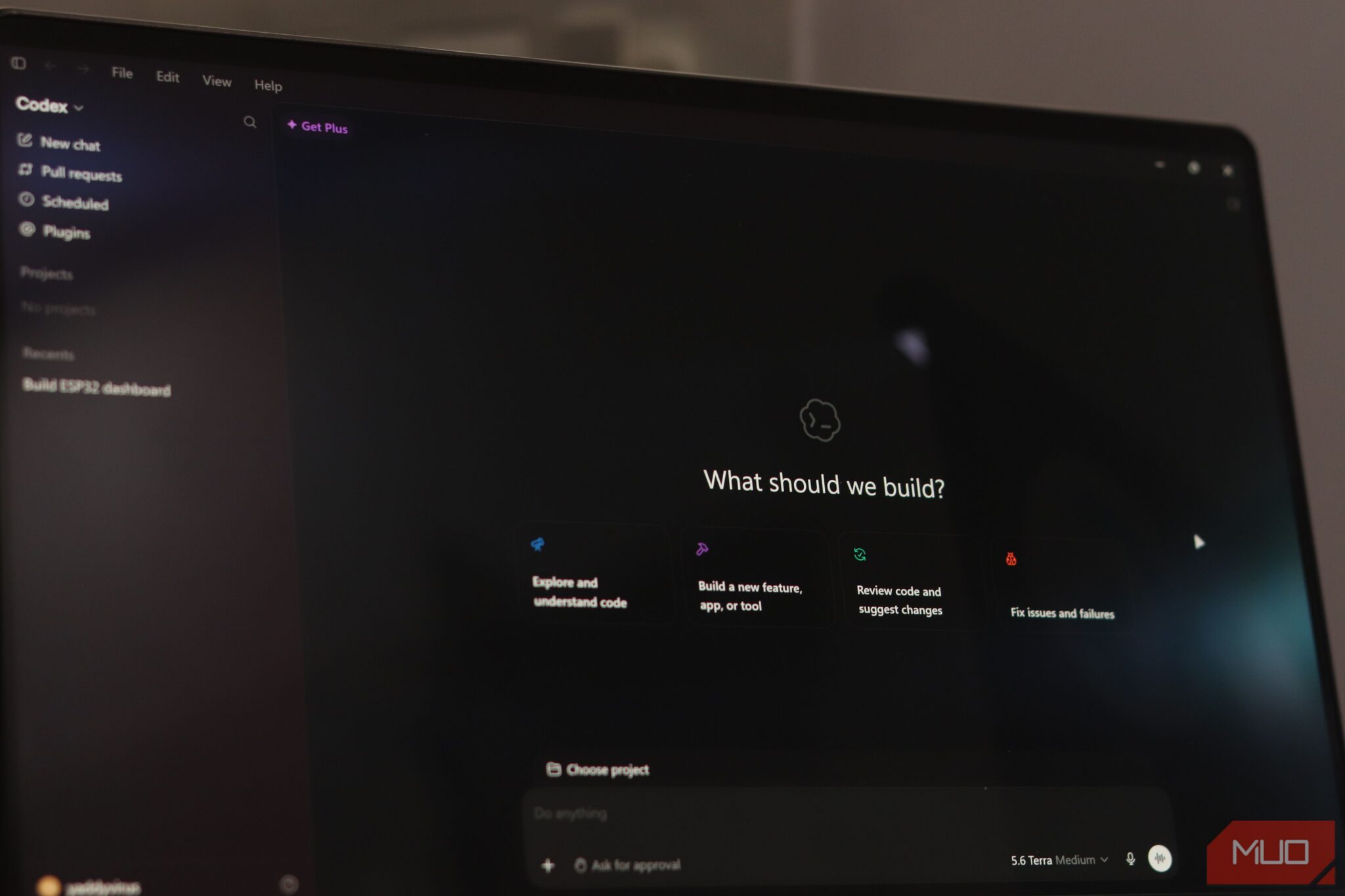
- Go to chatgpt.com/codex or click “Codex” in the sidebar
- You’ll see a dashboard: “Goals,” “History,” “Settings”
2. Create your first goal
Click “New Goal.” You’ll see a prompt box. Type:
> Build a personal finance tracker with React + TypeScript + Supabase. Features: transaction entry, monthly budgets, category spending charts, CSV import. Deploy to Vercel.
That’s it. One paragraph. No technical spec needed.
3. Review the plan
Codex thinks for 10-30 seconds. Then shows a structured plan:
☐ Research: Best chart library for React + Supabase (Recharts vs Chart.js vs Tremor)
☐ Spec: Database schema, API routes, component hierarchy
☐ Setup: Initialize Next.js 14 + TypeScript + Tailwind + Supabase client
☐ Auth: Supabase Auth with email/password + OAuth (Google, GitHub)
☐ Database: Transactions, budgets, categories tables + RLS policies
☐ UI: Dashboard layout, transaction form, budget bars, category pie chart
☐ Import: CSV parser with column mapping + duplicate detection
☐ Deploy: Vercel config, environment variables, production Supabase project
☐ Polish: Loading states, error boundaries, empty states, mobile responsive
Each step is a checkpoint. You approve before it executes.
4. Execute
Click “Start” on Step 1. Codex:
5. Iterate
At any point: “Actually, add dark mode to the spec.” Codex updates the plan, adds a step, continues.
6. Complete
When all steps are done: you have a deployed app. The goal shows “Completed ✓” with a link to the live URL.
Real Example — Building a React App from “I Have an Idea” to Deployed
The goal prompt that works
Bad: “Build a todo app.”
Good: “Build a team task manager with Next.js 14, Supabase, and Tailwind. Kanban board, drag-and-drop, real-time updates, due dates, assignments, comments. Dark mode. Deploy to Vercel.”
The difference: constraints. Stack. Features. Deployment target. Codex uses these to make decisions without asking.
How Codex breaks it down
For the task manager prompt, Codex created 11 steps. The first three:
@dnd-kit over react-beautiful-dnd (maintained, lighter, SSR-compatible)SPEC.md with: data model, API routes, component tree, state management approach (Server Components + Supabase realtime subscriptions)npx create-next-app, installed deps, configured Supabase client, set up Tailwind, created folder structureEach step took 1-3 minutes. You approved each one.
Checkpoint approvals explained
Codex pauses at:
You never approve: “Write the Button component” or “Add the useQuery hook.” It just does those.
Prompt Templates — Copy-Paste for Common Goals
“Build a SaaS MVP”
> Build a [B2B/B2C] SaaS for [target user] that solves [problem]. Stack: Next.js 14 + Supabase + Stripe + Tailwind. Features: auth, [core feature 1], [core feature 2], billing portal, admin dashboard. Deploy to Vercel. Production-ready code with tests.
“Learn a new framework”
> Teach me [SvelteKit / Astro / Remix / Next.js 15] by building a real project. Start with a spec for a [blog / dashboard / e-commerce / real-time app]. Then implement step by step, explaining key concepts as we go. I want to understand the mental model, not just copy code.
“Refactor this mess”
> Here’s a [GitHub repo / pasted files] for a [description]. It works but it’s messy: [specific pain points: duplicate code, no types, tight coupling, no tests]. Refactor it to be maintainable: TypeScript, proper architecture, tests, documentation. Preserve all functionality.
“Automate a boring task”
> I need a script that [connects to X / reads Y / transforms Z / writes to W]. Runs daily via GitHub Actions / cron. Handles errors gracefully, logs to [Datadog / Sentry / file], retries on failure. Language: Python / TypeScript / Go.
When Codex Gets Stuck — How to Unblock It
“It’s hallucinating dependencies”
Symptom: Codex imports packages that don’t exist or uses APIs from v2 when you’re on v3.
Fix: “Check the actual npm package / docs before using. Run npm view first.”
“It’s over-engineering”
Symptom: You asked for a contact form. It built a form library with validation plugins, schema generation, and i18n support.
Fix: “Stop. Simplest possible implementation. No abstractions unless I ask.”
“Context window full”
Symptom: Codex forgets earlier decisions, repeats work, loses the spec.
Fix: “Summarize current state in SPEC.md. Reference that file going forward.” Or: start a new goal with the context summarized.
Free Alternatives (If You Don’t Have ChatGPT Plus)
| Tool | Cost | Local/Cloud | Goal-like Feature |
| —— | —— | ————- | ——————- |
| Cursor | Free tier | Local (IDE) | Composer + Rules = persistent context |
| Continue | Free | Local (VS Code) | Custom commands + memory |
| Aider | Free | Local (CLI) | Git-backed, maps repo context |
| GitHub Copilot | Free for students/oss | Cloud | Chat + workspace context |
| Codeium | Free | Cloud | Chat + autocomplete |
| Zed AI | Free | Local (IDE) | Inline assistant + project context |
Best free workaround: Cursor’s Composer mode + a RULES.md file in your repo that describes the project. Not as polished as Codex Goals, but 80% there for $0.
Honest Limitations — What Codex Goals Can’t Do
Takeaway
You don’t have a motivation problem. You have a friction problem. Every unfinished project died at a decision point you didn’t want to make.
Codex Goals removes the friction. It researches, plans, executes, and tracks. You make the calls that matter. The rest happens.
Try this tonight: Open Codex. Create a goal for that project you’ve been “starting next week” for six months. Use one of the templates above. Click Start. Go make coffee. Come back to a running app.
That’s not magic. That’s just removing the gap between “I should” and “it’s done.”
Your graveyard of unfinished projects? It’s waiting. Pick one. Give it to Codex. See what happens.