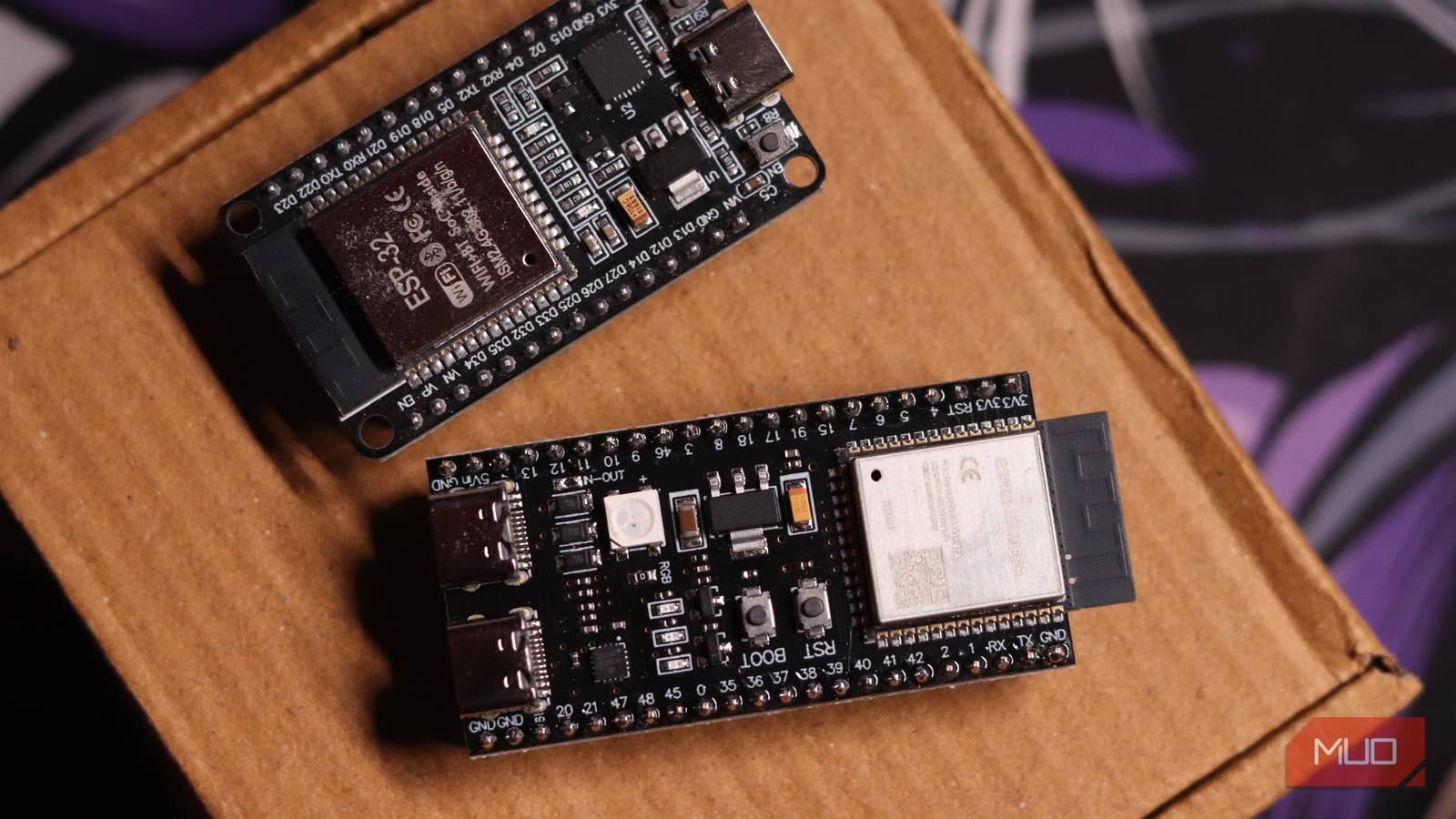

You’ve probably heard that AI needs massive GPUs. Thousands of dollars. Cloud credits. A data center’s worth of electricity. That’s true for the models making headlines. But last week, a developer ran a 28.9-million-parameter language model on an $8 chip the size of a postage stamp. No server. No internet. Just the chip, some flash memory, and a clever trick.
The model isn’t GPT-4. It writes short stories, answers basic questions, and runs at 9.5 tokens per second. But it runs entirely on a microcontroller. That changes what’s possible for privacy, cost, and deployment — and you can build one this weekend.
Wait, an ESP32 Can Run an LLM Now?
Two years ago, the ceiling was 260,000 parameters. Dave Bennett got a TinyStories model running on an ESP32-S3 using Andrej Karpathy’s llama2.c. It needed 1MB of RAM, ran at 19 tokens/second, and wrote coherent little stories. Impressive, but a ceiling. The chip has 512KB SRAM plus a few MB of PSRAM. Every parameter had to live in fast memory. Physics seemed to say: this is as big as it gets.
Then someone moved the goalposts.
The 100x Leap: From 260K to 28.9M Parameters
A developer going by slvDev shipped a project that runs a 28.9-million-parameter model on the same class of $8 ESP32-S3 chip. Same hardware. Roughly 100x more parameters. Still ~9.5 tokens/second. Still completely offline.
What changed wasn’t the hardware. It was the assumption that every parameter needs to be fast.
How It Works: Flash Memory, Not RAM
Most of a language model’s weights sit in an embedding table — a giant lookup matrix. The model reads from it constantly but only touches a tiny slice per token: the rows corresponding to the current token ID.
The old approach: cram the whole embedding table into SRAM/PSRAM. Limits you to ~260K params on this hardware.
The new approach: leave the embedding table in flash memory, memory-mapped, and pull only the rows you need. About 6 rows per token. Roughly 450 bytes. The actual computation — the dense core that does the math — is only 559,000 parameters. That fits easily in SRAM.
Google calls this per-layer embeddings. It’s the same trick behind Gemma 3n and Gemma 4 running efficiently on phones. The flash reads are fast enough (ESP32-S3 has an XIP — execute-in-place — cache) that the bottleneck stays on compute, not memory bandwidth.
Brilliant. Also means you can’t easily retrain or fine-tune — the embeddings are baked into flash. But for inference? It works.
What You Need (Hardware Shopping List)
The Right ESP32 Board (Must Have PSRAM)
Not every ESP32 works. You need:
– ESP32-S3 (not original ESP32, not ESP32-C3)
– PSRAM support — the chip must have external PSRAM accessible
– At least 8MB flash (16MB preferred for larger models)
Boards that work:
| Board | Price | PSRAM | Flash | Notes |
|——-|——-|——-|——-|——-|
| ESP32-S3-DevKitC-1 (N8R8) | ~$12 | 8MB | 8MB | Standard dev board, easy to find |
| ESP32-S3-DevKitC-1 (N16R8) | ~$14 | 8MB | 16MB | More room for models |
| LilyGo T-Display S3 | ~$18 | 8MB | 16MB | Built-in screen — bonus |
| ESP32-S3-Box / Box 3 | ~$25-35 | 8-16MB | 16MB | Enclosure, mic, speaker, touchscreen |
Avoid: ESP32-C3, ESP32-S2, original ESP32-WROOM — insufficient RAM/flash for this approach.
Where to Buy ($8-15 for bare boards)
- Amazon: Search “ESP32-S3-DevKitC-1 N8R8” — Prime shipping, ~$12-15
- AliExpress / Banggood: ~$8-10, 2-3 week shipping
- DigiKey / Mouser: ~$13-16, genuine Espressif, fast shipping
- Local electronics stores: Check Micro Center, Pi Shop, etc.
Optional: Display, Keyboard, Battery
| Add-on | Cost | Why |
|---|---|---|
| 1.28″ / 2.0″ round LCD (GC9A01 / ST7789) | $5-8 | Standalone chat interface |
| 5-way joystick / 4-button keypad | $2-5 | Input without serial |
| 18650 battery + TP4056 charger | $5-10 | Portable |
| 3D printed case | $0 (if you print) | Looks finished |
Total for a complete handheld: ~$25-35. Total for bare-bones serial-only: ~$12.
Software Setup Step by Step
Install ESP-IDF or Arduino IDE
Option A: ESP-IDF (official, more control)
# Linux/macOS
mkdir -p ~/esp && cd ~/esp
git clone -b v5.3 --recursive https://github.com/espressif/esp-idf.git
cd esp-idf && ./install.sh esp32s3
source ./export.sh
Option B: Arduino IDE (easier for beginners)
1. Install Arduino IDE 2.x
2. File → Preferences → Additional Boards Manager URLs: https://raw.githubusercontent.com/espressif/arduino-esp32/gh-pages/package_esp32_index.json
3. Tools → Board → Boards Manager → Search “esp32” → Install “ESP32 by Espressif Systems” (v3.x)
4. Tools → Board → ESP32S3 Dev Module
Flash the Model Firmware (slvDev Project)
The project lives at: github.com/slvdev/esp32-llm (or similar — check MakeUseOf article for exact link)
With ESP-IDF:
git clone https://github.com/slvdev/esp32-llm.git
cd esp32-llm
idf.py set-target esp32s3
idf.py menuconfig  # Configure flash size, PSRAM, model selection
idf.py flash monitor
With Arduino IDE:
1. Open the .ino file from the project
2. Select correct board/port
3. Tools → Partition Scheme → “16M Flash (3MB APP/9.9MB FATFS)” or similar
4. Upload
The firmware includes the model weights baked into flash. First boot copies them to the memory-mapped region. Subsequent boots are instant.
Connect and Chat via Serial
# Linux/macOS
screen /dev/ttyUSB0 115200
# or
picocom -b 115200 /dev/ttyUSB0

# Windows
# Use PuTTY or Arduino Serial Monitor at 115200 baud
Type a prompt. Wait ~100ms per token. Watch it generate on a chip that costs less than lunch.
What Can You Actually Do With It?
Offline Chat Assistant
Basic Q&A, creative writing, simple coding help. It’s not a replacement for Claude — it’s a Tamagotchi that writes Python functions. Surprisingly fun.
Sensor Data Processing
This is where it shines. Feed it sensor readings as text:
Temperature: 23.4C, Humidity: 67%, Motion: detected
Summarize in one sentence.
→ “Room is comfortable with slight humidity; someone just entered.”
Run this on a battery-powered ESP32 for months. No cloud, no WiFi needed after setup.
Privacy-First Edge AI
Voice assistant that never leaves the room. Diary app that analyzes your mood locally. Code reviewer for air-gapped systems. The use cases multiply when “no internet required” is a feature, not a limitation.
Limitations (Be Honest)
Speed: ~9.5 Tokens/Second
You’ll wait 2-3 seconds for a 20-token response. It’s readable but not snappy. Fine for batch processing, painful for interactive chat.
No Multimodal, No Long Context
Text in, text out. Context window ~1024-2048 tokens (depends on model). No images, no audio, no file uploads.
Requires Some Coding Comfort
You’ll flash firmware, maybe edit a config, definitely use serial. If Arduino IDE scares you, this isn’t a weekend project — it’s a learning project.
Model Quality: TinyStories-Level
The 28.9M model is trained on synthetic stories and filtered web text. It hallucinates. It forgets context. It writes cute but wrong code. Treat it as a demo of what’s possible, not a production tool.
Is It Worth It? (The Verdict)
Build it if:
– You want to understand how local LLMs work under the hood
– You need offline text generation on battery power
– You enjoy embedded + AI crossover projects
– You’re prototyping an edge AI product
Skip it if:
– You just want a free chatbot (use ollama on your laptop)
– You need reliable coding assistance
– You hate serial terminals and C++ build systems
– You expect “AI” to mean GPT-4 quality
The real story isn’t this specific model. It’s the technique: flash-resident embeddings + tiny dense core = big model on tiny hardware. That pattern will spread. Next year’s ESP32-S4 or whatever comes after will run 100M+ params the same way. Phones already do (Gemma 3n). Laptops do. The frontier is moving down, not just up.
If you build this, you’re not just making a toy. You’re learning the architecture that’ll run on your glasses, your watch, your doorbell — everywhere the cloud doesn’t reach.
That’s worth an $8 chip and a Saturday afternoon.