
That shiny new AI model on the homepage might still think it’s early this year, or in some cases, early last year. Every chatbot has a hidden expiration date called an AI training cutoff, and nobody prints it on the box. Once you know how to check it, half of your AI’s weird answers start making sense.
The two dates nobody explains
AI companies love announcing release dates. New model, big blog post, confetti everywhere. What they mention less often is the knowledge cutoff, the real date that decides how useful the thing is.
Here’s the difference. The release date is when the model became available to you. The training cutoff is the last day the model actually read the internet. Everything after that day, new prices, new laws, new product versions, new basically everything, simply doesn’t exist in its head. It won’t tell you this, by the way. It’ll answer anyway, confidently, using whatever old information it has.
Think of it like a friend who’s been traveling for a year with no phone. They’re back, they look the same, and they’ll happily tell you about your neighborhood. But the restaurant they recommend closed in March. The buddy they mention moved cities. Nothing they say is a lie. It’s just old.
And this matters because the gap keeps being bigger than people expect, even for fresh models.
Real AI training cutoff dates for 20 major models
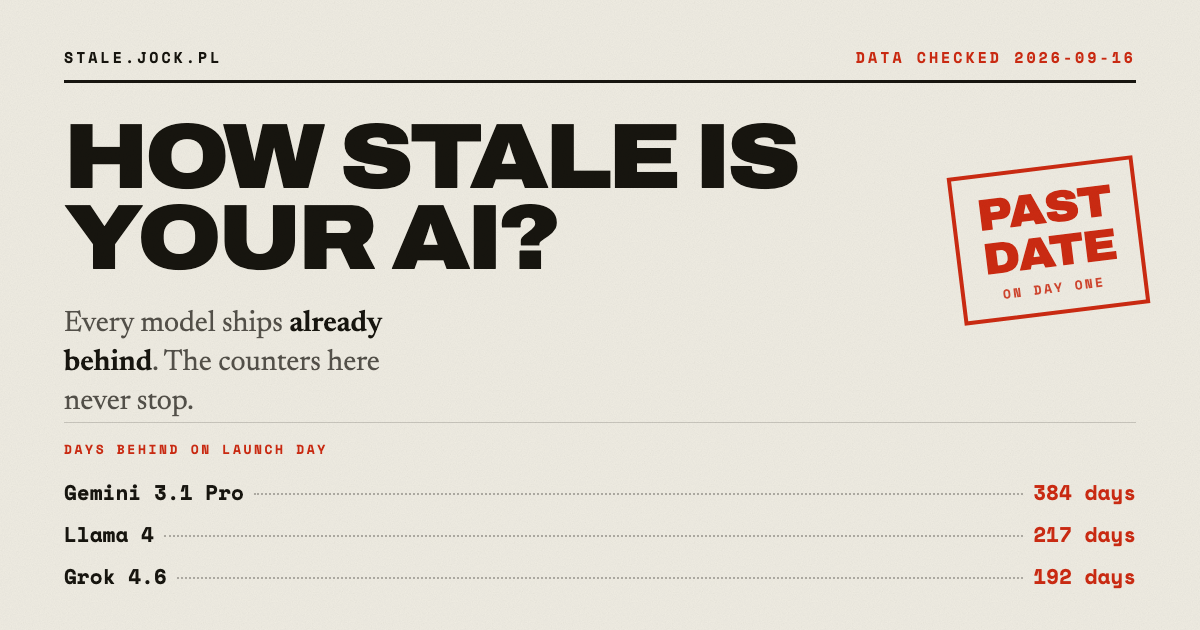
A project called How Stale Is Your AI? tracks this stuff, and the numbers get checked by hand against each company’s own documentation. The table below comes straight from its public data file, current as of mid-September 2026:
| Model | Company | Released | Training data stops |
|---|---|---|---|
| GPT-6 Astra | OpenAI | Sep 3, 2026 | Apr 30, 2026 |
| Claude Fable 5.1 | Anthropic | Sep 1, 2026 | Jun 2026 |
| Grok 4.6 | xAI | Aug 12, 2026 | Feb 1, 2026 |
| GPT-5.6 Sol / Luna | OpenAI | Jul 9, 2026 | Feb 16, 2026 |
| Claude Opus 5 | Anthropic | Jul 24, 2026 | May 2026 |
| Claude Sonnet 5 | Anthropic | Jun 30, 2026 | Jan 2026 |
| Gemini 3.1 Pro | Feb 19, 2026 | Jan 2025 | |
| Claude Haiku 4.5 | Anthropic | Oct 15, 2025 | Jul 2025 |
| Llama 4 | Meta | Apr 5, 2025 | Aug 2024 |
| Gemini 3.8 Live | Sep 15, 2026 | Jan 2025 (per Google’s model card) |
Look at that Gemini 3.1 Pro row again. Released in February 2026, but it reads like January 2025. That’s a brand-new model carrying more than a year of blindness. Google’s newer audio models ship with the same January 2025 knowledge, according to Google’s own model card.
One more thing worth noticing. Several current models, including Mistral’s lineup and a few DeepSeek and Qwen releases, publish no cutoff at all. The tracker lists their date as unknown because the vendor never documented one. When a company won’t tell you what its model knows, that alone should adjust how much you trust it.
Why your AI answers go wrong
So the model’s knowledge stops on some date. What does that actually break in daily life?
Prices and plans fail first. Ask about software pricing and you’ll often get last year’s numbers delivered with total confidence. Subscription tiers change constantly, and every change after the AI training cutoff is invisible to the model.
Product recommendations go stale the same way. “Which phone should I buy?” gets you an answer about models that were current whenever the model stopped reading. Sometimes that’s fine. Often it’s two generations behind.
Dates and deadlines trip people up constantly. The model has no idea what day it is unless you tell it, so asking “what’s the deadline for X this year?” invites it to guess from memory. It doesn’t know if this year’s deadline even exists yet.
And then there’s the sneaky one: half-updated answers. The model might know a law passed but not the part where it got amended six months later. You get a mix of right and wrong that feels completely right, which is exactly the kind of thing that burned one guy in federal court, where an AI hallucination turned into very real sanctions.
4 ways to get fresh answers anyway
Good news: this problem has workarounds, and none of them need a paid upgrade.
1. Make it search the web
Most chatbots now offer a search mode. ChatGPT has Search, Gemini is wired into Google, and Perplexity basically is a search engine. Turn search on whenever your question involves anything recent, prices included. The model stops answering from memory and starts reading live pages instead.
2. Feed it the document
If the answer depends on something specific, like a contract, a product page, or this month’s pricing, upload it or paste the text. Now the model works from your material instead of its outdated memory. This works beautifully for comparing two plans, by the way, since both documents are right there. Just be picky about what you share, since there’s a whole list of files you should never upload to a chatbot in the first place.
3. Check the date before you trust it
Look up your model’s AI training cutoff on the official docs, or use the freshness tracker to see release and cutoff dates for 20 models in one table. If the answer you need depends on something after that date, don’t ask the model from memory. Full stop.
4. Tune the model you already have
Custom instructions let you pin facts ChatGPT should always respect, like your current role, your city, or your business context. That won’t fix a stale price list, but it kills a surprising amount of everyday staleness around who you are and what you’re working on.
There’s also the exotic route: some setups bolt retrieval tools onto a model so it can refresh its own knowledge. That’s plumber territory, though, and honestly unnecessary for most people. Search mode covers it.
Quick rules to keep handy
A few shortcuts to carry with you:
- Anything with a price, date, or version number: force web search or paste the source.
- Historical questions, writing help, brainstorming: the cutoff doesn’t matter, use the model freely.
- Brand-new model doesn’t mean fresh knowledge. Check the AI training cutoff, not the announcement date.
- If a model’s cutoff is “unknown,” treat its specific facts as rumors until verified.
These four lines prevent most of the embarrassing AI mistakes people post about online. They cost nothing to use, and they work in every chatbot, including the free ones.
Try this today
Open your chatbot, search its model name plus “knowledge cutoff,” and find the official docs page. Then flip on its search mode before the next time you ask about prices, deadlines, or anything from the last few months. Every AI training cutoff means your assistant’s brain has a best-before date, and now you know how to read the label.