
Imagine typing “make it snow” and watching the sky change over a world that didn’t exist five minutes ago. Google made that real on November 18, when Genie 4 went live inside Project Genie for subscribers. It’s the first consumer-facing world model that edits itself in real time, sound included, and it quietly hints at where games, film and the web are all heading.
What Genie 4 actually is
Genie 4 is Google DeepMind’s newest “world model.” While regular AI models generate text or images, world models generate playable, interactive environments. Nothing is pre-built. Every frame gets drawn live as you move, and the world stays consistent while you wander around in it.
Here’s the demo that sold people: watch someone play what looks like a normal video game. Then learn that nobody built it. No engine, no level designers, no art team. The model imagined the entire place, and it responds the second you type a new instruction.
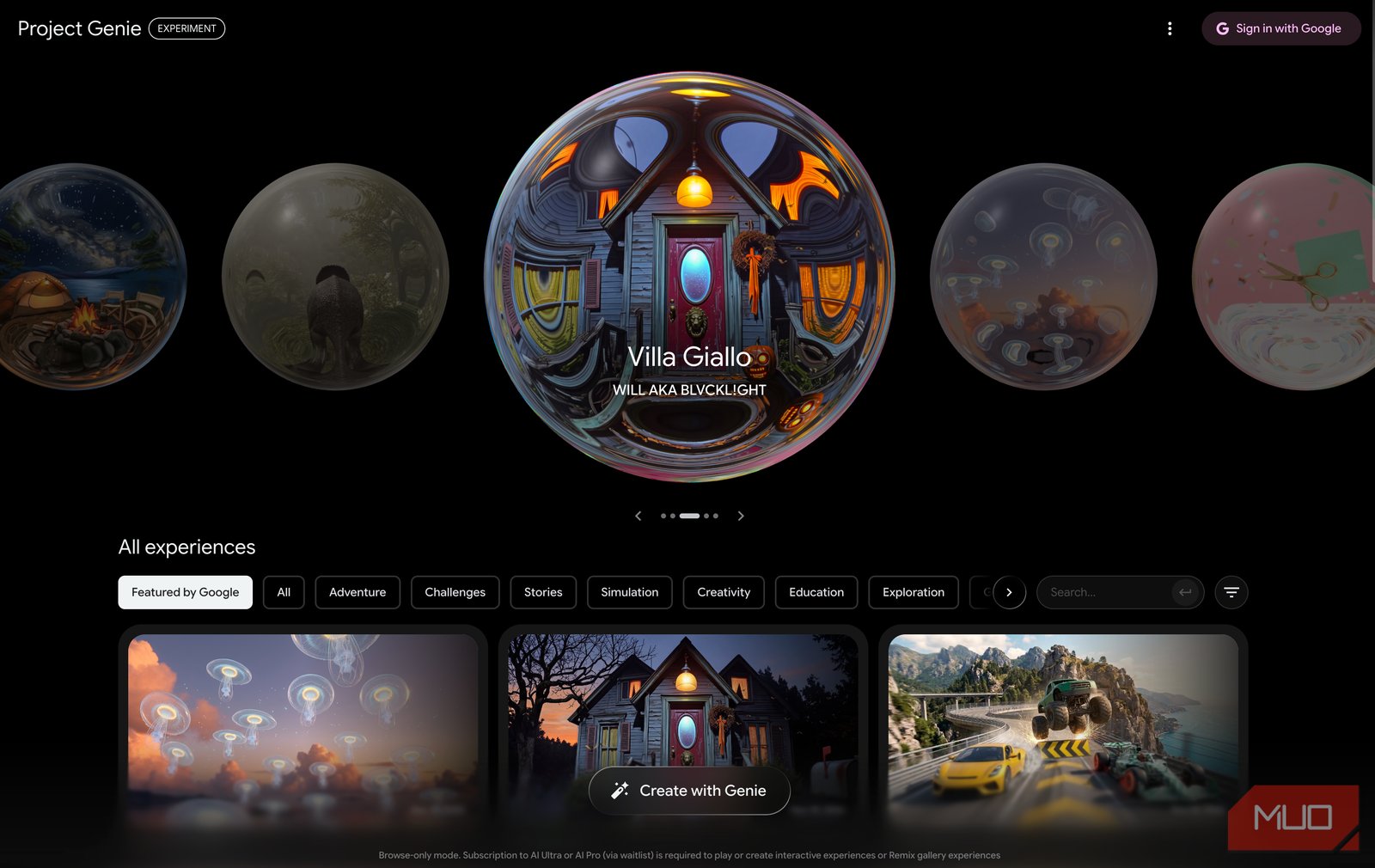
Google first showed Genie 4 as a research preview on October 27. Now it lives inside Project Genie, Google’s browser app for exploring generated worlds. Access rolled out first to Google AI Ultra subscribers in the US, aged 18 and up, with developers getting early access through the Gemini API and Google AI Studio.
Genie 4 vs Genie 3
Project Genie actually runs two models now, and picking between them matters if you’re a subscriber.
| Genie 4 | Genie 3 | |
|---|---|---|
| Visuals and physics | Highest fidelity yet | Solid, a step behind |
| Native audio | Real-time, adapts to the scene | Not available |
| Mid-session edits | Yes, type and the world changes | Yes, via the new real-time events |
| Session length | Varies by generation | Up to 3 minutes (up from 60 seconds) |
| World chaining | Not at launch | Yes, link worlds into longer journeys |
| Panorama seeding | No | Yes, start worlds from 360° images |
| Where to find it | Project Genie and the Gemini API | Project Genie’s model picker |
Notice that Genie 3 didn’t get retired. It received real upgrades alongside Genie 4’s debut: sessions now run up to 3 minutes per generation instead of 60 seconds, worlds can be chained together into longer journeys, and you can seed a world from a 360-degree panorama photo. Google’s own demo flies through forests, underwater ruins and icy seas as one continuous trip.
So if you want a longer, slower exploration, the older model is sometimes the better pick.
What it’s like to actually use
The headline feature is live editing. Mid-session, you just type. Shift the weather. Drop a character into the scene. Redirect whatever action is happening. The world morphs instead of restarting.
Then there’s the sound. Genie 4 generates native audio in real time, from ambient background to character dialogue, and it adapts as the scene unfolds. That’s a first for this product line, and it changes the feel completely. Silent worlds feel like tech demos. Sounding worlds feel like places.
Project Genie also gained two extras worth knowing about. First, an agent that helps you build: describe what you want in plain language, and it orchestrates Google’s models to create it. Second, a community gallery where people publish their worlds for anyone to explore and remix. Even without a subscription, browsing the gallery gives you a good sense of what this tech can do.
How to try it yourself
Curious? Here’s the practical path, depending on who you are.
Got Ultra already? Project Genie is included with Google AI Ultra, which starts at $99.99 per month for the base tier with higher limits available at $199.99. Open the app, type a world, then try the mid-session edits. Changing the world while standing inside it is the moment this tech clicks.
If you’re not: browse the community gallery first. If you like what you see, remember that Google’s subscription ladder moves fast; we tracked how quickly the Gemini 4 Hydrogen model went from announcement to everyday use, and access patterns tend to repeat.
Prefer to build? Developers get Genie 4 through the Gemini API and AI Studio. The interesting part is technical but easy to grasp: worlds stream over WebRTC or browser WebSockets, the same plumbing video calls use, because a world model is continuous audio and video rather than one request-and-response. Google’s AI Studio docs show the whole flow.
Why non-techies should pay attention
Fair question: this sounds like an expensive toy. It isn’t, for three reasons.
Game prototyping is the obvious one. A playable mockup used to take a small team months. Now it takes a sentence and a lunch break. Studios will still polish games the old way, but the “what if we tried…” phase just collapsed in cost.
Education comes next. Walk through a reconstruction of an ancient city instead of reading about it. Google’s own demos include flying over Petra’s canyon with the architecture staying consistent as you look around, which is the hard part.
And then there’s the bigger picture. We got websites when documents became something you could generate and link. We got streaming when video became something servers could serve on demand. Generated worlds point at something similar: places that exist only when someone asks for them. That sounds abstract until you remember most of the internet already works exactly this way, just with text.
The honest limits
Research preview means research preview. Worlds run for minutes, not hours, and Genie 3’s cap sits at 3 minutes per generation. Nothing persists the way a saved game does. Access is gated: Ultra subscribers in the US at launch, with Google promising more regions over time, since Project Genie lists availability in 140+ countries for eligible plans as the rollout proceeds.
Physics holds up impressively until it doesn’t. Long sessions will still surprise you, and not always pleasantly. Anyone who has spent time with AI video knows the failure modes: objects that drift, hands that wander, doors that lead somewhere new each time you open them. World models inherit some of that. Google is shipping improvements fast, and the Genie 3 upgrades landed the same week as Genie 4, which tells you the pace here.
Where this fits in Google’s bigger play
Zoom out and the strategy is plain. Google now ships models for text, images, video, music and worlds, then ties them together through subscriptions and one API. Project Genie’s agent already orchestrates several Google models at once when you describe a world. Meanwhile the Gemini Notebook website builder turned notes into publishable sites, and now worlds join the list of things Google lets you conjure from a prompt.
For beginners, the takeaway isn’t “subscribe today.” It’s that the building blocks keep getting cheaper and closer. Six months from now, today’s demo reel becomes tomorrow’s standard feature.
The takeaway
If you’ve got Ultra, open Project Genie this week and type one world, then edit it mid-session, because that’s the moment this stops feeling like a demo. If you don’t, watch the community gallery and see what people build. Either way, remember the date: worlds you can edit by typing went mainstream in November 2026.