
ChatGPT Wallet just turned your AI from a research buddy into an actual buyer. Your agent can pick the product, hit checkout, and pay, while you approve it with your face. Wild? A little. Useful? Very.
What ChatGPT Wallet actually is
OpenAI launched ChatGPT Wallet on November 13, and it solves the last mile of AI shopping: payment. Until now, you could ask ChatGPT to find the best air purifier, compare three models, and pick a winner. Then you’d close the chat, open a store tab, find your credit card, and type in 16 digits like it’s 2015. The official announcement puts it plainly: this is about trusted payments by agents.
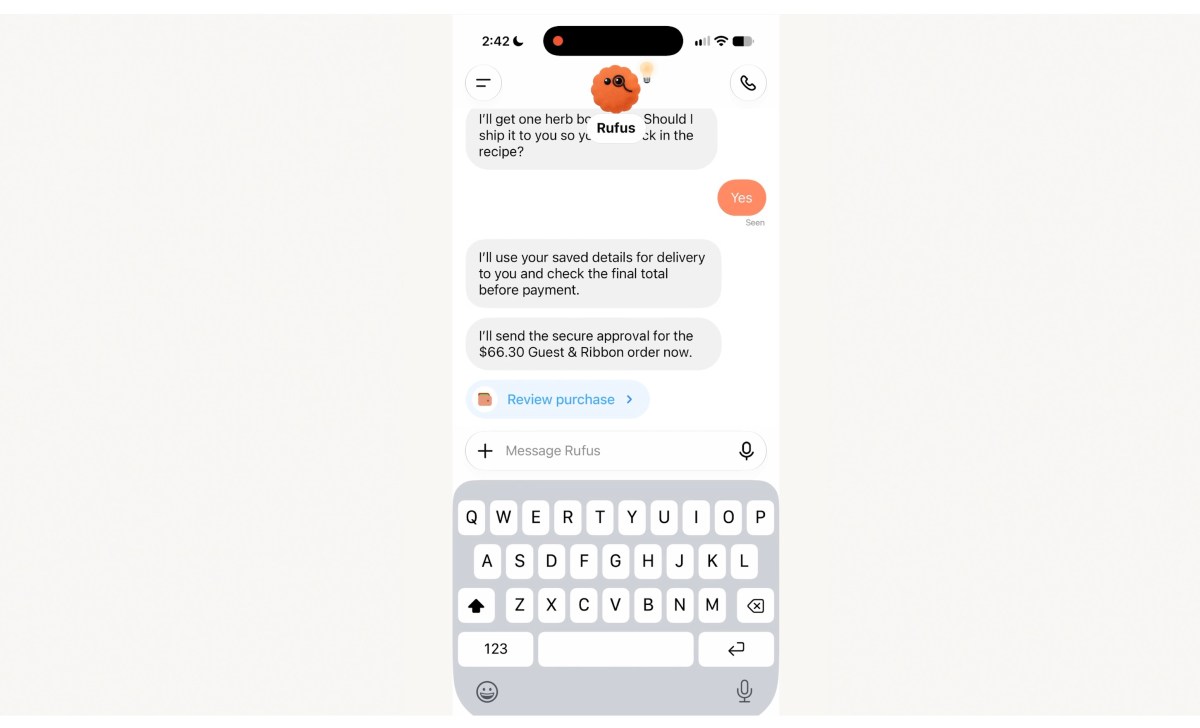
Now the agent finishes the job. You add a card once, your dot finds what you asked for, and the purchase happens inside ChatGPT. You review the item, the total, and the card, then approve with Face ID or a fingerprint scan. That’s it.
Here’s a detail people keep missing: this isn’t just for dots, those always-on agents that come with Pro plans. OpenAI built it for agents across ChatGPT Work and Codex too. So the same payment rail works whether you’re buying headphones or paying for a domain your coding agent needs.
The scale explains why this matters. OpenAI says 1.2 billion people use ChatGPT every week, and a huge chunk of that traffic is people researching what to buy. Meanwhile, Meta’s Muse passed 10 million users with shopping as one of its top activities. The AI companies all watched the same movie: people want agents that don’t just talk.
How a purchase works, step by step
The flow is simpler than you’d expect. OpenAI designed it so you stay in the loop on every single transaction, at least for now.
- Add your card once. Open ChatGPT, open the Wallet, and link an eligible card. One-time setup. No re-typing card numbers later.
- Ask your dot for something. “Find me a standing desk under $300 with good reviews.” The agent researches and comes back with a pick.
- Review before you approve. You see the item, the total, and which card gets charged. Nothing happens without this screen.
- Approve with a security check. Face ID, fingerprint, whatever your phone uses. This creates a record of exactly what you authorized.
- The token does the paying. Behind the scenes, the payment network swaps your real card details for a one-time token. The merchant gets paid, your card gets charged, and neither the agent nor the store ever saw your actual number.
The merchant still gets what it needs to ship: your delivery address and contact info, passed along automatically. You keep your card’s reward points too, and dispute protections still apply if the item shows up broken. OpenAI worked with American Express, Chase, Mastercard, and Visa to keep that part intact, which honestly is the smartest thing about this launch.
Who can use it right now
Rollouts like this always create confusion, so here’s the current state. ChatGPT Wallet is limited to a small group of US ChatGPT Pro subscribers at launch, ages 18 and up, with a US-issued Visa, Mastercard, or American Express.
| Plan | Price | Wallet access today |
|---|---|---|
| Free | $0 | No |
| Go | $8/mo | No |
| Plus | $20/mo | Not yet |
| Pro | From $100/mo | Yes, rolling out gradually |
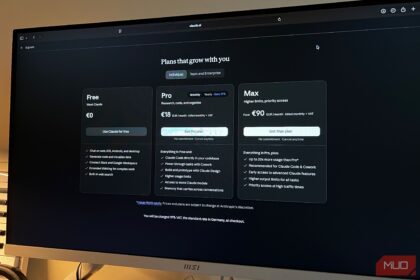
Yes, that starting price is steep. Pro starts at $100 a month, and the tier ladder goes to $200 and $500 for heavier usage. For most beginners, the practical move is to wait. OpenAI explicitly said the limited launch lets it learn from real-world use before expanding, so broader access (probably including Plus) is the obvious next step.
One more thing worth checking: dots themselves are a Pro feature. So even when the Wallet opens up more widely, you’ll need a plan that includes the agents for the full automatic experience.
Your card details stay yours
This is the part I’d want explained if I were reading this as a skeptic. How does an agent pay for things without becoming a security nightmare?
The answer is a payment token. When you approve a purchase, the card network (Visa, Mastercard, and so on) issues a substitute card number with its own security code and expiration date. That token, not your real card, completes the transaction. If a token leaks, it’s useless outside that specific context. Your actual 16 digits never touch the ChatGPT Wallet flow, never reach the merchant, and never get stored in some agent’s memory.
Compare that to the old way of trusting websites. Every online store where you’ve saved your card holds enough data to be a breach target. With tokenized agent payments, the sensitive number stays inside the bank network where the fraud protections actually live.
Still not totally hands-off, and that’s the point. Every purchase needs your biometric approval right now. You’re the firewall.
The catches worth knowing
Nothing here is a reason to skip the feature, but you should walk in with eyes open.
Availability is thin. Most people reading this can’t use it yet. If you’re on Plus or Free, today’s answer is “not you, not yet.”
Some stores block agents. Retailers can tell when traffic comes from an AI agent, and several big ones block them outright. Your dot might find the perfect product and then hit a wall at checkout. This will take years to fully shake out, and it’s the same fight we covered in our piece on how AI agents read websites.
Banks remain cautious about agents and money. We’ve covered before how banks warn customers about connecting agents to bank accounts. ChatGPT Wallet is a calmer design because card networks are in the middle, but the caution is still fair. Start with purchases you’d happily make yourself.
You can’t set spending limits yet. The pre-approval features, where you define a budget, a category, or a time window and let the agent loose, are on the roadmap but not live. Today it’s one approval per purchase. Honestly, that’s the right default.
Ways people are using it
The rollout is days old, so the killer use cases are still forming. Three patterns already make sense for regular people.
Gift shopping without the tabs
Tell your dot “find a decent espresso grinder under $80 for my dad, he grinds by hand and hates noise.” It researches, picks, and presents the purchase for your approval. An AI shopping agent handles the boring part, comparing 14 nearly identical products, and that’s exactly what agents are good at.
Restock runs
Dog food, filters, toner, the stuff you buy on autopilot anyway. Once pre-approvals arrive with spending limits, this becomes a true set-and-forget. Even now, a five-second Face ID beat a ten-minute store visit.
Price checks that end in a purchase
Ask for the best deal, get a recommendation with the total, approve or skip. Our Walmart AI shopping guide covered the same idea from the retailer’s side, and the pattern is clear: stores that accept agents will get the basket, and stores that block them will watch someone else get it.
If you run a small business, flip this around. Customers’ agents will try to buy from you, and you want your site ready for that. We put together a guide on claiming your business profile in ChatGPT, which is now step zero for agent commerce.
Should you hand your dot your wallet?
If you’re a US Pro subscriber with the feature live: try it on one low-stakes purchase this week. A $30 impulse buy is the right test size. Watch how the approval flow feels, because that flow is a preview of how everyone will shop in a couple of years.
Everyone else: nothing to do today, and that’s fine. Keep your ChatGPT updated, and when the Wallet shows up on your plan, start small and keep the biometric approvals on.
The direction is undeniable, though. First AI read the web for us, then it wrote for us, and now it’s learning to pay. The checkout line just got a lot shorter.