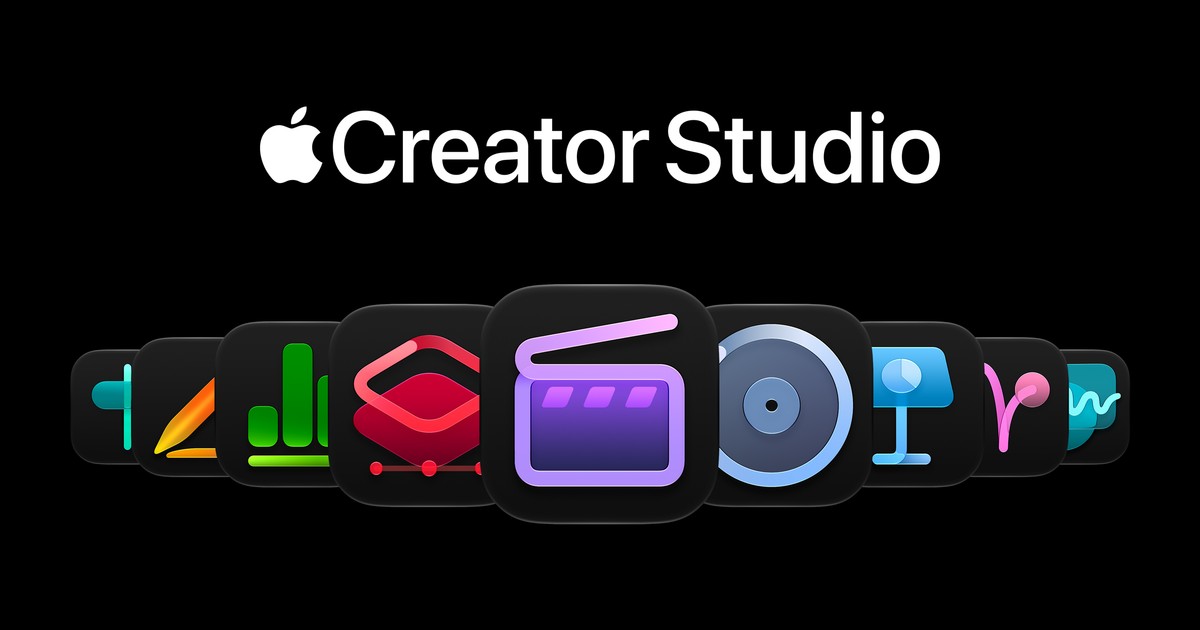

Apple just dropped a rare treat for people who create stuff on a Mac. The new Apple Creator Studio AI features roll out in November, and they touch video, music, photos, and even your spreadsheets. One subscription now covers what used to take three paid apps.
What Apple just announced (and when you get it)
On October 27, Apple confirmed its biggest Creator Studio update yet. Everything lands on the App Store sometime in November, and the Apple Creator Studio AI features arrive as a free update for existing subscribers. No new hardware, no new tier. You just open your apps one day and the AI is sitting there.
So what’s actually coming? The short list:
- Generate Fill in Pixelmator Pro: circle part of a photo, describe what you want, done
- An AI assistant in Logic Pro that can set up a vocal track from a single prompt
- MotionVFX built into Final Cut Pro: thousands of pro templates, titles, and effects at zero extra cost
- Assistants in Keynote, Pages, and Numbers that read your actual document
- MCP support, which lets outside AI agents edit your files directly
That last one sounds niche. It isn’t. More on it below.
Generate Fill makes image editing feel like magic
Let’s start with the feature most people will try first. Pixelmator Pro’s Generate Fill lets you circle any part of an image and type what should change. Want that gray sky gone? Circle it and ask for a sunset. The tool matches the lighting, perspective, and texture around your selection, so the edit doesn’t look pasted in.
Built-in Super Resolution keeps generated content sharp when you scale it up, and new elements can merge into existing layers or sit on their own with smart masking. For anyone paying $15 a month for a generative editing tool, this stings a little. It’s included now.
If you’re on Windows, the closest free option is the AI actions hiding in the Windows 11 right-click menu, which we broke down earlier this month.
Logic Pro’s AI assistant wants to produce your track
Logic Pro gets an intelligent assistant in beta, and it runs on a mix of Apple’s own models plus OpenAI. Tell it to set up a vocal track and it builds the channel strip for you. Starting a song from a genre prompt works too. For beginners, that’s the difference between opening Logic and immediately closing it.
The other music updates are sneakier but maybe more useful. A redesigned Browser now auto-tags every loop and sample you own using on-device audio analysis, so searching for “something moody” finally works. Meanwhile, Stem Splitter learned drums: you can pull drums out of a finished mix and rebalance them without the original multitracks. Try doing that with last year’s version.
Even Voice Memos gets in on it. Studio Sound cleans up room noise from recordings on supported iPhones, and you can fine-tune the result in Logic if you want to go further.
AI agents in Keynote, Pages, and Numbers
Keynote, Pages, and Numbers stay free for everyone. Subscribe, though, and they gain an assistant that reads the document you’re in. In Keynote it designs and animates slides, and in Pages it drafts and restructures your text. Numbers gets the most interesting upgrades: it builds tables, recommends chart types, and calculates things using world knowledge.
We covered the first version of the iWork Intelligent Assistant when it launched, and this update pushes it much further.
The MCP part is the sleeper hit. MCP is an open standard that lets AI agents plug into apps, and Apple just wired it into all three. In practice, your agent of choice can read a spreadsheet, edit slides, and run actions inside these apps without you touching them. Apple never gave third-party agents this kind of access before. If that excites you or terrifies you, both reactions are valid.
What it costs (and what you’d pay otherwise)
Apple Creator Studio runs $12.99 a month or $129 a year. New subscribers get a month free, and anyone who bought a Mac or qualifying iPad recently gets three months free. Students pay $2.99 a month.
The Apple Creator Studio AI features come bundled instead of sold separately, which is where the math gets interesting. Compare the subscription against buying the pro apps the old way:
| App | One-time price |
|---|---|
| Final Cut Pro | $299.99 |
| Logic Pro | $199.99 |
| Pixelmator Pro | $49.99 |
| Motion | $49.99 |
| Compressor | $49.99 |
| MainStage | $29.99 |
| Total | $679.94 |
One year of the subscription costs $129. That’s it. You can still one-time-buy any of these apps if you hate subscriptions, and honestly, owning Final Cut Pro outright is a fine move. But the Apple Creator Studio AI features land in the subscription first, so renters get the new toys before owners do.
Only need occasional AI video help? Google Vids covers basic AI video for free, and we have a full beginner guide on it.
How to claim the free trial (step by step)
Apple makes this painless, but the path isn’t obvious. Here’s the whole thing:
First, download any of the creative apps from the Mac or iPad App Store. Final Cut Pro, Logic Pro, or even Pixelmator Pro all work. Open the app and the subscription prompt appears on screen. New subscribers get the one-month trial automatically before any charge. Already bought a Mac or iPad in the last few months? You qualify for three months free, but you must claim it within three months of activating that device. Check the App Store offer banner instead of waiting. Families can share one subscription with up to six people through Family Sharing, which drops the real cost to about $2 per person.
Under-the-radar updates worth knowing
Some of the best stuff in this update barely made the headlines. Final Cut Pro adds 23 new transcription languages, so captioning and searching footage works in far more places. Motion gets the same image generation tricks plus a new Displacement filter for visual effects. Compressor can now encode Cinematic mode video shot on the iPhone 18 Pro. Freeform rounds it out with reusable text styles and, coming in December, AI-generated editable shapes and Pixelmator Pro editing right on the board.
None of these will sell you the subscription alone. Together, they signal the direction: every app in the bundle is quietly becoming AI-first, and none of it costs extra.
Who the Apple Creator Studio AI features actually fit
Grab the trial if you tick two of these boxes: you edit video even casually, you mess with music or podcasts, or you live in Pages and Numbers. The bundle pays for itself fast when the apps overlap. A single Generate Fill habit alone replaces a separate subscription for a lot of people.
Skip it if your creative work is phone-only. These are Mac and iPad apps, full stop. Skip it too if you wanted a general chatbot; the assistants help with documents and tracks, not open-ended questions. ChatGPT still owns that job.
One honest warning: “November” on Apple’s schedule can mean November 3 or November 28. The company only said the updates arrive this month. Don’t be shocked if features trickle out weekly instead of all at once.
The bottom line
The Apple Creator Studio AI features make the $12.99 subscription the obvious starting point for any Mac owner curious about creative AI. Set a reminder for early November, open the App Store, and hit that one-month free trial. If Generate Fill and the Logic assistant do half of what Apple showed, you’ll know within an hour whether it earns a permanent spot.