
When AI says it’s impossible, most people close the laptop and give up. Linus Torvalds did the opposite, and the “unsolvable” bug he was chasing turned out to be one wrong line of code. Here’s the story, plus a five-step workflow you can steal for the next time a chatbot shrugs at your problem.
The bug that an AI called impossible
Linus Torvalds, the creator of Linux, spent late August wrestling with a nasty problem. His Intel Battlemage G21 graphics setup kept failing: the display manager would crash and leave him with a black screen, over and over. So he did what a growing number of experienced developers now do. He asked an AI for help.
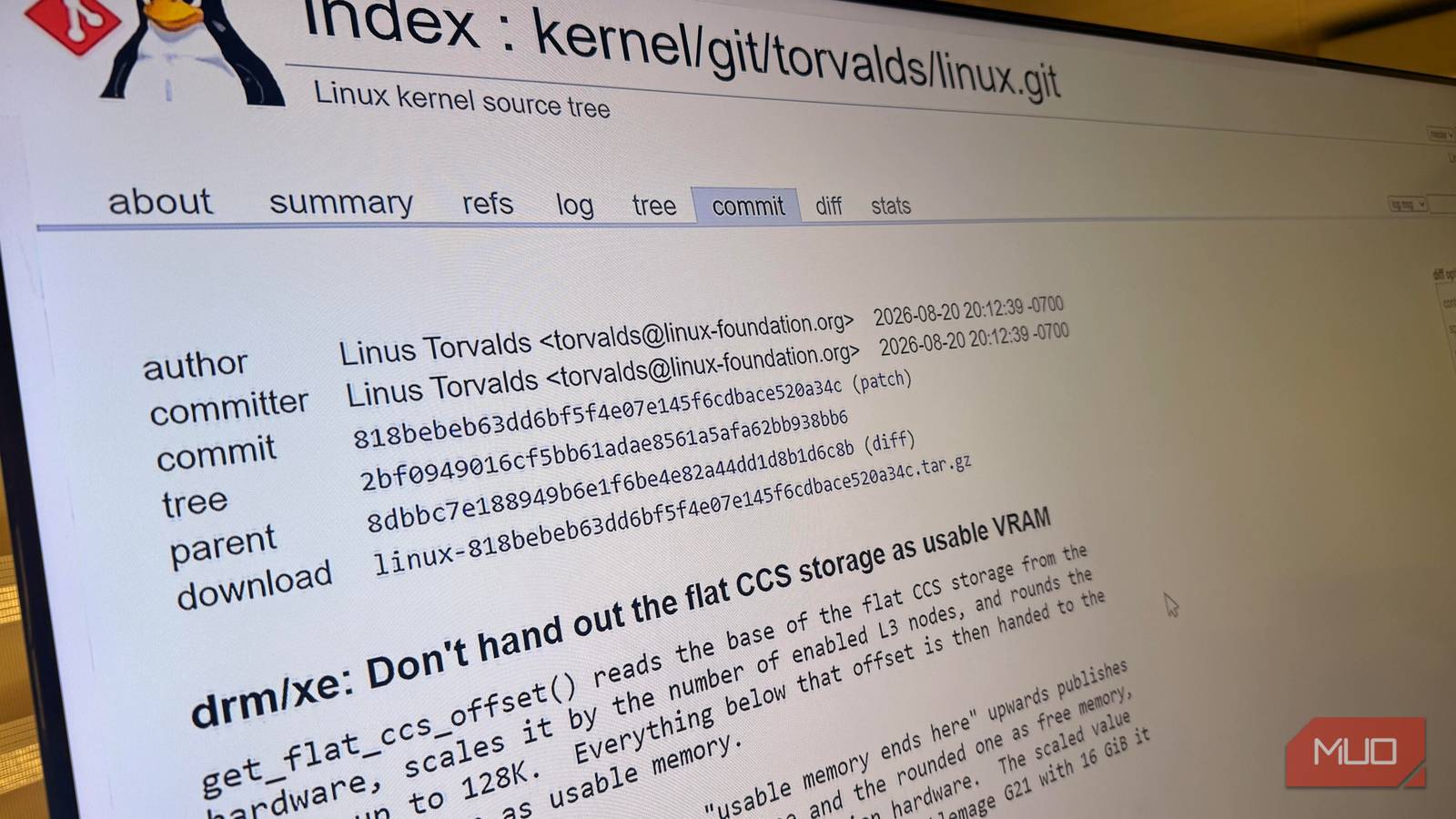
The AI actually worked hard on it. It added debug code, analyzed the output, and repeated that cycle with him for days. But according to his own commit message, it also hit a wall: the AI “several times stated flat out that this was impossible and unsolvable” and suggested they should “just write a report about it.” Translation: give up and document the failure.
He didn’t. The final tally: 24 debug patches and 18 kernel boots to hunt the thing down. And the fix all that work produced? A single line. One function call was using round_up() where it needed round_down(), which shoved a chunk of graphics memory into a place it was never allowed to go. One word, wrong direction, whole system down. (You can read the full commit message at the Linux Community forum if you want the receipts.)
There’s a detail people keep skipping. Torvalds let the AI write the commit message because it had earned it and was genuinely good at explaining what happened. Then he added a line that deserves to be framed: “I suspect those things have been trained by people who may not be quite as stubborn as I am.”
That stubbornness is the whole lesson. The AI did valuable work and still got the final verdict wrong. And if it happened to the guy who built Linux, it can happen to you. Probably sooner, because he at least had decades of kernel context.
Why “the AI said so” quietly costs you money
Here’s the thing nobody prices in. When a chatbot declares something impossible, most beginners don’t argue. They close the tab. Then one of two things happens:
- You pay someone for something you could’ve done. A “broken” automation that an AI blamed on a platform limitation becomes a $300 freelancer invoice.
- You shelve a working idea. The spreadsheet system, the store migration, the newsletter automation: parked forever, because a confident voice said no.
The reverse failure exists too. AIs are trained to be agreeable, so some say “impossible” just because the honest answer needs work they can’t finish in one pass. Either way, the verdict arrives with unearned confidence, and that’s the dangerous part. Sound familiar?
Quick sanity check: the model can’t see your screen, your files, your account settings, or the three things you already tried. When AI says it’s impossible, it’s guessing from the text you gave it. Guesses about your situation deserve less authority than they usually get.
What to do when AI says it’s impossible (5-step workflow)
Torvalds’ session looked chaotic from the outside, but the pattern behind it is clean. Here’s the beginner version, no kernel code required.
Step 1: hand it the grunt work, keep the decision
Notice what the AI did well in this story: writing debug patches and reading error output for hours. Boring, repetitive, high-volume work. That’s exactly where AI shines, so that’s where you should use it. What Torvalds never did was outsource the conclusion.
| The AI’s job | Your job |
|---|---|
| Adding debug steps, logs, and test cases | Deciding what “working” actually looks like |
| Translating error messages into plain English | Knowing context the model can’t see |
| Drafting the final explanation or report | Judging whether “impossible” is true |
If your problem involves an error message, paste the whole thing and ask the AI to explain every part of it. You’re not asking “can this be fixed?” yet. You’re building evidence. For coding problems specifically, our guide on Claude Code debugging shows this split in action.
Step 2: ask for evidence, not verdicts
“Is this possible?” invites a guess. Better questions force the model to show its reasoning:
- “What would have to be true for this to work?”
- “What exactly breaks if I try it, and where would I see it?”
- What’s a smaller version of this that you can do?
That last one is sneaky-useful. AIs are bad at big verdicts and good at small steps. Torvalds didn’t ask the AI to fix the driver. He asked it to add one more debug patch, 24 times in a row.
Step 3: run the three-question test
Before accepting any “impossible,” ask yourself:
- Does the AI have information I haven’t given it? Your plan type, what you already tried, what the settings page actually says.
- Am I asking about my case or a general one? General questions get generic no’s.
- What’s the cheapest test that would prove it wrong? A five-minute experiment beats an hour of debate.
If any answer exposes a gap, the verdict isn’t final. The point is deciding whether AI says it’s impossible because of a real wall or because of a missing detail. Those are very different situations.
Step 4: push back once, concretely
Torvalds pushed back for days. You probably need once. The trick is doing it with new evidence instead of begging: “Actually, I’m on the free plan and the export button does exist, here’s where” gets you much further than “are you sure?”
Bonus: disagreement produces better output even when you’re wrong. Our piece on brainstorming with Claude covers exactly that: fight its ideas, politely and with specifics, and the answers improve.
Step 5: let AI write the report, you make the call
If it’s genuinely impossible after all that, fine. Now use the AI’s real strength: have it write up what you tried, what failed, and what you concluded. You get a clean record for the next person, or the next chatbot, and the AI gets the writing task it’s actually great at. The decision stays yours. That’s the Torvalds split: the AI explained the fix beautifully in the commit message, but he’s the one who found it.
Where beginners hit this (that isn’t code)
You don’t need to debug graphics drivers to use any of this. The pattern repeats everywhere AI says it’s impossible about everyday work:
- Spreadsheets: “There’s no formula that can do that.” There often is. It’s just ugly: nested functions or a helper column.
- WordPress and site builders: “That plugin conflict can’t be resolved.” Usually it can, by isolation: switch things off one at a time.
- Automations: “That app doesn’t support this.” APIs support more than chatbots remember, so check the official docs before accepting a no.
- File chores: “You can’t batch-rename or merge those.” Desktop tools and a five-minute search disagree.
Notice the common thread: in every case there’s a cheap test. That’s your tell. Real impossibilities usually come with a verifiable reason, like a hard pricing wall or a missing file format. Fake ones arrive with nothing but tone.
Two habits that keep the AI honest
Habit one: lead with context. Before asking anything hard, dump the facts: what you’re using, what you tried, what happened, what you expected instead. This matters double in long chats, because models drift as conversations grow and quietly contradict their earlier answers. Fresh chat, full context, better verdicts. We broke down why long AI conversations get less reliable if you want the details.
Habit two: never end on a verdict. End on evidence. A screenshot of the error, the exact wording of a setting, the result of the small test. Evidence survives. Confidence doesn’t.
The takeaway
The next time AI says it’s impossible, treat it as the start of the investigation, not the end. Hand it the grunt work, run the three questions, push back once with something concrete, and let it write the report if the wall turns out to be real. One line of code nearly went unfixed because a very capable tool sounded very sure. Don’t let a spreadsheet formula go down the same way.