
Here’s an annoying truth about AI tools: the custom instructions you wrote six months ago are quietly wrong. Claude skills rot like any other documentation, because your life changed and the file didn’t. A recent MakeUseOf experiment found a fix that doesn’t involve constant editing, and it’s clever enough to steal.
Why Claude skills break without warning
Here’s the mechanism. A skill is just a folder of instructions (the main file is SKILL.md) that teaches Claude how to do a specific job your way, and a text file doesn’t watch you live your life. Anthropic’s official skills documentation describes them as a way to package expertise, and they’ve become one of the best reasons to use Claude seriously. We even wrote a guide on turning a coworker’s know-how into an AI skill.
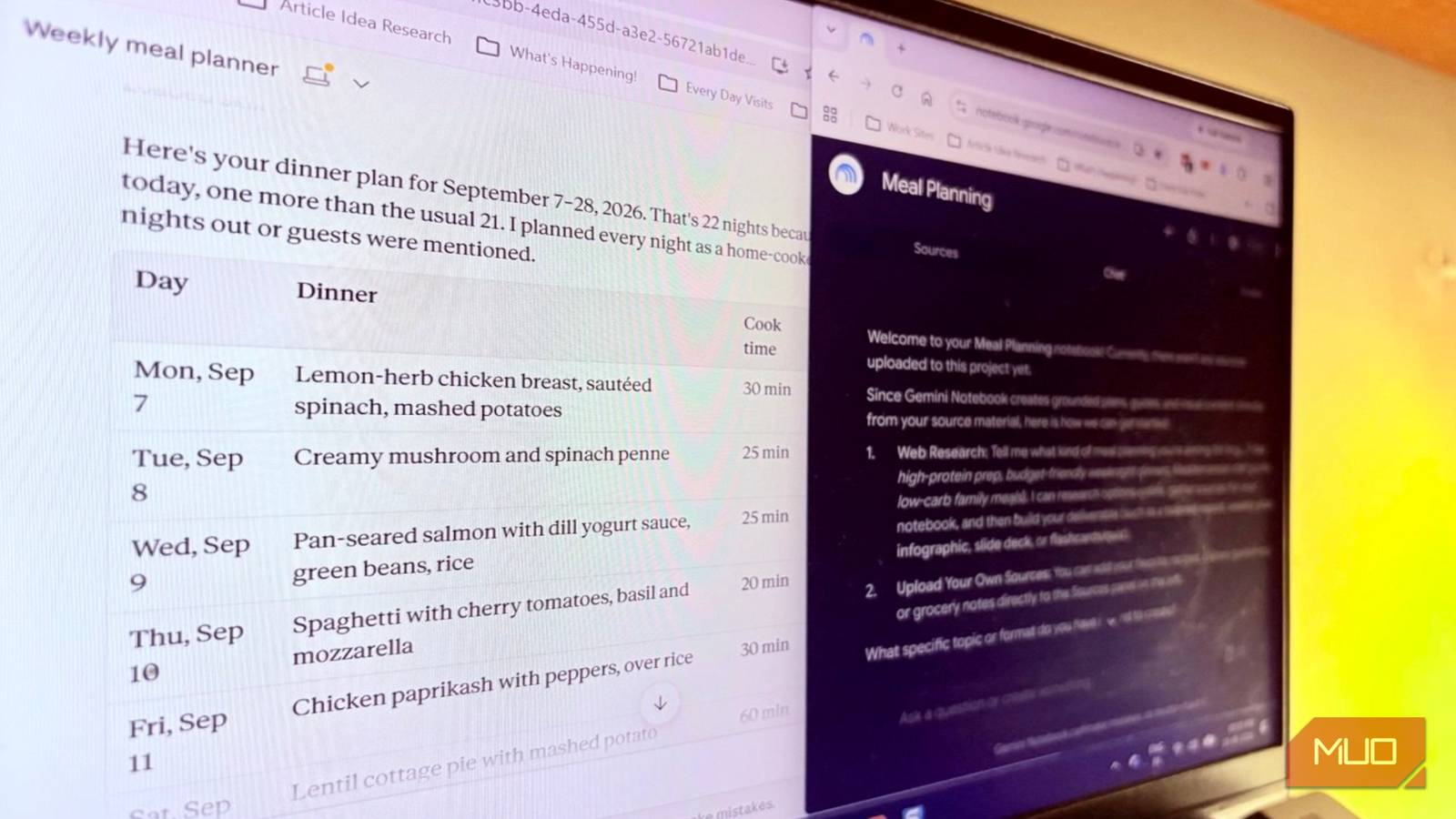
The problem is that a skill is a snapshot. Your meal-planning skill was written before the week everything went sideways. Your writing skill doesn’t know you changed jobs. Real life drifts, and the file stays frozen. MakeUseOf’s Saikat Basu ran into exactly this with a meal-prep skill: ingredients he couldn’t find, recipes that took too long, leftovers math that didn’t add up. Nothing was broken in the file. Reality had just moved on. Claude skills have this problem baked in, because they capture a moment, not a trend.
The tempting fix is to edit the skill every time something goes wrong. That way lies madness. You end up with a bloated instruction file stuffed with one-off patches, and Claude skills support versions, so you can watch your “improvements” pile up into mush.
The fix: log misses, don’t patch
The workflow Basu landed on flips the instinct. When the skill gets something wrong, you don’t touch it. You write down what happened instead.
- Keep a simple Google Doc log of every miss: meals skipped, ingredients out of stock, recipes that blew the time budget, suggestions you overrode.
- Also log what worked unusually well. Positive patterns matter as much as failures.
- Treat entries as observations, not verdicts. One weird week is data, not a rule change.
- Give it 3 to 4 weeks of logs before you judge the skill at all.
A good log entry is one line, written the moment the miss happens. “Thursday: skill planned salmon, but the supermarket had none, swapped for cod” beats a Friday-evening essay about how the meal plan felt off. Basu’s version logged the leftover-pancake suggestion that failed because two people showed up for lunch, and that single line later became a portioning rule. Specific, dated, boring. That’s what makes the eventual pattern analysis work.
That last one is the part most people skip. A skill that fails once on a Tuesday might be fine the other 29 days. Sitting in a doctor’s waiting room last week, I watched someone reschedule three appointments in ten minutes, and it hit me: most of what breaks our plans is exactly the stuff no instruction file can predict in advance. The log exists to catch the predictable failures hiding among the random ones.
Let NotebookLM find the patterns
Here’s where it gets smart. Instead of rereading weeks of notes yourself, you hand the log to NotebookLM and let it compare reality against the skill’s rules.
The setup is almost embarrassingly simple. The log lives in Google Docs, and NotebookLM syncs Drive sources periodically. Add the doc as a source, then ask it questions like “what rules in this meal plan get broken most often?” or “which constraints never caused a problem?” It cross-references your logged misses with the skill’s stated rules and surfaces the patterns.
One practical wrinkle: the sync isn’t always instant. If NotebookLM seems to be missing your latest entries, open the Sources panel and click the refresh icon on the Google Doc to force it to pull the newest version.
The whole workflow in five minutes
Setting this up takes one sitting. Create a Google Doc titled something like “skill log” and add it to a NotebookLM notebook as a source. Then, every time your skill misses, type one dated line in the doc. After three or four weeks, ask NotebookLM which rules get broken most and which never cause trouble. Edit the skill once, with evidence, and keep the log running. That’s the entire system: one doc, one notebook, and a few honest sentences a week.
Only after a pattern shows up do you edit. Then it’s a surgical change with evidence behind it, not a panic patch. Basu’s framing is the keeper here: you’re running a small lab, and the skill is the hypothesis. You can even paste the confirmed findings back to Claude and let it rewrite the relevant section of SKILL.md for you, then keep the old version in case the change misfires.
When a direct edit is still the right move
Don’t overthink the obvious stuff. A typo in the file, a rule you genuinely forgot to include, a hard constraint like a vegetarian guest next week: just edit the skill directly. Highlight the text in SKILL.md, click Edit, done. The log-and-patterns workflow is for drift, not for mistakes.
There’s a distinction worth keeping in mind. Skills that encode stable knowledge barely change. Skills that encode your routines change constantly, because routines change. The more your skill depends on the shape of your week, the more it needs this kind of maintenance. And if you build Claude skills for other people, it matters double, since you can’t see their failures at all.
Three other skills that need the same treatment
The meal plan was just the test case. The same log-then-analyze loop works anywhere your life feeds a skill messy inputs.
A client email skill drifts when you take on new kinds of clients, and the log captures every tone mismatch you had to fix by hand. A weekly report skill rots when your team changes what it tracks; each column you had to correct is a log entry. Even a code review skill needs it, because the codebase changes under the skill’s feet every sprint, and “the skill missed the new test framework” is exactly the kind of observation NotebookLM can connect to a stale rule.
The pattern is always the same, by the way. A skill encodes assumptions. Your log records where assumptions broke. The analysis tells you which assumption to rewrite.
This pairs nicely with what Claude already remembers. Our guide to Claude’s memory feature covers the built-in side of personalization, and the Claude Marketplace makes it easy to grab skills others have published. Maintenance is just the third leg of that stool: get skills, use memory, then keep them honest.
The takeaway
Claude skills don’t need daily babysitting. They need a feedback loop. This week, start a log doc for the one skill you use most, add it to NotebookLM, and let three weeks of evidence tell you what to fix instead of your gut.