
You gave Grok a task yesterday. It sat there. Today it’s still sitting there, waiting for you to type the next instruction. Meanwhile, your competitors’ automations have researched 40 leads, drafted 12 outlines, and posted a trending-topics digest to their team chat before lunch.
Here’s the thing most people miss about Grok automation: the model itself was never the bottleneck. The bottleneck is that it only works when you’re watching. Connect Grok to Zapier and that changes fast. Your workflows gain a brain where it counts, and Grok gains hands across 9,000+ apps. I’ll show you both directions, step by step.
Why connect Grok to Zapier at all
Grok has one edge no other frontier model gives you: live access to X. For anything that touches trends, news, or what people are saying right now, that matters. But a model sitting in a chat window can’t move data anywhere. It can’t watch a form, read a spreadsheet, or post to Slack on its own.
Zapier fixes that, and it works in two directions:
- Grok inside your Zaps: drop a Grok step into a workflow that runs on autopilot. Grok does the thinking; Zapier does everything else.
- Zapier inside Grok: connect Zapier through Grok’s app connector and your agent can act across your apps straight from chat, no workflow editor involved.
The first direction suits predictable, repeatable work. The second suits “hey, do this now” moments. Most people end up using both, and setting them up takes minutes, not days.
What Grok is actually good at in a workflow
Before you wire anything up, know where AI earns its keep and where it burns your money. A Zap runs every single time its trigger fires. If every step in it runs a model, you’re paying for reasoning on jobs a calculator could do. That’s how Zapier task counts (and API bills) quietly explode.
So keep it simple: deterministic steps stay deterministic. Moving a form submission into a CRM doesn’t need intelligence. These jobs do:
- Research with live context. “Find recent news and industry challenges for this company, summarize in three sentences.” Grok’s X access makes this sharper than most models.
- Drafting from a one-line brief. Turn a messy note into an outline or first draft, then hand it to a human.
- Trend spotting. Ask what’s trending in your niche every morning and get the digest in Slack.
- Reading images. Pull totals and vendor names out of receipt photos without manual data entry.
One model call, placed where judgment is needed. Everything around it stays cheap and predictable. That balance is the whole trick of Grok automation: spend tokens where thinking pays, and not a token more.
Method 1: add a Grok step to your Zaps
This is the classic setup for Grok automation. Your Zap triggers on something (a new lead, a new row, a schedule), then Grok does one job in the middle, then the result lands wherever you want it. Zapier’s own docs frame it the same way: predictable workflow, with reasoning where it helps.
Step 1: start your Zap with a trigger
Pick the event that should wake the workflow up. A new lead in your CRM, a new row in Google Sheets, a scheduled run every weekday at 8am. Anything works. For this example, say a new lead just landed in Salesforce.
Step 2: add the Grok action
Search for Grok in the Zap editor and add an action step. “Ask Grok” is the one you’ll use most. Others include categorizing text, extracting data, and generating images. Then write the prompt. Specific beats clever. For Grok automation, try something like this:
“Find recent news and industry challenges for [company name]. Summarize in three sentences. Flag anything a sales rep should mention on a first call.”
That’s it for the AI part. Grok only runs when there’s a new lead to research, so your costs track your volume instead of running wild.
Step 3: send the output somewhere useful
Add a final step that writes Grok’s summary back to the lead record. Now your rep sees a research brief before the first call, and nobody spent twenty minutes googling. Other combos that work well:
- Airtable brief in, outline out to Google Docs, ping in Slack for review
- Daily scheduled prompt, results to a spreadsheet you mine for content ideas
- Receipt uploaded to Drive, Grok reads it, key details to a Sheet
- Row of image prompts in Sheets, Grok generates each one, images attach back to the row
One setup detail: the API key
The Grok integration connects through your own xAI account with an API key, and xAI bills you for Grok usage on top of your Zapier tasks. If you’d rather skip the separate account, Zapier’s built-in AI by Zapier steps cover similar ground with models that don’t need your own key. For Grok specifically, though, the integration is the only way to get its live X access into a Zap.
Method 2: let Grok drive your apps from chat
The second setup flips the flow. Instead of Grok living inside a workflow, Zapier lives inside Grok. You talk, the agent acts. This runs through Zapier’s MCP connector, which gives Grok governed access to your apps: you decide exactly which apps and which actions it’s allowed to touch.
Setup takes four clicks
Chat-driven Grok automation is the fastest way to start. Here’s the whole process:
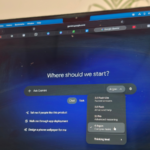
- Open Grok and click Connect apps at the bottom left.
- Search for Zapier and add the connector.
- Log in to your Zapier account and authorize the connection.
- In a Bot chat, run /zapier-setup to discover and enable the actions you want.
No API keys. Zapier holds your app credentials, and Grok holds a single authorization token. Every action respects the same permissions you’d set anywhere else in Zapier, so an agent that gets too ambitious just gets blocked.
What to ask it first
Chat-driven Grok automation shines when one request pulls data from several apps, because that’s where talking to an agent beats clicking through dashboards. Some requests that work well:
- Find my last five HubSpot deals, calculate the weighted pipeline, and post a summary to Slack.
- Check what’s trending on X about our product launch and add the top three themes to my Notion content calendar.
- Every Monday morning, send my open Asana tasks to the team channel.
That middle one is pure Grok. No other assistant can watch X in real time and write straight into your planning tool. Each successful action draws from your normal Zapier task allowance, so there’s no new bill to decode.
Which setup should you use?
| Grok in a Zap | Zapier MCP in Grok | |
|---|---|---|
| Runs when | Trigger fires, no human needed | When you ask in chat |
| Best for | Repeatable background work | One-off, on-demand jobs |
| Setup | Zap editor + xAI API key | Connect apps + /zapier-setup |
| Cost model | xAI API usage + Zapier tasks | Zapier tasks only |
| Guardrails | Fixed steps you review | You pick allowed actions |
Honestly? Start with Method 1 for anything that should run forever, and use Method 2 for the “go look this up for me” moments that used to eat your afternoon. They’re complements, not rivals. If you only remember one line from this Grok automation guide, make it that one.
Three automations worth copying this week
1. The morning trend digest
Schedule a Zap at 7am. The prompt: “What’s trending on X in [your niche] in the last 24 hours? Give me the top three themes and why people care.” Output lands in Slack before you finish coffee. That’s a research analyst working for pennies a day.
2. The lead researcher
New lead in the CRM triggers Grok research, the summary writes back to the record, and the rep walks into every first call already briefed. Grok automation like this saves hours of prep every single week, and the rep never has to remember to do it.
3. The image factory
Keep a spreadsheet of image prompts. A scheduled Zap sends rows to Grok’s image generation, and finished images attach right back to their rows. Social posts, webinar slides, ad variants: done in bulk while you do something else.
Pro tips before you go big
Write prompts like you’d brief an intern. Spell out the format you want (“three sentences, bullet points, no preamble”), because vague prompts produce vague output at scale. And test with your Zap’s trigger manually fired a few times before letting it run on real data. A prompt that reads fine in your head can produce weird output on a messy real-world input. Better to catch that on ten test rows than on a thousand.
One more: turn on only the actions you actually need in /zapier-setup. Fewer allowed actions means a smaller blast radius if a prompt goes sideways. It also makes Grok’s answers faster, since it has fewer tools to sort through.
Your move
Pick one repetitive task you did this week that needed a brain but not your brain. Wire it up as a Zap with a single Grok step, or ask for it in chat once Zapier is connected. Twenty minutes of setup, and you’ve got a permanent shortcut. If you want the same idea applied to a different model first, see how to automate ChatGPT with Zapier, or start with Grok Bot itself before adding the automation layer.