
YouTube AI Labels Just Got a Major Update — Here’s What to Do
📰 News & Analysis | YouTube’s AI labeling system got its biggest update yet. Here’s what changed and why it matters for creators.
If you’ve been using AI tools in your YouTube videos and wondering whether you need to disclose it, the answer just got more urgent.
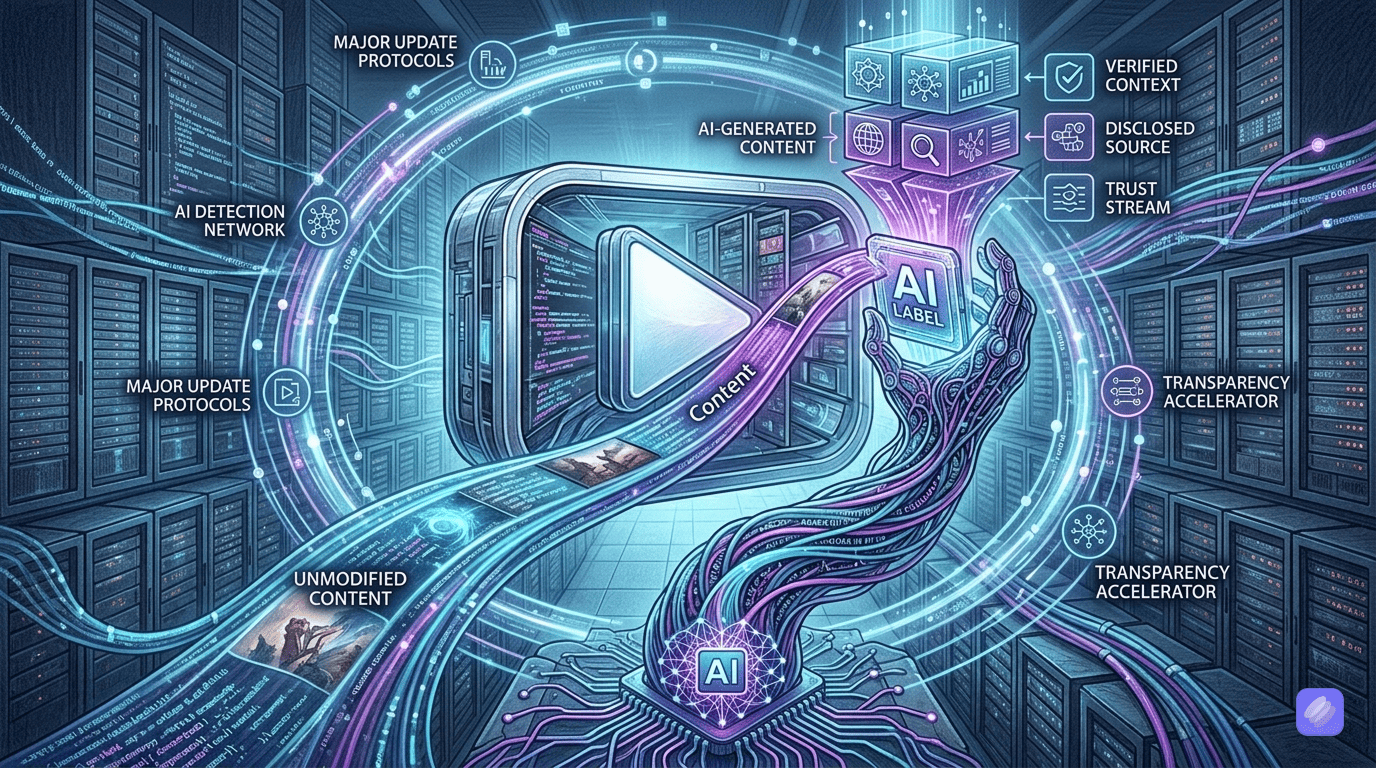
On May 27, 2026, YouTube announced the biggest update to its AI labeling system since it first introduced disclosure requirements in March 2024. The changes are straightforward but important: labels are now more visible to viewers, and YouTube will start automatically flagging AI content even if you don’t disclose it yourself.
Here’s what actually changed and what it means for your channel.
The two big changes: More visible labels and automatic detection
1. labels are now impossible to miss
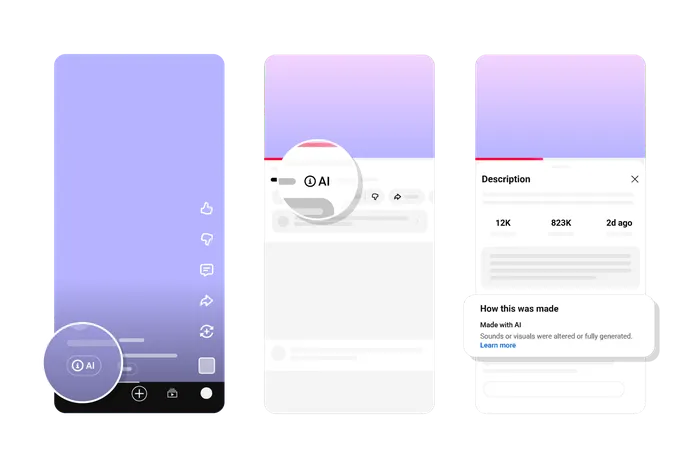
YouTube moved the AI disclosure label to a much more prominent position:
- Long-form videos: The label now appears directly below the video player, above the description. Before, it was buried in the expanded description where most viewers never saw it.
- Shorts: The label appears as an overlay on the video itself.
This is a single, unified label format for all photorealistic and meaningfully AI-altered or generated content. Viewers get the context immediately — no clicking required.
2. YouTube will now detect AI content automatically
This is the game-changer. Starting in May 2026, YouTube is rolling out internal systems that can detect when a video contains significant photorealistic AI content.
If a creator doesn’t disclose AI use during upload, but YouTube’s systems detect it, the platform will automatically apply a label. You no longer get to fly under the radar.
However, there’s an important nuance: in most cases, creators can still appeal incorrect labels through YouTube Studio. If you think YouTube got it wrong, you can update your disclosure status.
But there are two situations where the label becomes permanent and cannot be removed:
- Content created using YouTube’s own AI tools, like Veo or Dream Screen
- Content containing C2PA metadata (an industry-standard watermark that certifies content was AI-generated)
In those cases, the label stays regardless of what the creator wants.
What you need to disclose (and what you don’t)
This part hasn’t changed much from the original 2024 policy, but it’s worth reviewing because the consequences of not disclosing are now more serious — YouTube can and will add labels automatically, and repeated non-disclosure can lead to penalties including content removal and suspension from the YouTube Partner Program.
You MUST disclose when your content includes:
- Realistic fake people: Making a real person appear to say or do something they didn’t actually do. This includes deepfakes, AI voice cloning of someone else, or face swaps.
- Altered real events or places: Changing footage of an actual event or location — like making it look like a real building is on fire, or adding AI-generated footage of a real place.
- Realistic generated scenes: Showing something that never happened but looks real — like a tornado heading toward a real city, or fake footage of a real sports match.
- AI-generated music used in your videos.
You do NOT need to disclose:
- Non-realistic content: Animation, someone riding a unicorn, fantastical worlds — if it’s clearly not real, no label needed.
- Minor aesthetic edits: Beauty filters, color adjustment, lighting filters, background blur, vintage effects.
- Production assistance: Using AI to write scripts, generate video ideas, create thumbnails, write titles, or make infographics.
- Captions: AI-generated automatic captions.
- Video enhancement: Sharpening, upscaling, repair, audio repair.
- Your own voice: Cloning your own voice for voiceovers or dubs is exempt.
- Gameplay footage: AI-generated backdrops for gaming content.
How to disclose:
- Go to YouTube Studio
- Follow the steps to upload your video
- In the Attributes section, find the "AI use" field
- Select "Yes" if your content meets disclosure requirements, or "No" if not
- Continue with the rest of your upload
That’s it. One checkbox during upload.
New protection: YouTube’s deepfake detection tool is now for everyone
This is a separate but related change that rolled out alongside the labeling updates.
YouTube expanded its likeness detection tool to all users aged 18 and older. Previously, it was only available to YouTube Partner Program members, journalists, and politicians. Now, anyone can use it.
What it does: YouTube scans uploaded videos for matches to your face. If it finds a video that potentially uses your likeness, you get alerted and can submit a removal request.
How to set it up:
- Open YouTube Studio on your computer
- Go to "Content detection" and find "Likeness"
- Scan a QR code with your phone
- Submit a government ID
- Complete a selfie video verification
- Done — YouTube will now monitor for lookalikes
Important limitations:
- It only detects facial likeness, not voice cloning
- YouTube evaluates removal requests based on whether the content is realistic, labeled as AI, and if you can be uniquely identified
- There are carveouts for parody and satire
- You can withdraw from the program anytime and have your data deleted
This matters for creators because brands or competitors could theoretically use your face in AI-generated promotional content without permission. Now you have a tool to catch that.
What this means for your channel right now
Here’s the bottom line for creators in May 2026:
If you use AI tools in your videos, disclose it. It’s one checkbox during upload. If you don’t, YouTube might label it for you — and if you’re a repeat offender, you risk content removal and losing your monetization.
The good news: YouTube explicitly stated that an AI disclosure label alone does not affect how your video is recommended or whether it’s eligible to earn money. You won’t get penalized in the algorithm for being honest about AI use. In fact, being transparent builds trust with your audience.
If you’re worried about deepfakes: Set up the likeness detection tool now. It takes about five minutes and gives you ongoing protection.
Quick reference: The new YouTube AI rules at a glance
| What | The Rule |
|---|---|
| Label placement | Below video player (long-form) / overlay (Shorts) |
| Automatic detection | YouTube flags undisclosed AI content automatically |
| Can you appeal? | Yes, except for YouTube AI tools and C2PA watermarked content |
| Penalties for non-disclosure | Forced labels, content removal, Partner Program suspension |
| Does it hurt your reach? | No — labels don’t affect recommendations or monetization |
| Deepfake protection | Available to all users 18+ through likeness detection tool |
| Voice cloning exemption | Cloning your own voice doesn’t need disclosure |
What you should do right now
- Audit your workflow. If you use AI tools that generate realistic visuals, altered footage, or AI voices (other than your own), start disclosing during upload.
- Set up likeness detection. Go to YouTube Studio → Content detection → Likeness, and enroll. It takes five minutes.
- Don’t panic. The rules are straightforward, the disclosure process is simple, and being transparent with your audience is always a good idea.
YouTube is making these changes because viewers want transparency. In a world where AI makes it harder to tell what’s real, honest disclosure isn’t a burden — it’s a competitive advantage.