
You’re paying $20/month for Claude. Your friend swears by Gemini. The leaderboard says GPT-4o is king. But when you actually use them for your work — your prompts, your code, your writing — the results are all over the place. Leaderboards measure average performance on academic benchmarks. You need to know which model works for your specific tasks. That’s where you can compare ai models free with your own prompts.
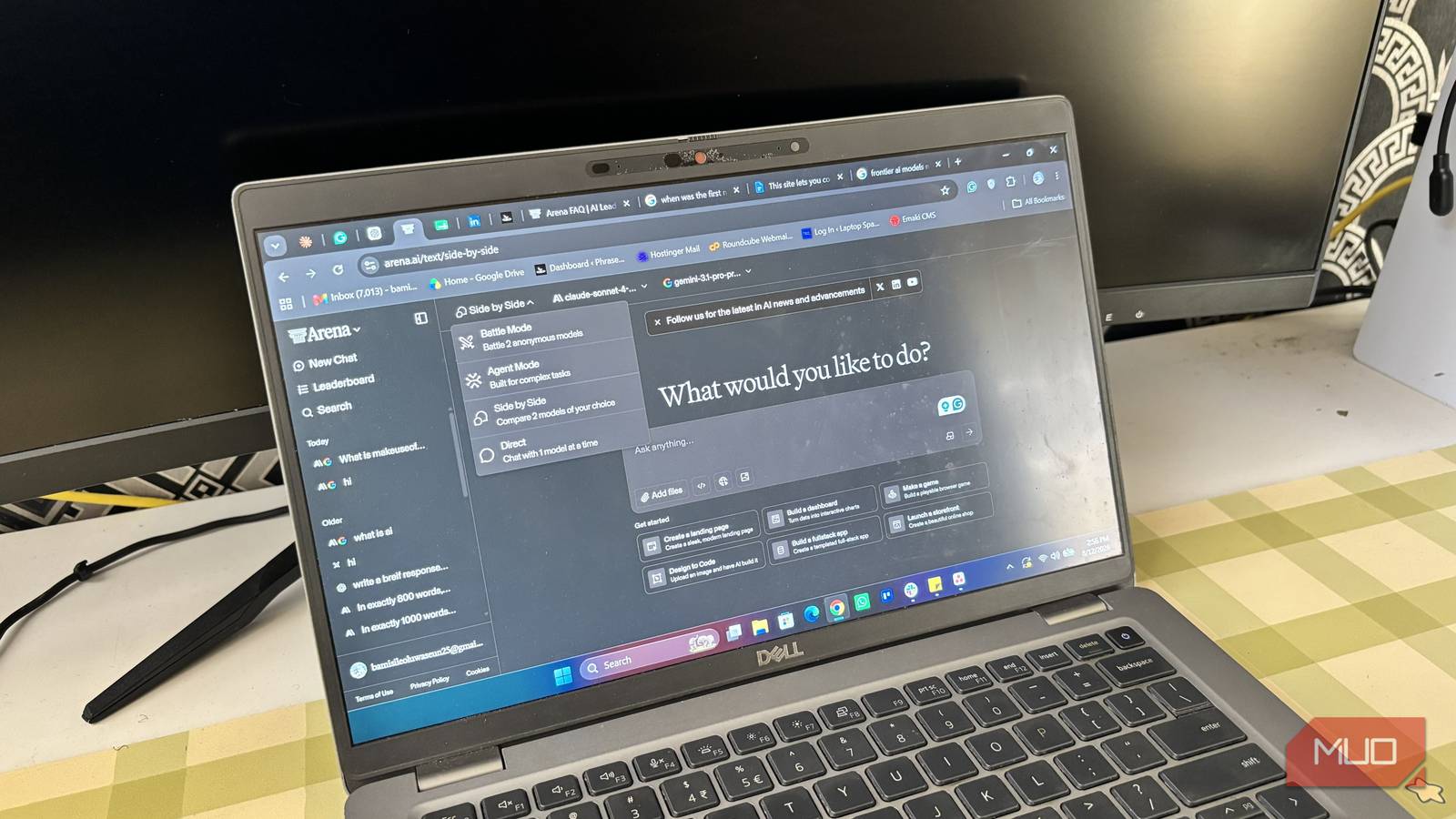
Arena AI (LMSYS Chatbot Arena) lets you test models side-by-side with your own prompts. Blind. Free. No account. You vote on which answer is better, then see which model it was. It’s the only way to actually know.
Most people visit the leaderboard, see Claude at #1, and assume it’s the best for everything. It’s not. The model that wins on “write a poem about a cat” might choke on “refactor this React component to use hooks.” Your use case is not the benchmark.
Why Leaderboards Lie (And What to Do Instead)
The Chatbot Arena leaderboard aggregates 1M+ human votes across hundreds of prompts. It’s scientifically solid. But it’s also an average. Your tasks aren’t average.
A model ranked #3 overall might be #1 for Python debugging. A model ranked #15 might crush creative writing. The leaderboard hides this because it mixes everything together — coding, reasoning, creative, multilingual, math — into one Elo score.
Arena AI’s side-by-side mode lets you isolate your use case. You provide the prompt. Two random models answer. You pick the winner. Repeat. After 10-20 rounds, you have real data on which model actually works for you. This is how you compare ai models free without trusting generic benchmarks.
What Is Arena AI (LMSYS Chatbot Arena)
Arena AI is the public interface for LMSYS Chatbot Arena, a research project from UC Berkeley’s SkyLab. It’s the same platform that produces the famous LLM leaderboard cited by every AI lab.
Key facts:
– 100+ models — GPT-4o, Claude 3.5 Sonnet, Gemini 1.5 Pro, Llama 3.1, Qwen, Mistral, and dozens more
– Blind testing — You don’t know which model is Model A or Model B until after you vote
– Free, no account — Open the site, start testing
– Mobile friendly — Works on phone, tablet, desktop
– Updated weekly — New models added constantly
The leaderboard is a byproduct. The side-by-side arena is the tool you actually need to compare ai models free.
How to Compare Models with Your Own Prompts
Step 1: Open Arena AI
Go to arena.lmsys.org. Click “Side-by-Side” in the top navigation (or go direct to arena.lmsys.org/?mode=side-by-side).
You’ll see two blank chat panes labeled Model A and Model B. A prompt input at the bottom.
Step 2: Write Your Test Prompt
This is where most people mess up. They type “hello” or “write a poem.” Useless.
Write a prompt that represents your actual work. Examples:
For coding:
“Refactor this Python function to use async/await with proper error handling. The function fetches data from an API, retries on failure, and returns parsed JSON. Here’s the current sync version: [paste your code]”
For creative writing:
“Write a 200-word product description for a $300 mechanical keyboard. Tone: enthusiastic but technical. Target: developers who care about switch types and build quality. Include specs naturally.”
For reasoning:
“A company has 50 employees. 60% are engineers. Of the engineers, 40% are senior. Of the seniors, 25% work remotely. How many remote senior engineers are there? Show your work.”
For analysis:
“Summarize this 2,000-word article in 3 bullet points. Focus on actionable takeaways for a startup founder. [paste article]”
Type your prompt. Hit Enter. Both models respond simultaneously.
Step 3: Vote Blind, Reveal After
Read both responses. Don’t peek at model names (they’re hidden). Decide which is genuinely better for your purpose.
Click “Model A is better” or “Model B is better” or “Tie.” Only then do the model names reveal.
This blind step matters. If you knew Model A was GPT-4o, you’d unconsciously favor it. Blind voting forces you to judge on output quality alone.
Step 4: Test Multiple Prompts
One prompt tells you nothing. Test 5-10 prompts covering your main use cases. Keep a simple tally:
| Prompt Type | Model A Wins | Model B Wins | Ties |
|---|---|---|---|
| Coding | 3 | 1 | 1 |
| Creative | 2 | 2 | 1 |
| Reasoning | 1 | 3 | 1 |
After 10 rounds, patterns emerge. You’ll know which model actually deserves your $20/month. This is the practical way to compare ai models free for your specific needs.
Best Prompts for Different Use Cases
Steal these. Adapt them. They’re designed to expose real differences.
Coding Tasks
– “Write a pytest suite for this FastAPI endpoint. Cover success, validation error, not found, and server error cases.”
– “Convert this synchronous database query to async SQLAlchemy 2.0. Explain the changes.”
– “Find the bug in this React component. It renders twice on mount. Here’s the code: [paste]”
Creative Writing
– “Write a cold email for a B2B SaaS tool. 150 words max. No buzzwords. Hook in first sentence.”
– “Rewrite this paragraph to be punchier. Keep the meaning, cut the fluff. [paste paragraph]”
Reasoning & Analysis
– “Step through this logic puzzle. Show every deduction. [paste puzzle]”
– “Compare these two pricing strategies for a freelance marketplace. List pros/cons of each.”
Research & Summarization
– “Extract the 5 most surprising claims from this paper. Cite page numbers. [paste PDF text]”
– “What are the counterarguments to this thesis? [paste argument]”
Pro Tips: Get More from Arena AI
Test the same prompt multiple times. Models are non-deterministic. Run each prompt 2-3 times. If Model A wins 2/3 rounds, that’s signal. If it’s 1/1/1 split, they’re equivalent for that task.
Use “Direct Chat” mode for deep dives. Once you identify a favorite model, switch to Direct Chat mode (top nav) to have a full conversation with just that model. Test multi-turn workflows.
Check the “Vision” checkbox. Some models support image input. Upload a screenshot, diagram, or chart and ask the model to analyze it. Great for UI feedback, code review from screenshots, data viz interpretation.
Save your winners. Arena doesn’t have accounts, so bookmark the model names that win for each category. Build your personal model routing table: “Coding → Claude 3.5 Sonnet, Creative → GPT-4o, Reasoning → Gemini 1.5 Pro.”
Ignore the leaderboard for your decisions. The leaderboard is for researchers and labs. Your personal arena results are for you.
When to Trust (and Ignore) the Leaderboard
Trust it for:
– Getting a shortlist of models to test (top 10 = worth your time)
– Spotting new model releases (new entries appear weekly)
– General “state of the art” awareness
Ignore it for:
– Deciding which model to subscribe to
– Assuming the #1 model is best for your specific work
– Comparing models across completely different categories (coding vs creative vs reasoning)
The leaderboard answers “which model is generally best?” You need “which model is best for me?” Different questions. The only way to answer your question is to compare ai models free with your actual prompts.
Your Next Step
Go to arena.lmsys.org. Click Side-by-Side. Write one prompt from your actual work today. Run it. Vote. Repeat 5 times.
You’ll have a real answer in 10 minutes. Not a leaderboard. Not a review. Your own data.
That’s worth more than any benchmark.