
Chase, Bank of America, Citi, PNC and now Wells Fargo have all moved against AI agents this fall. The standoff between AI agents and banks just got official, and Wells Fargo’s new terms put it in writing: using any AI agent on your account is “at your own risk.” If you’ve been letting a bot shop, book, or pay for you, this changes the math.
Here’s the part nobody says out loud: when your AI agent screws up with your bank, it’s not the bank’s problem. It’s not the AI company’s problem either. It’s yours. Every dollar, every fee, every frozen account. That’s why this matters even if you’ve never touched an agent.
Why AI agents and banks collided
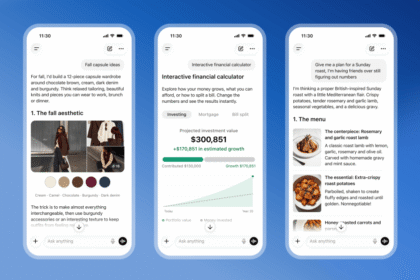
AI agents are tools like ChatGPT’s agent mode or Meta’s Muse that click around the web for you. You give them a goal (“order my groceries under $80”) and they log into sites, compare options, and hit buy.
The conflict between AI agents and banks comes down to one thing: logins. Most agents use your actual username and password. So from the bank’s perspective, a bot in Sao Paulo and you in Ohio look identical until something goes wrong. And things go wrong in ways that are expensive to untangle: agents have posted screenshots with bank details visible, misread checkout pages, and bought the wrong things at the wrong prices.
Consumers authorize goals, not every click, as one professor who studies this put it. The bank can’t tell which clicks you meant. So the industry is drawing a hard line instead.
The full list of who blocked what
The wave hit fast, and it helps to see it in one place:
| Bank / platform | The move | When |
|---|---|---|
| JPMorgan Chase | Banned third-party agents that log in with your credentials | Late October |
| Bank of America | Warned customers not to share login info with bots | Late October |
| Citibank | Added agent warnings to its terms | November |
| PNC | Added agent warnings to its terms | November |
| Wells Fargo | “At your own risk” agent terms take effect | This Tuesday |
| Amazon | Blocked Meta’s Muse from making purchases | Earlier this year |
| United Airlines | Banned bots from buying flights for you | November |
Wired has the full rundown on the new bank language if you want the fine print. Retailers and airlines actually got there first; I covered United’s ban on AI flight purchases when it landed, and honestly the pattern was obvious then: any company that eats the cost of a bad automated purchase was going to slam the door.
Banks are the bigger deal, though, because money. A wrong couch order is annoying. A bot draining your checking account or triggering a fraud freeze is a week of phone calls and paperwork.
What’s actually at risk for you
Let’s say you ignore all this and keep using an agent with your bank login. Worst cases, in order of how likely they are:
- Your account gets flagged. Bot-style logins (new device, fast clicking, odd hours) look like fraud to bank security systems. Result: frozen card while you’re at checkout.
- You eat the losses. This is the core issue when AI agents and banks mix: if the agent transfers $900 to the wrong person, that’s on you. Consumer protections cover unauthorized access, and a bot with your password is arguably authorized.
- Terms violation. If the bank decides your agent use broke the agreement, in a bad case they can close your account. Getting dropped by a bank is a genuinely miserable experience.
None of these are guaranteed. Plenty of people use agents with no incident, so far. But the banks just wrote down who pays when it breaks. Before, that was ambiguous. Now it’s you, in capital letters.
How to use AI agents without getting burned
You don’t have to quit automation. You just need to keep it away from your bank login.
Step 1: Never give an agent your banking credentials. This is the one rule that matters. No exceptions, no “just this once.” If a tool asks for your bank password, close the tab.
Step 2: Use agents on shopping, not banking. Comparing prices, building a gift list, tracking a deal: that’s fine. Those tasks don’t need your checking account. Have the agent prepare everything, then you click the final buy button yourself. It costs you 30 seconds and keeps the liability where it belongs.
Step 3: Check each site’s rules before automating it. Amazon already blocks Muse purchases. United blocks flight purchases by bots. When a platform bans agents, a workaround usually violates its terms too, which can mean a banned account. Quick search before you automate saves a headache later.
Step 4: For real automation, use tools built for it. This is where something like a Zapier MCP setup shines: it connects apps through official APIs with scoped permissions instead of raw logins. If you want the deeper walkthrough, I put together a full tutorial on building an AI personal assistant that way.
Step 5: Turn on transaction alerts. Every bank app has them. If a bot (or a human thief) touches your account, you know within seconds instead of at the end of the month. If you run a small business account, do this on the business login too; agents love to “help” with invoicing, and business accounts rarely get the same fraud protections as personal ones.
A 5-minute audit worth doing today
Open your bank app and check the connected devices or linked apps section. Anything you don’t recognize, revoke it. Then search your inbox for terms-update emails; three of the five banks above already sent them. Finally, read the new agent clause when you find it. Two minutes of reading beats an afternoon arguing with a fraud department. Note the date the terms take effect for your bank; Wells Fargo’s starts Tuesday, but each bank rolls out on its own schedule.
The workarounds floating around (and why I’d skip them)
Some people are pointing at official agent integrations, like ChatGPT’s Wallet approach, as the loophole. Those aren’t loopholes. They’re approved payment rails where the platform accepted the liability, and they don’t touch your bank login at all.
Others are sharing browser tricks to make agents look human. That’s worse. If the bank’s terms ban agents and you disguise one, you’ve converted “oops” into “breach of contract.” Not worth it over a grocery run.
Where this is heading
Banks aren’t anti-AI, whatever it feels like. They’re anti-liability, and today’s agents hand them plenty of it. Consider this the first peace treaty in the standoff between AI agents and banks: agents that transact through approved channels get to stay, agents that pretend to be you get shown the exit.
Until then, the rule is simple. Agents can look, compare, and plan. You do the final click on anything involving money.
Your move
If you use an AI agent, do that 5-minute audit today: check which apps have your bank credentials and remove any of them. Then turn on transaction alerts. And if you want to automate the safe way, start with a tool that uses official integrations instead of logins. Your future self, explaining to a fraud department why a bot moved your rent money, will be grateful.