
Your phone probably claims to have AI. It’s in the marketing, the settings menu, maybe even a dedicated button. But here’s the dirty secret: most of those “AI features” stop working the moment you lose your internet connection. On-device AI is the real deal, and very few phones actually have it.
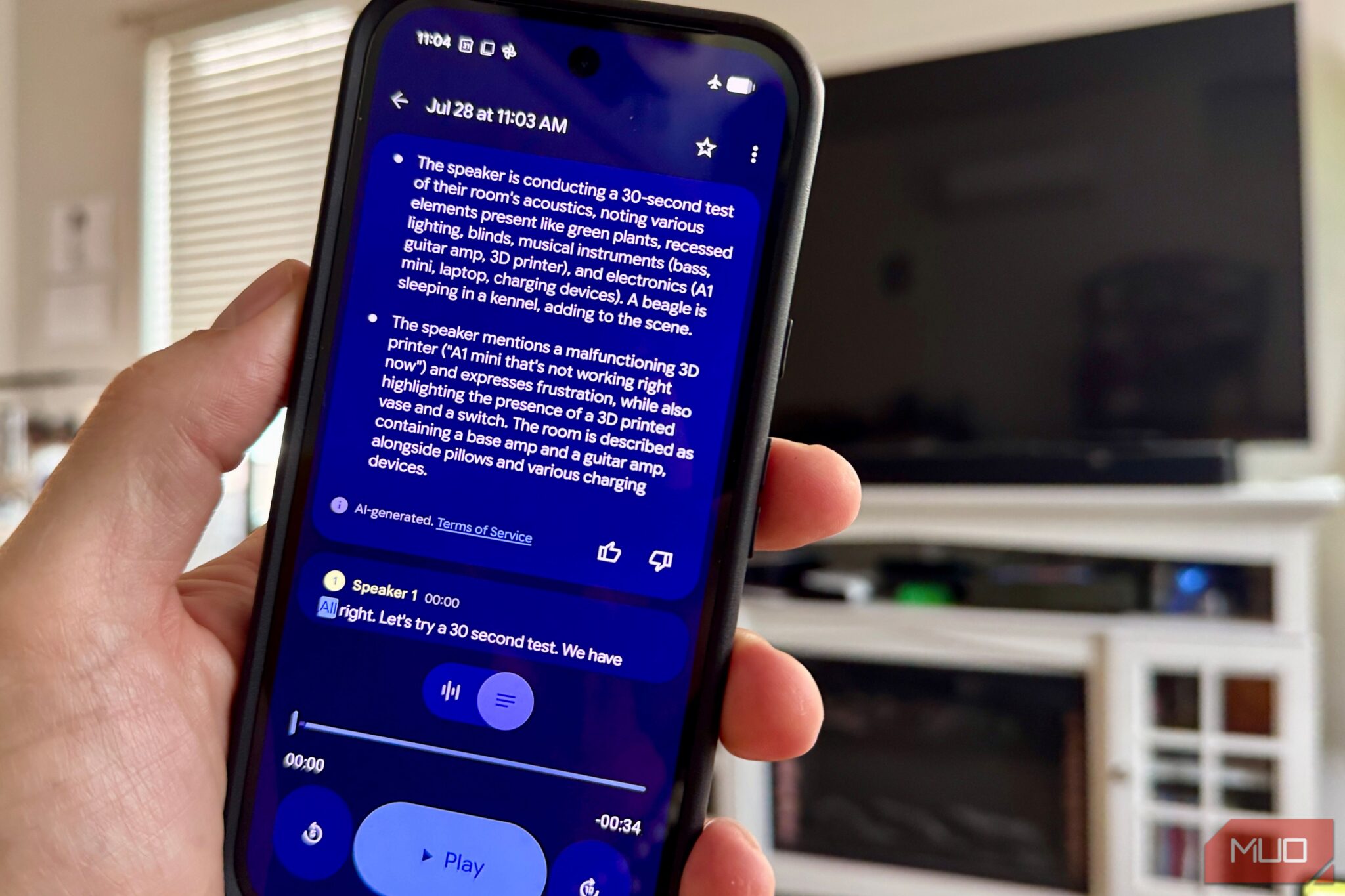
Someone recently tested five phones and tablets in airplane mode to see which ones could still run AI features without Wi-Fi. Only two out of five actually worked. The rest were quietly sending your data to a server and calling it “artificial intelligence.”
So what is on-device AI, which phones support it, and does it matter? Let’s break it down without the marketing nonsense.
What is on-device AI
On-device AI means the processing happens on your phone’s own chip, not on a server somewhere else. Your photo, your voice memo, your text never leaves the device. The feature keeps working even with airplane mode on.
Cloud AI does the opposite. It sends your data out, waits for a server to process it, and sends the result back. That’s why Siri used to be useless offline. It wasn’t thinking at all, it was just relaying your request to Apple’s servers and reading back the response.
The difference matters for three reasons. Privacy: your data stays on your phone. Speed: no network round-trip means instant results. Reliability: it works on a plane, in a tunnel, or anywhere with bad signal.
Which phones support on-device AI
This is where it gets frustrating. Phone manufacturers slap “AI” on everything now, but the hardware requirements for real on-device AI are specific. Here’s what you actually need:
| Platform | Minimum requirement | Works offline? |
|---|---|---|
| iPhone (Apple Intelligence) | A17 Pro chip + 8GB RAM | Yes |
| iPad (Apple Intelligence) | M-series chip | Yes |
| Android (Gemini Nano) | AICore app + compatible chip | Yes |
| Older iPhone (pre-15 Pro) | A16 or older | No |
| Budget Android | Entry-level chips | No |
iPhones with Apple Intelligence
Apple Intelligence requires an A17 Pro chip and at least 8GB of RAM. In practice, that means the iPhone 15 Pro and iPhone 15 Pro Max, plus the entire iPhone 16 lineup. If you have an older iPhone, you don’t have on-device AI. Period.
On iPads, you need an M-series chip. That means iPad Pro models with M1, M2, M4, or newer. The older A-series iPads, even powerful ones like the 2018 iPad Pro with its A12X Bionic, are completely excluded. No software update will fix this. It’s a hardware limitation.
The iPhone 15 Pro Max was tested in airplane mode and Writing Tools rewrote a paragraph in Notes with zero connection. Notification summaries also generated normally. Apple’s on-device AI is real and functional offline.
Android phones with Gemini Nano
Android’s situation is messier. Google’s on-device AI runs through something called Gemini Nano, which lives inside an app called Android AICore. The problem is that AICore isn’t available on every phone.
The Pixel 8 and Pixel 9 series have it. Samsung Galaxy S24 and S25 series have it. The OnePlus 13 has it, but only after a software update that arrived months after launch.
Here’s where people get confused. The OnePlus Open, OnePlus’s flagship foldable, has plenty of AI branding. But it runs on the Snapdragon 8 Gen 2 chip, and Gemini Nano support only arrived on OnePlus hardware with the Snapdragon 8 Elite in the OnePlus 13. The Open never got the update. Therefore, all its AI features route through the cloud.
Budget phones are even worse off. The TCL NXTPAPER 14, for instance, has a Helio G99 chip designed for battery life and low cost. No dedicated AI silicon. No AICore. Its “AI features” are just the standard cloud-based Gemini app, which requires an internet connection.
What actually works without internet
So you have a compatible phone. What can you do with on-device AI when the Wi-Fi is off?
Text rewriting and summarization. Apple’s Writing Tools let you rewrite, proofread, or summarize text in Notes, Mail, and Messages. This works fully offline. You can paste a long email and get a summary without any connection.
Notification summaries. Your phone groups and summarizes notifications locally. Instead of seeing 15 separate Slack messages, you get one summary line. All processed on the chip.
Basic photo editing. Magic Eraser on Pixel and Clean Up on iPhone both use on-device processing to remove objects from photos. This works offline because the image never needs to be uploaded.
Voice transcription and dictation. Speech-to-text runs locally on supported devices. You can dictate a note in airplane mode and it’ll transcribe accurately.
Live Translation. Both Apple and Google offer on-device translation for text and speech. It’s limited compared to cloud translation, but it handles common phrases and basic conversations without internet.
Smart replies. Suggested responses in Messages and email apps are generated locally based on the context of the conversation.
How to check if your phone has on-device AI
Don’t trust the marketing. Here’s how to verify for yourself.
On iPhone: Go to Settings and look for “Apple Intelligence & Siri.” If that section exists, your phone supports it. If you only see a standard Siri menu with no mention of Apple Intelligence, your device is too old. The oldest supported iPhones are the 15 Pro and 15 Pro Max.
On Android: Open the Play Store and search for “Android System Intelligence” or “AICore.” If AICore is installed and your device is supported, you’ll see it in your system apps list. If it’s not there, or if it says “not compatible with your device,” your phone doesn’t support Gemini Nano.
The airplane mode test is the ultimate proof. Turn on airplane mode, then try a feature that’s supposed to work on-device, like Magic Eraser or Writing Tools. If it works, you’ve got real on-device AI. If it spins forever or shows an error, it was cloud-dependent the whole time.
What on-device AI cannot do yet
Here’s where the limits are. On-device AI is a small model running on a phone chip. It’s not ChatGPT. It can’t:
- Generate images from scratch (that requires massive models that live in the cloud)
- Have a complex multi-turn conversation (the local models are too small for sustained reasoning)
- Do deep code analysis or complex math
- Access real-time information (obviously, since it’s offline)
- Process large documents (the context window is tiny compared to cloud models)
Think of on-device AI as a quick, private, always-available assistant for small tasks. Text fixes, summaries, photo cleanup, translations. For anything more complex, you still need cloud AI.
That’s fine. The point isn’t to replace cloud AI. It’s to have something that works when you’re on a plane, when you care about privacy, or when the server is down. If you want to go fully local on a bigger device, check out our guide on how to run a private LLM on a USB drive, which covers desktop-class offline AI.
Is on-device AI worth caring about
Short answer: yes, but mostly for privacy and reliability, not for power.
If your phone supports it, you’ll notice small things working better. Notifications are more organized. Photos are easier to clean up. Text gets rewritten without a loading spinner. None of these are life-changing individually, but together they add up.
If your phone doesn’t support it, don’t panic. Cloud AI still does everything on-device AI does, plus way more. You just need an internet connection and you need to be okay with your data hitting a server.
The real winners here are people who care about privacy. Everything processed on-device stays on your device. No server sees it. For anyone who’s uncomfortable with their voice memos, photos, and personal messages being analyzed in the cloud, on-device AI is a genuine upgrade.
The trend is clear though. Every new phone chip adds more AI processing capability. In two or three years, on-device AI will be standard on everything except the cheapest budget phones. For now, if you want it, you need a relatively recent flagship. Samsung’s Galaxy AI features are already moving in this direction, with more capabilities shifting to local processing with each update.