
Your AI coding agent just took eight minutes to run a test suite. You’re staring at a spinner, again. Meanwhile three other tasks sit in your backlog untouched, because everyone runs one agent at a time. That’s exactly the habit parallel AI coding agents are built to break.
The one-agent-at-a-time problem
Here’s how most of us run AI coding tools: open Claude Code or Codex, give it a task, wait, review the output, then start the next task. One lane. One queue.
The bottleneck isn’t the AI. These agents write features, fix bugs, and refactor code surprisingly well. The bottleneck is you babysitting a single workspace while it grinds through installs and test runs. Waiting got expensive because you can’t safely hand a second agent the same working directory. They’d stomp on each other’s changes.
Parallel AI coding agents need a traffic cop, not another model. A new tool called Superset is exactly that: instead of building yet another agent, it lets you run the agents you already pay for, all at once, without conflicts.
What Superset actually is
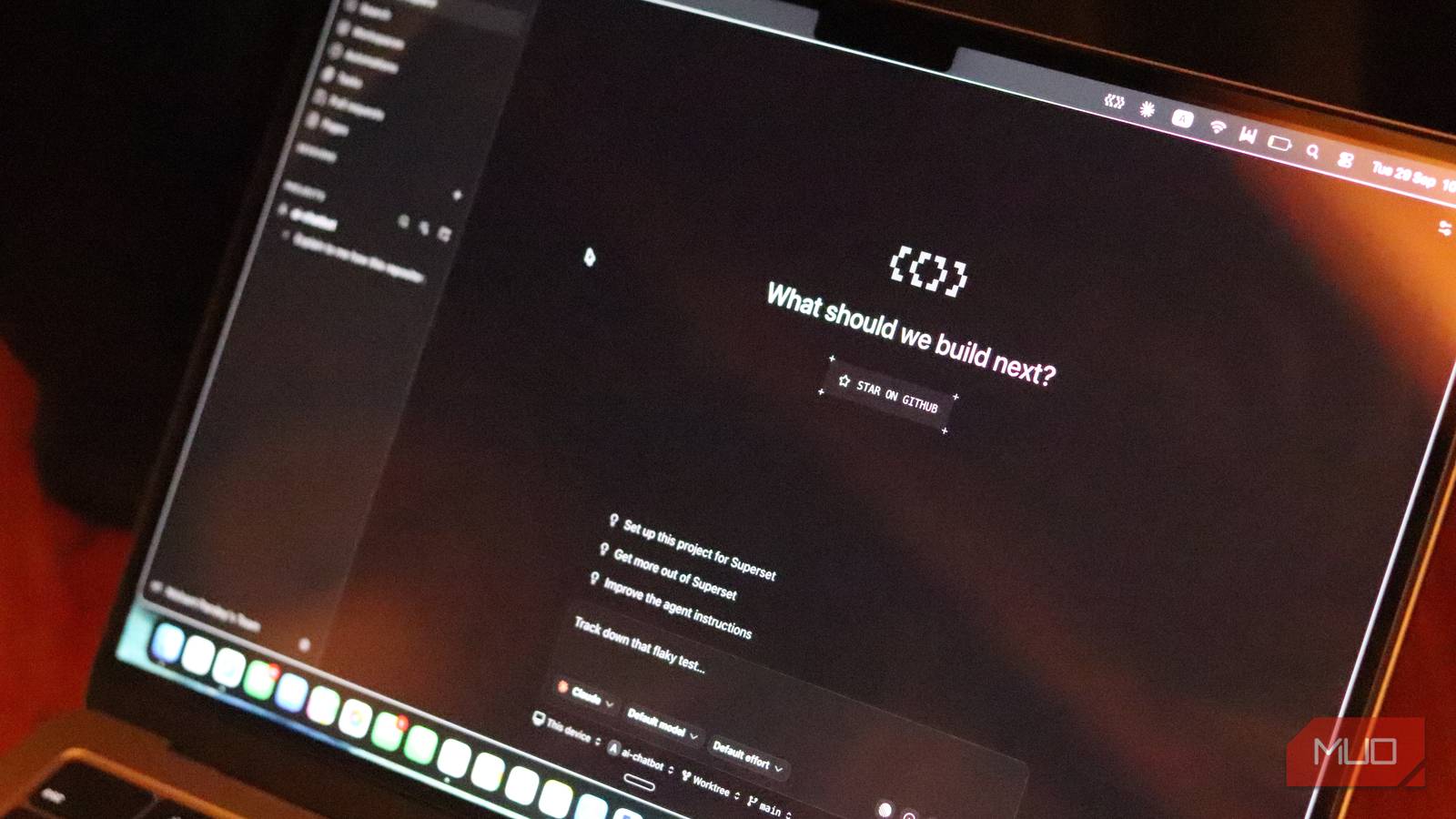
Superset describes itself as an agentic IDE, but that label undersells the design. It doesn’t compete with Claude Code, Codex, Gemini CLI, Cursor Agent, GitHub Copilot, or OpenCode. It orchestrates them. Think mission-control dashboard, terminal manager, Git client, and editor in one shell.
Two design decisions make it genuinely different from another AI editor:
First, bring your own subscriptions. Superset doesn’t proxy model calls or resell tokens. You connect the CLI agents you already use, with your existing API keys and plans, and usage costs stay with the original provider. No new AI bill to justify.
Second, every task becomes a workspace. Not a chat thread inside the same project. A separate, disposable environment with its own branch, terminal, and files. When the work is done, you review the branch, merge it, and delete the workspace.
Git worktrees: the trick under the hood
The isolation magic turns out to be a boring, battle-tested Git feature: worktrees. Each workspace gets its own branch and working directory, so one agent can repair authentication while another updates dependencies and a third experiments with a UI redesign. Nobody edits the same files. Nobody commits half-finished garbage into a shared folder.
You don’t need to understand worktrees deeply to benefit, but the mental model helps. A worktree is like checking out the same repo into a second folder without cloning it. Git keeps both in sync at the branch level, and merging works exactly as you’d expect.
Creating a workspace takes seconds. Pick a project, create a workspace from a new branch, an existing branch, or even a pull request, then launch whichever agent you want with a prompt. Superset keeps the terminal sessions, agent chat, file changes, and detected ports grouped with that job. After the agent finishes, you inspect the diff right inside Superset, keep chatting with the agent, open the folder in another editor, or push the branch through your normal pull request flow.
Racing agents on the same prompt
Racing is where parallel AI coding agents get genuinely interesting. This is the feature that changes how you think about quality.
Superset supports racing: give the exact same problem to two different agents, let each produce an independent branch, then merge the better implementation. The project’s own documentation recommends this pattern. It sounds wasteful, and sometimes it is. But for tricky work, like a gnarly bug fix, watching Claude Code and Codex attack it from different angles and comparing the diffs is genuinely eye-opening.
Beyond racing, parallel AI coding agents shine when your project has independent jobs. Refactoring one module, updating tests in another, refreshing docs in a third: those never needed to be sequential. Split them across workspaces and they finish together.
One honest warning from people who’ve used it: five branches can arrive faster than you can review them. Parallel work trades waiting time for review time. If you were already the review bottleneck, this amplifies that.
Getting started in 3 steps
- Install Superset from superset.sh (macOS today; Windows isn’t supported yet) and connect an agent you already use, like Claude Code or Codex CLI.
- Create a project, spin up a workspace from a new branch, and give the agent a clearly bounded task: “upgrade all dependencies and make the test suite pass.”
- While that agent works, create a second workspace for an unrelated task. Watch how it feels to stop waiting.
The open source repo on GitHub documents everything, including a CLI that exposes the same backend for scripts and CI jobs. There’s also an MCP server, which means one agent can create and manage workspaces for other agents. Yes, an agent becoming the coordinator of other agents is exactly as wild as it sounds.
Two more features worth knowing: scheduled automations can run repetitive jobs like dependency updates or changelog prep, each leaving an inspectable workspace behind. And remote access lets you run workspaces on a home server or beefy workstation while your laptop acts as the control panel.
Think like a coordinator, not a pair programmer
Running parallel AI coding agents rewires how you write prompts. Vague instructions that a single agent could muddle through become disasters at scale, because nobody’s watching each workspace full time.
So the discipline goes up: tasks need explicit boundaries and acceptance criteria. Big jobs must split into pieces that develop safely on separate branches. “Improve the app” is a bad prompt. “Add dark mode support to the settings page, matching the tokens in styles/variables.css, all tests green” is a good one.
If you’ve never coded with AI at all, start solo first. Our Claude Code for non-programmers guide covers the fundamentals, and the free Qwen Code alternative lets you try agentic coding without a subscription. Coordination skills build on top of basic ones.
And if all this agent talk feels overhyped, you’re not alone. We covered why AI coding agents won’t replace you, and that skepticism applies here too: Superset multiplies what you direct, not what you understand.
When it’s not worth it
Skip Superset for now if any of these fit you:
- You work on Windows (not supported yet, macOS is the real target)
- Your projects are small enough that one agent finishes before you’d finish writing the second prompt
- You struggle to review one agent’s output; five simultaneous diffs won’t fix that
- Your tasks are deeply intertwined and can’t split across branches
The tool is free to try, and since it uses your existing agent subscriptions, the real cost is learning to think in parallel. That’s a real cost. Give it a weekend with a side project before trusting it with work code.
The takeaway
Superset turns idle waiting time into throughput by running parallel AI coding agents side by side in isolated Git worktrees. Install it, connect one agent you already pay for, and try racing two agents on your next tricky bug. If the winner’s diff is better than what you’d have gotten solo, you’ll never go back to one at a time.