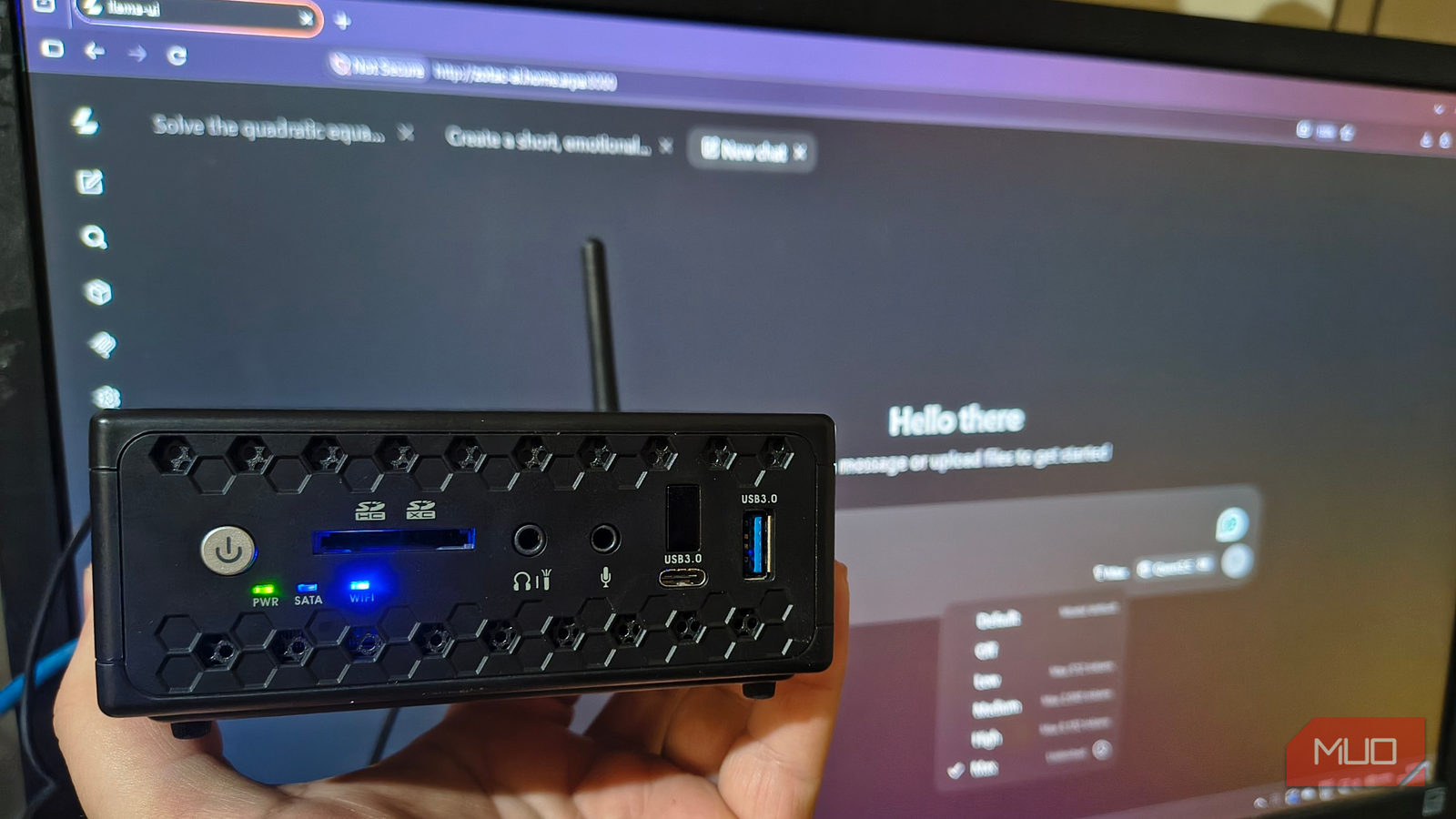

That ancient laptop or mini PC in your closet can still do something useful in 2026: it can run AI models completely offline, without a subscription, using hardware you already own. Turning an old PC into a local AI server costs nothing but an afternoon, and one writer just proved it works on hardware older than ChatGPT itself. Fair warning though: the results are slow enough that you’ll develop opinions about patience.
Why bother with a computer that old
A local AI server doesn’t have to be a shopping problem, even though that’s how it usually gets pitched. Buy a GPU. Max out the RAM. Build a machine that sounds like a small space heater. If you’ve ever priced that build, you know it starts around $1,500 and goes up fast.
But there’s a middle path almost nobody talks about. Before spending anything, you can test whether local AI even fits your life by running tiny models on hardware you were going to throw away. That’s exactly what one IT specialist did with a decade-old Zotac mini PC, and his experiment is the perfect template for your own.
The machine in question was a Zotac ZBOX with an Intel Celeron N3160, a quad-core processor that was considered “budget” back when it launched. It has 8GB of RAM and a cheap SSD. By any modern standard, this thing should not be able to run AI at all.
It can. Slowly. And that’s the point.
What you need before starting
Gather these first so you’re not stuck mid-install:
- Any old PC or laptop with at least 4GB of RAM (8GB is much more comfortable)
- A free Linux option like Ubuntu Server installed on it
- A wired or reliable Wi-Fi connection on your home network
- Another device on the same network to use as your chat window (phone, tablet, whatever)
You don’t need a graphics card for this project. The CPU does all the work, and llama.cpp, the free open-source engine we’ll use, is built specifically to squeeze useful results out of modest hardware.
Step 1: Install llama.cpp
llama.cpp is a free, open-source program that runs language models on ordinary CPUs. It’s the same engine behind a bunch of friendly AI apps, and it includes a built-in browser chat interface, so once it’s running you get a ChatGPT-style window served from your own machine.
On your fresh Ubuntu Server install, you’ll clone the repository and compile it. Compilation just means turning the source code into a program your specific computer can run, and it took the experiment’s single core-poor Celeron a while with only two parallel build jobs:
cmake --build build --target llama-server llama-cli llama-bench -j 2Once that finishes, you start the server component and your old machine officially becomes a local AI server. It should now be serving a web page on port 8080.
Step 2: Download small models
This is where expectations need a reset. ChatGPT-class models are hundreds of gigabytes. Your old PC needs models measured in megabytes, and there are three good free families to start with:
- SmolLM2 (360M): tiny and fast, made by Hugging Face for low-power devices
- Qwen 3.5 0.8B: Alibaba’s small model, the sweet spot for old hardware
- Qwen 3.5 2B: the biggest that makes sense on a Celeron-class machine
You’ll want the Q4_K_M quantized versions. Quantization compresses a model by lowering the precision of its internal numbers. You lose some accuracy, but a compressed model that runs beats a perfect model that doesn’t fit in memory.
Download the model files (they end in .gguf) from Hugging Face and point llama-server at one of them. Total download for all three: under 2GB.
Step 3: Open the chat and test it
From any other device on your network, open a browser and go to your server’s address on port 8080. You’ll get a clean chat interface that looks a lot like the ChatGPT you know, except everything happens inside your own local AI server and nothing gets sent to any company.
Now for the reality check. The original experiment ran three tasks: rewriting a blunt email politely, extracting structured fields from a note, and summarizing a work update. Results varied wildly by model size.
SmolLM2 360M was creatively wrong. It dropped deadlines from the email, returned “Item: 12” as the answer to a quantity field, and flat-out invented that a Chicago project was finished while the Boston one was still ongoing. None of that happened.
Qwen 3.5 0.8B was the surprise. It kept the deadline in the email, got all four extraction fields right, and only lost some detail in the summary. This is the model to start with.
Qwen 3.5 2B handled everything correctly, including factoring a quadratic equation and verifying both answers by substitution. Then it took over three minutes of thinking before it wrote a single word of its answer.
| Model | Email rewrite | Data extraction | Summary | Speed (gen) |
|---|---|---|---|---|
| SmolLM2 360M | Dropped details, invented facts | 3 of 4 fields right | Changed what happened | Fast |
| Qwen 3.5 0.8B | Good | All 4 fields right | Missed one requested detail | 2.63 tokens/sec |
| Qwen 3.5 2B | Good | All 4 fields right | Correct | 1.23 tokens/sec |
Step 4: Live with the speed (or fix it)
Here’s the honest part. The 2B model spent about 202 seconds just reading and processing the prompt before it started writing, then another 26 seconds writing the response. The author’s verdict was that he could finish most of these tasks himself before the answer arrived.
Two things helped. First, keep requests short and specific. Most of the wait is the model reading your input, so a focused prompt with a short answer beats a rambling one with an essay. Second, pick the 0.8B model as your daily driver. It answered in about 90 seconds total and was the best balance of quality and speed on this hardware.
Memory, oddly, was never the problem. The whole setup used between 390MB and 1.3GB of RAM, and the swap file never got touched. The Celeron’s four cores just maxed out and stayed there. Your bottleneck on old hardware is processor speed, not memory, which is good news because RAM is the expensive part.
What this experiment is actually for
Nobody’s retiring their ChatGPT subscription over a Celeron. The 0.8B model missed requested details, and the 360M model would happily invent facts. Treat this as a cheap test drive, not a replacement.
The real win is what you learn before spending money. After a week of running a local AI server on decade-old hardware, the author knew he enjoyed tinkering with local AI but needed faster hardware to make it genuinely useful. That’s a $0 education. Compare that with buying a GPU first and discovering local AI isn’t your thing.
If the experiment hooks you, the next rungs up are already mapped out. A modern laptop with 16GB of RAM can run far more capable models like Ornith 9B, our guide on model formats covers the difference between GGUF, GPTQ, AWQ, and EXL2, and if you’re ready to shop for something faster than this Celeron, the AI accelerator card is the upgrade nobody talks about. You can even run a model on your phone once you get the hang of the basics.
The takeaway
Dust off that old PC, install Ubuntu Server and llama.cpp, and download the Qwen 3.5 0.8B model. Your local AI server will be live before dinner, private and offline, and you’ll know exactly whether local AI deserves a spot in your life before you spend a dime upgrading anything.