
Your phone can run a real AI model without internet, and almost nobody uses that feature. A local LLM on your phone handles writing, photos, and voice even when the Wi-Fi dies. Here’s what that actually looks like after a week of testing.
Why run AI offline at all
Let’s start with the obvious question. ChatGPT and Gemini are free, they’re fast, and they’re one tap away. So why bother with a local LLM on your phone at all?
Three reasons, and money is only one of them.
Privacy comes first. Everything you type into a cloud chatbot travels to a company’s servers, and it can be stored, reviewed, or used for training. I’ve written before about the files you should never upload to ChatGPT, and the list keeps growing. With an offline model, your text never leaves the device. There’s nothing to leak because nothing gets sent.
Second, there’s the cost angle. Every task you move to a free local model is a task you don’t need a $20 subscription for. That’s not pocket change over a year.
Third, and this one surprised me: offline AI works when nothing else does. Basements, planes, subway tunnels, camping trips, or that one room where the Wi-Fi gives up. If your AI lives on the device, dead zones stop mattering.
Running a local LLM on your phone: the setup
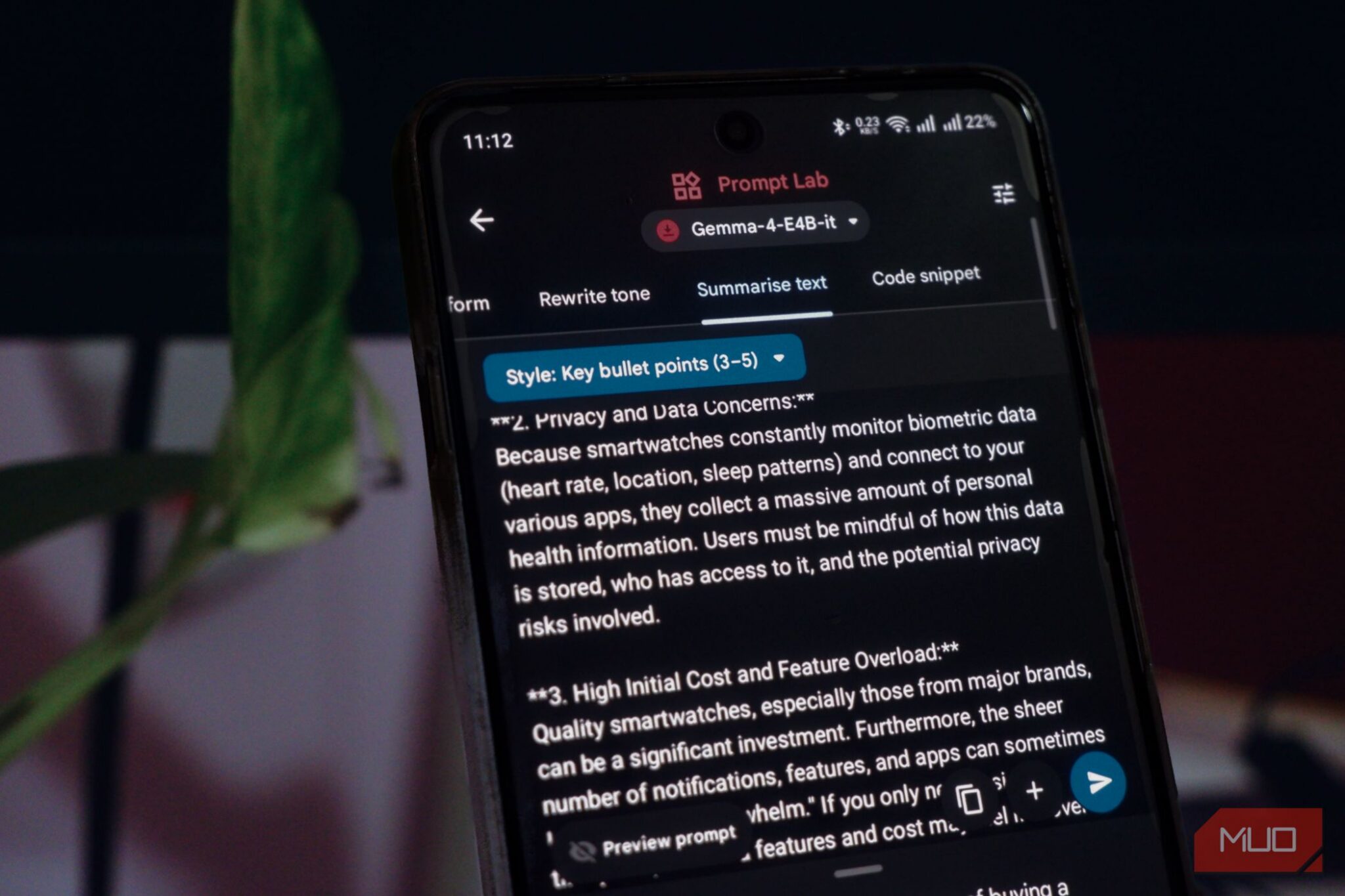
The easiest way in is Google AI Edge Gallery, a free app from Google that runs AI models directly on Android. No account juggling, no monthly fee, no cloud. You download it, pick a model, and it runs on your hardware.
Setup takes about ten minutes:
- Install Google AI Edge Gallery on your Android phone (it’s a free download from Google).
- Open the app and choose a mode: AI Chat for back-and-forth conversations, or Prompt Lab for one-shot jobs like rewriting a paragraph.
- Pick a model. The app offers Google’s Gemma models in a few sizes, and it also runs third-party options like Qwen 2.5 Instruct and DeepSeek R1 Distill.
- Wait for the download to finish. Smaller models take a few minutes; bigger ones take longer and need more free space.
- Start typing. From here on, everything happens on your phone.
One honest note before you get excited. A phone-sized model is not ChatGPT. It’s slower, it’s simpler, and it occasionally says things that sound confident and wrong. The trick is using it for jobs where that tradeoff doesn’t hurt. These five are the ones that stuck for me.
Five tasks that actually work offline
1. Chat and rewrite without sending your words anywhere
Most people use AI for two things: quick answers and rewriting text. Both work fine offline. Draft a tricky email while flying. Soften a blunt message before it goes to your boss. Summarize a long thread of texts.
The app has a neat split here. AI Chat handles multi-turn conversations, and Prompt Lab is built for single rewrites, with preset options like changing tone. For sensitive stuff (a complaint to HR, a medical question you’d rather not log anywhere), the privacy win is the whole point. Speed depends on your phone, so give it a beat between prompts.
2. Understand photos without uploading them
This one used to be impossible offline. Older on-device models only handled text. The current Gemma models accept images, so you can point your camera at something and ask what it is.
Point it at a mystery part under the sink and ask what it’s called. Photograph a document in another language and get the gist. Have it describe a photo so you can write alt text. The model does a decent job, though it hallucinates now and then, so double-check anything important. Chats can include up to 10 images, and each one stays on your phone.
3. Voice typing that works on a plane
Voice-to-text is where cloud apps quietly charge a fortune. Plenty of transcription services run $10 to $30 a month, and every one of them ships your voice to a server.
The fix is FUTO Keyboard, a free open-source Android keyboard with on-device voice typing. You talk, it types, and the audio never leaves the phone. It also cleans up filler words nicely, and the built-in autocorrect and prediction are good enough that I kept it as my daily keyboard.
Google’s AI Edge Gallery has its own transcription mode called Audio Scribe, but clips cap out at 30 seconds. FUTO is the better pick for anything longer, like dictating a whole email or a set of meeting notes.
4. Chat with PDFs that never leave your phone
Here’s the task with the most money attached to it. Contracts, medical records, performance reviews, that lease agreement nobody reads. People upload sensitive PDFs to cloud chatbots anyway because it’s convenient.
Anvit is a free Android app that does local RAG, which is a fancy way of saying it reads your document and answers questions about it entirely on your phone. Setup takes a few minutes because it downloads a main model plus a smaller one for the document work. After that, you upload a PDF inside the app and start asking questions.
I pointed it at a 40-page insurance policy and asked what’s actually covered. The answers matched what I found reading it myself. Your corporate NDA or your tax documents never touch a server. That alone justifies the setup time.
5. A full chatbot in your pocket
Beyond the single-purpose apps, you can just run a general assistant. AI Chat in AI Edge Gallery works like a stripped-down ChatGPT: open-ended questions, follow-ups, reasoning. You can even tune it, adjusting the token limit, the accelerator, and the system prompt, which is more control than most cloud apps give you.
It’s slower than ChatGPT on mid-range phones, and complex reasoning will remind you it’s a small model. But for “explain this notice from the DMV” or “help me plan meals around what’s in my fridge,” it gets the job done with zero internet and zero data collection.
What a local LLM can’t do yet
Honesty time. This setup has real limits, and you should know them before you cancel anything.
Here’s the side-by-side:
| Local LLM on your phone | Cloud chatbot (ChatGPT, Gemini) | |
|---|---|---|
| Works offline | Yes, always | No |
| Data leaves your device | No | Yes |
| Monthly cost | Free | Free tiers, $20+ for the good stuff |
| Speed | Slower, depends on your phone | Fast |
| Knowledge | Frozen at training, no browsing | Current, can search the web |
| Complex reasoning | Limited | Strong |
So don’t ditch your cloud chatbot for research on current events, heavy coding, or anything where being wrong is expensive. Use the local model for the private, everyday stuff. That split covers most people’s real usage.
Which phones can handle it
RAM is the number that matters. The models that handle images and document questions run comfortably on phones with 8 GB of RAM, and they run well on 12 GB or 16 GB. Anything released in the last two or three years in the mid-range or above should manage the smaller models.
Storage is the second constraint. Model files run from roughly 500 MB for the tiny ones to several GB for the bigger ones, so clear some space first. Battery drain is real during long sessions, though short tasks like a rewrite or a single question barely dent it.
If your phone is older, start with the smallest Gemma model in AI Chat and see how it feels. Curious about the extreme end of this? Someone ran a model on a $5 microcontroller, which makes your phone look like a supercomputer. And if you’d rather go big than pocket-sized, our local LLM hardware guide covers the desktop route.
The takeaway
Install Google AI Edge Gallery, add FUTO Keyboard for voice, and try Anvit with one real PDF this week. That’s ten minutes of setup for a local LLM on your phone that works offline, costs nothing, and keeps your data in your pocket. Start with one task, and I’d bet the rewriting one hooks you first.