
The average job search takes about five months. Five months of updating resumes, tailoring cover letters, refreshing job boards, and waiting for replies that never come. Most of that time isn’t spent applying. It’s spent on the tedious, repetitive prep work that goes into each application. AI tools for job search can cut that prep time in half, and in some cases, do parts of it better than you would. Here’s which ones actually work.
I’ve tested a mix of free and paid tools across the entire job search process, from resume writing to interview prep. Not all of them are worth your time. But nine of them genuinely make the process faster, and a few might even help you land a job you wouldn’t have found on your own.
The best AI tools for job search
These are the tools that actually moved the needle. I’m listing them in order of impact, starting with the one that does the most for the least money.
ChatGPT — the free Swiss army knife for job seekers
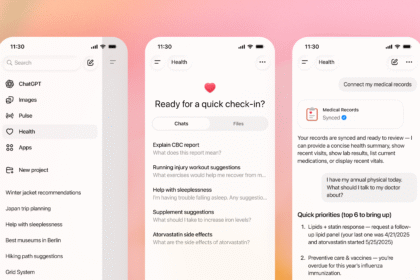
Let’s get the obvious one out of the way. ChatGPT is free, it handles almost every part of the job search, and most people already have access to it. The trick is knowing how to prompt it correctly.
For resumes, paste in the job description and your current resume, then ask it to rewrite your bullet points to match the role’s keywords. For cover letters, tell it the tone you want (casual, formal, enthusiastic) and the key qualifications to highlight. For interview prep, paste the job listing and ask it to generate ten likely questions with good sample answers.
ChatGPT isn’t perfect. Sometimes it adds fluff or overstates qualifications. But with a quick edit, you get a tailored application in minutes instead of hours. It’s the single most impactful AI tool for job search, and it costs nothing.
Jobscan — beat ATS systems with keyword matching
Most resumes don’t reach a human. They get filtered by Applicant Tracking Systems, or ATS, which scan your resume for keywords that match the job description. If your resume doesn’t have the right keywords, it gets trashed before anyone reads it.
Jobscan scans both your resume and the job posting, then gives you a match rate percentage. It highlights which keywords you’re missing and suggests where to add them. It’s not glamorous, but it’s one of the most practical tools out there. The difference between a 60% match rate and an 85% match rate can be the difference between getting an interview and hearing nothing.
The free tier lets you scan a few resumes per month. The paid plan ($49.95/mo) is expensive, but if you’re actively applying to a lot of roles, it pays for itself.
Teal — AI job search companion
Teal is a job search platform built around AI. It does a few things: it tracks your job applications so nothing falls through the cracks, it has an AI resume builder that tailors your resume to each role, and it highlights keywords from job descriptions.
What I like about Teal is that it combines tracking with optimization. Most people use a spreadsheet to track applications and a separate tool for resume tweaks. Teal puts it all in one place. The AI suggestions are decent, though not as aggressive as Jobscan for ATS optimization.
Free tier is usable. Paid is $9/mo, which is reasonable if you’re job hunting seriously.
Kickresume — AI-powered resume templates
Kickresume uses AI to generate resume content based on your job title and experience. You pick a template, fill in your details, and it suggests bullet points and summaries. The templates look professional, which matters more than people think.
Where Kickresume shines is for people who stare at a blank page. If you’re not sure how to describe your accomplishments, the AI suggestions give you a solid starting point. Just don’t use them verbatim. Recruiters can spot generic AI bullet points from a mile away.
Free tier gives you one resume. Premium is $5/mo.
LinkedIn AI — optimize your profile for recruiters
LinkedIn now has built-in AI features that help you optimize your profile. The most useful one is the headline and about section generator, which takes your experience and writes a more compelling profile. LinkedIn’s AI also suggests skills to add based on your work history.
This one’s free if you have a LinkedIn account, which you should anyway. Most recruiters source candidates from LinkedIn, so having an optimized profile is basically mandatory in 2026. The AI suggestions aren’t groundbreaking, but they’re better than what most people have on their profiles right now.
Grammarly — polish every word you send
Grammarly isn’t a job search tool specifically, but it’s the best safety net you can have. Run every resume, cover letter, and follow-up email through Grammarly before sending. A typo in your resume is all it takes to get screened out, and it happens more often than you’d think.
The free version catches most errors. Premium adds tone adjustments, which is useful if your writing tends to come across too casual or too stiff.
Sonara — AI finds and matches you to jobs
Sonara is an AI-powered job matching service. You upload your resume, set your preferences, and it sends you matched job listings daily. It automates the search part of job hunting, which is genuinely one of the most time-consuming steps.
The AI matching is decent, though not perfect. You’ll still need to filter the results. But it’s better than manually refreshing Indeed and LinkedIn every morning. The pricing varies based on your plan, but it’s aimed at serious job seekers.
LazyApply — automate your applications
LazyApply takes automation further by automatically applying to jobs on your behalf. You set your criteria, upload your resume, and it starts submitting applications. I’m including this with a big caveat: auto-applied resumes often get flagged, and the quality of applications drops when you remove the human touch.
Use LazyApply for the “spray and pray” portion of your job search, the roles you’re somewhat qualified for but wouldn’t have applied to manually. Don’t use it for your dream job. That one deserves a handcrafted application.
Interviewing.io — practice interviews with AI
Interviewing.io offers AI mock interviews with real-time feedback. It’s especially good for technical roles, where you need to practice coding problems or system design questions. The AI gives you feedback on your answers, your pacing, and your approach.
For non-technical roles, ChatGPT actually works fine as an interview prep tool. But if you’re in software engineering or data science, Interviewing.io is worth the subscription.
How to actually use AI tools for job search
Signing up for tools doesn’t do anything. Using them strategically does. Here’s a workflow that actually works.
Write a tailored resume in 5 minutes
Start with Jobscan. Paste the job description, upload your current resume, and check your match rate. Add the missing keywords. Then, take the updated resume to ChatGPT and ask it to rewrite your bullet points so they’re stronger and more specific. Run the final version through Grammarly. Done.
This process takes maybe five to ten minutes per application. Without AI, most people spend 30 to 60 minutes tailoring a resume for each role.
Generate cover letters that don’t sound like a robot
The biggest risk with AI cover letters is that they all sound the same. The fix is simple: don’t accept the first draft. Ask ChatGPT to write it, then rewrite the opening and closing paragraphs yourself. Add one specific detail about the company that shows you actually looked at their website. That tiny effort makes a huge difference.
Prep for interviews without paying a coach
Ask ChatGPT to generate interview questions based on the specific role and company. Then practice answering out loud. If you want recorded feedback, Interviewing.io provides that for technical roles. The key is practicing with real questions, not generic ones you found on Google.
The AI tools for job search you should skip
Not every tool is worth your time. I’d skip anything that:
- Promises to “apply to 1,000 jobs for you” with no filtering. Quantity without quality just wastes your name.
- Charges more than $50/month for resume features. You don’t need that.
- Doesn’t let you edit the AI output. If you can’t customize the results, the tool is useless for job applications where personalization matters.
Start applying smarter today
Pick two or three tools from this list. ChatGPT and Jobscan are the best starting point if you want maximum impact with minimum cost. Add Teal if you want application tracking. Then use them consistently for every single application. The people getting hired faster aren’t luckier. They’re just using AI tools more strategically than everyone else. Whether you’re using AI to land a traditional job or automate parts of your professional life, the principle is the same: let AI handle the boring parts so you can focus on what actually moves the needle.