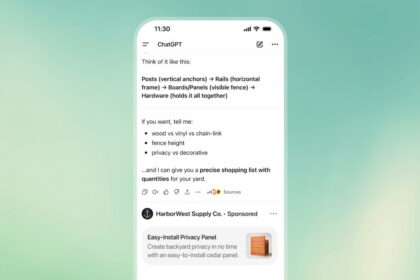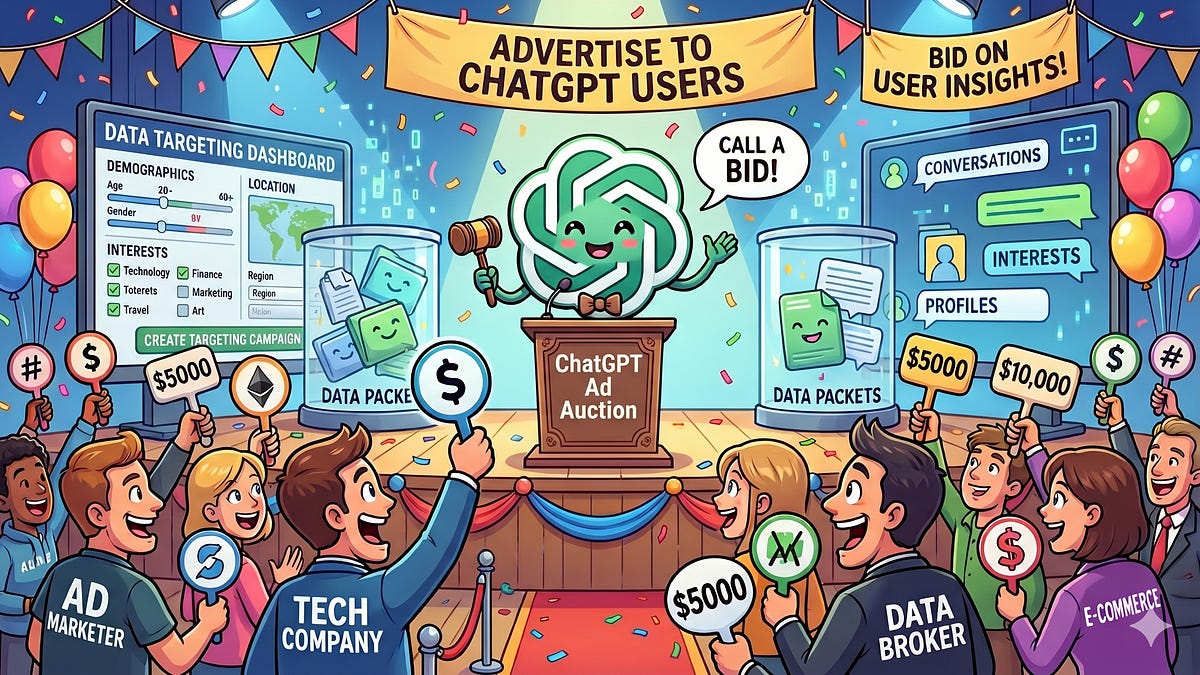

ChatGPT free users just got something nobody asked for: a tracking cookie that follows you across the web and reports back to OpenAI. It’s called __obi, it ships turned on by default, and it ties the sites you visit to your chat account. Here’s how to shut down ChatGPT ad tracking before it builds a profile on you.
What the __obi cookie actually does
A researcher who goes by Buchodi published a technical breakdown of the system this weekend, and it shot to the top of Hacker News within hours. The short version: OpenAI runs an ad collector at bzr.openai.com. When you use ChatGPT, that collector drops a cookie called __obi into your browser. It’s registered for openai.com, yet it comes configured with SameSite=None.
That setting matters more than it sounds. SameSite=None means the cookie travels with requests to other sites, which is exactly what an ad tracker wants. During the researcher’s tests, every other OpenAI cookie got blocked by the browser in that situation. __obi was the only one built to slip through.
So how does it reach other websites? Any company that buys ads on ChatGPT installs a small piece of OpenAI code on its own pages. Retailers already do this with the Meta pixel and the Google tag, so the setup feels familiar to them. When one of those pages loads, the code sends __obi back to OpenAI along with details about what you’re looking at.
The result: OpenAI can connect your chat account to your activity on advertiser sites. Product views, funnel steps, form fields. All of it linked to the same identifier you use while asking ChatGPT for dinner recipes.
What leaves your browser (and what stays)
Here’s the part that made people uncomfortable. Across 23,929 observed events, URLs were trimmed down to origin plus path, so the report found no query strings leaking out. But the path itself survives, and the collector received pages about a medical condition, a debt-solutions funnel, and a litigation intake form. Location data flows even more directly.
| What OpenAI receives | What the report found |
|---|---|
| Country, region, city, postal code | Sent in the clear; postal code was the most-harvested form field, with 100 events across 28 sites |
| Pages you view on advertiser sites | Paths kept (origin plus path only, no query strings observed) |
| Passwords, card numbers, SSN, date of birth, medical history, diagnosis, court fields | Listed on OpenAI’s denylist for its collectors |
| Automatic matching to your account | Enabled on 638 of 881 pixels with a known setting, including every credit and lending advertiser observed |
| Your actual chat conversations | OpenAI states chats are not shared with advertisers |
That denylist is real, but it only works if every advertiser’s forms use the right field names. Honestly, that’s a big if. Plus, “not shared with advertisers” doesn’t mean the data never reaches OpenAI’s servers. It means it stays in-house.
How to turn off ChatGPT ad tracking
OpenAI does give you controls. They’re just not somewhere most people would ever look. Here’s the two-minute version.
Step 1: While logged in, open the Ads controls page (the direct address is chatgpt.com/Advertising). Free and Go users see the options there. Paid plans don’t need them.
Step 2: Toggle off Personalize ads. Ads still appear based on your current conversation, but your past chats, memory, and ad history stop feeding the targeting.
Step 3: Check the Past chats and memory toggle on the same page and turn it off too. This is the one people miss, because memory quietly makes ads smarter about you over time.
Step 4: Click Delete ads data. That wipes your ads history and the topics OpenAI has associated with you. Full removal from their systems can take up to 30 days, so don’t expect it to vanish overnight.
Step 5 (optional, stronger): Add bzr.openai.com to your ad blocker’s blocklist. uBlock Origin or any decent blocker handles this in seconds. While you’re at it, clear existing cookies for openai.com in your browser, which erases the __obi value already sitting there.
What turning it off doesn’t fix
Each sync also gets a short-lived signed token back from OpenAI’s server that records a consent decision, which is how the system claims to respect your choices. Whether that promise holds after you flip the opt-out toggles is exactly what nobody has tested yet.
Let’s be honest about the limits here. ChatGPT ad tracking has two layers: the personalization machinery and the contextual ads themselves. Turning off personalization kills the first layer only. Free and Go users still see contextual ads matched to whatever they’re chatting about, and the only way to lose ads entirely is a paid plan. On the fence about paying? OpenAI’s Go tier costs $8 a month, removes ads, and keeps higher limits than Free. Temporary chats don’t show ads either, so sensitive one-off questions are better off there anyway.
There’s also an open question the report doesn’t answer: whether flipping the toggles changes what advertiser pixels send home. The researcher observed a consent decision inside OpenAI’s system, yet nobody has tested the cookie sync after opting out. Until someone verifies that, the browser-level block is the only protection you fully control yourself.
If you’re tightening things up in general, we’ve already covered which files you should never upload to ChatGPT and how to protect your ChatGPT chats. Both pair well with this.
Extra privacy steps worth knowing
The toggles handle OpenAI’s side. Your browser can cover the rest. An incognito window never carries your existing cookies, so opening ChatGPT there keeps __obi from following you around, at the cost of logging in every session. Privacy-focused browsers like Brave go further and block the sync quietly in the background.
A VPN is worth mentioning, because it solves a different problem than people expect. It hides your IP-based location, so the country and city fields in the collector get coarser. What it can’t do is unlink the __obi cookie from your logged-in account, because that identifier doesn’t depend on your IP at all. So think of the VPN as one input among several, not a fix by itself.
If you run ChatGPT ads for your business
Maybe you’re on the other side of this. The pixel OpenAI asks you to install is becoming standard infrastructure, and automatic matching was live on most pixels the researcher observed. ChatGPT ad tracking gives you real conversion data without bolting on a third-party analytics suite, which is exactly why advertisers are adopting it so fast. But it comes with strings: your customers can opt out of personalization, delete their ads data, and block your collector entirely. Plan your measurement assuming you’ll see less data, not more.
And skip any temptation to harvest postal codes aggressively. The report called out exactly that behavior, and it’s the kind of thing that turns a privacy story into a regulator story. If you’re just getting started with the ad platform itself, our ChatGPT ads tutorial walks through the campaign setup.
The takeaway
ChatGPT ad tracking is on by default for free users, and it links your account to what you do on advertiser sites. Open the Ads controls, flip off Personalize ads and Past chats, then delete your ads data today. Two minutes now beats explaining your debt-solutions browsing to an ad algorithm later.