
Every AI image model has the same blind spot: the moment you need a logo, a sticker, or a product cutout on a transparent background, the whole workflow falls apart. Qwen Image 2.1 fixes that at the model level, and Alibaba released the weights for anyone to download. One catch on the license, though, and it matters if you plan to sell what you make.
What Qwen Image 2.1 actually is
Alibaba’s Qwen team dropped the model over the weekend, and it hit the front page of Hacker News within hours. Qwen Image 2.1 is an open-weight image model built on a 7-billion-parameter architecture, which is small by today’s standards. That small size is the whole point. It runs on ordinary consumer graphics cards, no data center required.
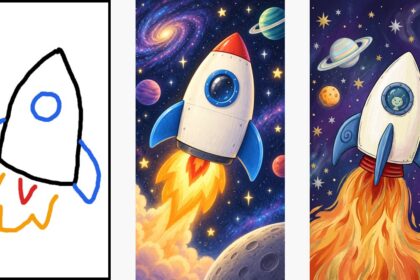
Three things make this release worth your time. It generates real transparency, it handles editing and generation in one checkpoint, and it accepts up to 10 reference images in a single job. The ComfyUI team shipped native support on day one, so the whole open-source tooling ecosystem already works with it.
Real transparency means the model outputs an actual alpha channel, the technical term for the invisible layer that makes parts of an image see-through. Cheaper tricks fake this by generating a checkerboard pattern or a white background and hoping you’ll remove it later. Here, the see-through part is baked in from the start, which is exactly what stickers, logos, and product photos need.
How it compares to the previous version
The February release, Qwen-Image 2.0, was already a solid generator with native 2K output. So what changed? The upgrades cluster around editing and control, and one change is a genuine downgrade depending on your plans.
| Feature | Qwen-Image 2.0 (Feb 2026) | Qwen Image 2.1 (now) |
|---|---|---|
| Parameters | 7B | 7B, optimized for faster inference |
| Max output | Native 2K (2048×2048) | Native 2K |
| Transparent images (RGBA) | Not native | Native, for both generating and editing |
| Reference images per job | Not supported in one model | Up to 10 |
| Generation and editing | Separate workflows | One checkpoint does both |
| License | Apache 2.0 (commercial use OK) | Non-commercial only |
That last row is the one to read twice. Version 2.0 shipped under Apache 2.0, the license that says “do anything, including selling things.” Version 2.1 switched to a custom license that forbids commercial use without a separate deal with Alibaba. The exact wording: you shall not use the materials for any commercial purpose without obtaining a separate commercial license. The model card on Hugging Face carries the full license text if you want to read it yourself.
What about text in images?
Worth a quick note, because it’s the family talent. The Qwen-Image line built its reputation on rendering readable text inside images, in English and in several other scripts, where most models still produce letter salad. Version 2.1 keeps that strength. If you’ve ever tried to get a model to put clean wording on a poster or a product label, this family is one of the few that cooperates. Combined with the transparency support, mockup-style work (a logo on a card, a label on a jar) becomes a one-prompt job.
Why transparency is a money feature
Skip the tech specs for a second. Think about what people actually sell online. Etsy sticker shops need cutouts. Print-on-demand sellers need logos on transparent backgrounds. Anyone doing product listings needs clean images that sit on any page color. Until now, every one of those jobs meant generating the image and then running it through a separate background remover, which chews edges and leaves halos.
With native RGBA, that middle step disappears. You generate the sticker, and it’s already a sticker-shaped file. The 10-reference-image editing helps too: feed it your product from several angles, your brand’s style guide, or a character sheet, and the model keeps everything consistent across a whole set. Consistency is usually where AI images collapse for business use, so this is a bigger deal than it sounds.
How to try Qwen Image 2.1 free today
The weights are public on Hugging Face, and there are two practical routes depending on your hardware.
Option 1: ComfyUI on your own machine. If you have a gaming PC with an Nvidia or AMD card, this is the free-forever path. ComfyUI added native support the same day the model launched, which is unusually fast. Install ComfyUI, grab the Qwen Image 2.1 workflow, download the checkpoint from Hugging Face, and you’re generating. The ComfyUI team notes the weights fit comfortably on consumer cards, so you don’t need a monster GPU.
Option 2: Comfy Cloud, no GPU needed. The same announcement links a “Try on Comfy Cloud” button. You run the workflow in a browser and pay per use instead of buying hardware. For a beginner who just wants to test whether transparent generation solves a real problem for them, this is the fastest route.
One more thing worth expecting: because the weights are open, third-party apps will start offering Qwen Image 2.1 in the coming weeks, the same way earlier Qwen models spread. If you’d rather wait for a one-click app, that option is coming.
The license catch, explained simply
Picture the most common situation. You generate a sticker sheet with Qwen Image 2.1, upload it to Etsy, and start selling. Under this license, that’s commercial use of the model’s output, and it’s not allowed without Alibaba’s commercial license. Learning, portfolio pieces, personal projects? All fine. Selling? Not without a deal.
If you need a commercially safe option today, the older Apache 2.0 Qwen-Image models are still out there, and community members have already said they’re sticking with those for commercial work. You give up the native transparency, though, so it’s a real trade-off rather than a free win. Businesses that love 2.1’s features can contact Alibaba about commercial terms, but expect that to be a conversation, not a checkbox.
This whole area trips up beginners constantly, and we’ve covered the related ground before: our guide to model formats like GGUF and GPTQ explains how open weights actually reach your machine, and the ChatGPT Images vs Nano Banana 2 comparison shows what the paid closed alternatives charge.
So, should you bother?
If you tinker with local AI, yes, unhesitatingly. A 7B model that runs on your existing GPU and outputs real transparent layers is genuinely new, and the tooling support arrived instantly. If you’re a beginner with no GPU, try it once on Comfy Cloud and see whether transparent outputs change how you work.
But if your goal is selling AI-made images, pause on the license first. For now, Qwen Image 2.1 is best understood as the free research frontier: download it, learn on it, build skills on it. Just check the terms before the money part.
The takeaway
Qwen Image 2.1 brings native transparency, one-checkpoint editing, and 10-image references to an open model you can run on consumer hardware. Test it on Comfy Cloud or ComfyUI this week, and if selling is the plan, either grab Alibaba’s commercial license or stay on the older Apache 2.0 models. The transparency trick is real; just keep the license fine print next to your invoices.