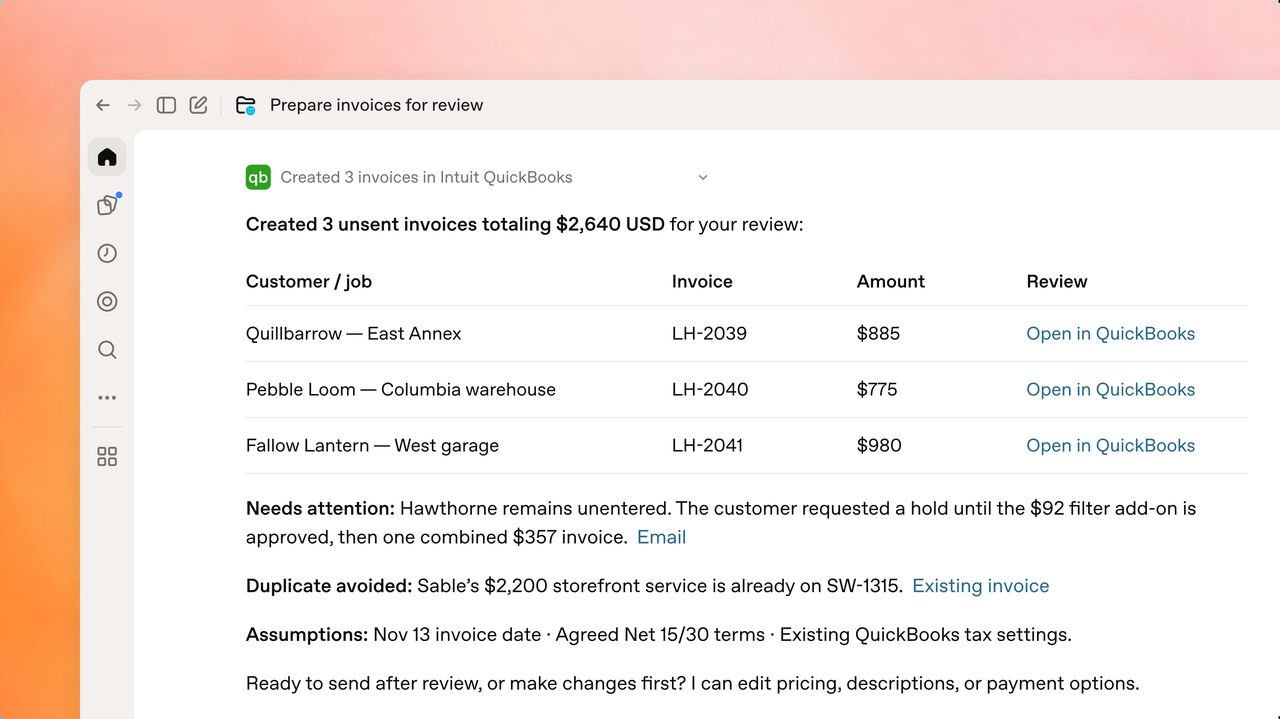

Every small business owner has the same pile: receipts in a drawer, invoices you meant to chase, and a quiet hope that the numbers work out by April. FreshBooks just teamed up with OpenAI to shrink that pile. ChatGPT for accounting is live as of November 19, and instead of generic advice, it answers questions about your actual books.
Why your books always end up behind
Nobody starts a bakery or a lawn care company because they love reconciling transactions. Yet the numbers keep coming: sales, expenses, taxes, invoices that quietly rot unpaid. Most owners deal with it in bursts, usually the night before something important.
FreshBooks backs this up with its own data. In its announcement, the company points out that small business tech adoption climbed from 56% to 86% in just two years. Translation: owners are already using AI tools daily, and they want those tools plugged into the boring parts of the business too.
That’s exactly the gap this launch targets. You already ask ChatGPT about marketing copy and contract wording. So why not ask it why your margins look weird in October?
What ChatGPT for accounting actually is
Here’s the short version. OpenAI opened a new “ChatGPT for Accounting” destination inside ChatGPT, and FreshBooks is the announced launch partner with a native plugin. Coverage from Dataconomy and other outlets also reports plugins for QuickBooks, Xero, and NetSuite rolling out, so FreshBooks is first, not alone.
The important design choice: the FreshBooks connection is read-only. It can pull your live numbers to answer questions, but it can’t change a single thing in your account. That’s the core promise of ChatGPT for accounting: real numbers in, plain-English answers out, and zero risk of an AI rewriting your ledger. FreshBooks stays the source of truth, and the plugin just reads from it.
If you’ve followed the wave of AI agents that click around and take actions on your behalf (like the ChatGPT Wallet feature we covered earlier this week), this is the opposite approach. No actions, no purchases, no writes. Just answers based on real data.
The questions it answers best
FreshBooks gave three example questions in its launch announcement, and they’re refreshingly practical:
- Which expenses are still missing receipts before I close the books?
- Which invoices are overdue, and who needs a reminder?
- Have I collected and paid the right amount of sales tax this period, and does it tie out?
Notice what these have in common. Each one normally takes 20 minutes of clicking through reports, exported spreadsheets, and that one folder where you dump PDFs. Now it’s a question you type while coffee brews.
How to connect FreshBooks to ChatGPT in about five minutes
Setup is deliberately simple. Rollout started November 19, so if you don’t see the option yet, give it a few days.
- Log into ChatGPT and look for the ChatGPT for Accounting destination in your sidebar or app list.
- Pick FreshBooks as your finance platform and start the connection flow.
- Sign in to your FreshBooks account and approve the read-only access request. Read the permission screen: it should say the plugin can view data but not modify it.
- Back in ChatGPT, ask one test question from the list above. Something like “which invoices are overdue?” is a good first check.
- If the answer matches what you see in FreshBooks, you’re connected. If it doesn’t, disconnect and reconnect before trusting anything.
One caveat worth stating plainly. I haven’t run this connection myself, and neither OpenAI nor FreshBooks has documented every screen you’ll see. The flow above follows the announcement’s described behavior, so treat step names as approximate during the first weeks.
What read-only really means
People hear “read-only” and assume it’s a limitation someone will patch later. It’s not. It’s the whole safety model, and honestly it’s the right call for money data.
| The plugin can | The plugin can’t |
|---|---|
| Read your live FreshBooks numbers | Change or delete a transaction |
| Answer questions in plain English | Send, edit, or pay an invoice |
| List overdue invoices and clients | Add or edit a client record |
| Check sales tax against what you collected | Recategorize an expense |
| Stay out of the write path entirely | Fix an account you set up wrong |
That last row matters more than it looks. If a transaction was coded to the wrong category back in March, the plugin will happily tell you about it, and it will still sit there wrong until you or your accountant fix it. The tool points at problems. Humans solve them.
Where it still falls short
Let’s be honest about the gaps, because launch-day coverage won’t be.
First, it reads whatever state your books are in. Messy books in, messy answers out. If your expenses haven’t been reconciled since summer, the plugin can’t reconcile them.
Second, there’s a real trust question with any AI touching financial data. Answers are only as good as the connection and the model’s reading of your reports. For anything tax-official, run the numbers past a human who carries liability. Use the plugin for the daily pulse, not for filing.
Third, the pricing picture is unclear. Neither company has stated whether ChatGPT for Accounting requires a paid ChatGPT plan or which FreshBooks plan tiers get it. If your ChatGPT use is free-tier, check before you plan your workflow around it.
If you want a second opinion on the broader landscape, our roundup of the best AI bookkeeping tools covers tools that do the opposite: they work inside the accounting app rather than reading over its shoulder.
Three ways to use it this week
Once ChatGPT for accounting is connected, try these patterns. They take minutes, and each one replaces a chore you probably dread.
The Friday money check. Every Friday, ask three questions: overdue invoices, missing receipts, sales tax status. Two minutes. You’ll catch a $400 unpaid invoice weeks before your old month-end ritual would have.
The chase-before-you-send scan. Before you email any client, ask who owes you money right now. Nothing sours a negotiation like realizing mid-call that they’re 45 days overdue.
The running tax tally. Ask about sales tax collected versus paid every couple of weeks. Finding a $1,200 gap in November beats discovering it in April with penalties attached. And if you want AI help beyond the books, our Claude personal finance walkthrough covers connecting a bank account to Claude for everyday spending questions.
Should you bother?
Clear recommendation: if you run FreshBooks today, connect it this week. It’s read-only, so the downside is a wasted five minutes, and the upside is never being surprised by your own books again.
If you’re on QuickBooks, Xero, or NetSuite, wait for those plugins to land instead of migrating platforms for this. And if you’re not using any accounting software, this launch is a reason to pick FreshBooks, but test the workflow before paying for anything. ChatGPT for accounting won’t replace your accountant. It will replace that knot in your stomach every time someone mentions bookkeeping.