
Renting a single cloud GPU for a week costs more than the laptop most people already own. Meanwhile, a new open-source project claims you can train your own AI model on an 8GB VRAM GPU, from scratch, on your desk. I dug into mini-AGI to separate what’s real from what’s hype.
What mini-AGI actually is
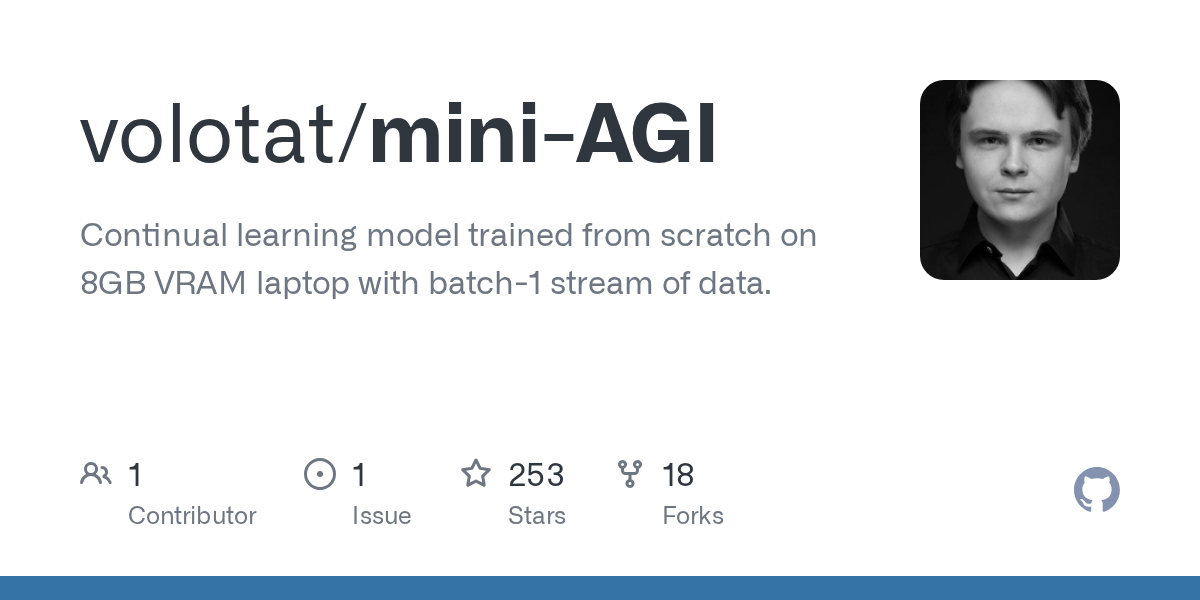
A developer named Alexey Borsky published mini-AGI on GitHub in mid-September, and it immediately climbed Hacker News with over 200 upvotes. The pitch sounds impossible: a language model that trains itself from zero on consumer hardware and keeps learning from everything it reads. No datacenter. No API bills.
Here’s the honest part, straight from the project’s own README: this is a toy-level model. It won’t out-chat ChatGPT or write your code. What it does prove is something researchers have chased for years. A model can keep learning from a stream of new data without wiping out what it already knows, and you don’t need a warehouse of GPUs to do it.
That last problem has a name in machine learning circles: catastrophic forgetting. Train a model on chess after it learned language, and the language skills melt away. Mini-AGI’s central claim is that it solved this well enough to measure, on hardware that fits in a backpack.
Why training your own model usually hurts
The usual advice for anyone who wants to train your own AI model looks like this: rent an A100 or H100 on a cloud platform, pay by the hour, and pray your budget survives the run. Those GPUs rent for roughly two to four dollars an hour, and a serious training run takes days or weeks. The math gets ugly fast. A single week on one H100 can run past $500 before you’ve made a single mistake and started over.
Fine-tuning an existing model is cheaper, but it’s still the same game. You’re renting someone else’s hardware to nudge someone else’s weights. And if you want your model to keep learning after deployment? That’s where most budgets tap out entirely.
There’s a middle path most beginners never hear about. Small models, trained carefully, can do surprisingly useful work. We’ve covered this before in our local LLM hardware guide, where a decent consumer machine handles models that felt impossible two years ago. Mini-AGI pushes that idea to its logical edge: forget fine-tuning, build the thing yourself from scratch.
How mini-AGI squeezes onto one GPU
The project pulls off three tricks at once, and each one matters.
It works at the byte level
Most language models chop text into tokens, which requires a big vocabulary table and a tokenizer that has to be trained separately. Mini-AGI skips all that. It reads raw bytes, so its entire vocabulary is 265 entries: the 256 byte values plus a handful of structural markers that act like scratchpad and turn-taking tags. Smaller vocabulary means a smaller embedding layer, which is one of the hungriest parts of any model. The context window runs 4,096 bytes, roughly three pages of plain text.
The architecture builds itself
Instead of a human deciding how big the network should be, mini-AGI grows its own structure as it reads. When existing experts can’t handle something new, it adds capacity. When part of the network goes unused long enough, a pruner removes it. The project’s own write-up calls this the single most useful finding: activity over time predicts usefulness better than the routing scores the model itself produces. In other words, the model’s gate claims to know what it needs, and it’s wrong. Watching what actually gets used is the honest signal.
Continual learning that doesn’t melt old skills
This is the headline feature. The developer streamed 524,000 characters of chess into the model at batch size 1, then measured what happened to seven other subjects the model had already learned. Nothing moved. Zero forgetting, by the project’s own charts. That’s the proof of concept: learning one thing didn’t cost the model everything else.
For anyone who wants to train your own AI model at home, this is the part worth copying. Most hobby projects produce a model that forgets yesterday’s lesson by lunchtime. The repo publishes its measurement setup, so you can check the methodology yourself instead of taking the README’s word for it.
What you need to run it
The barrier to entry is refreshingly low for anything with “AGI” in the name.
- A CUDA-capable NVIDIA GPU with at least 8GB of VRAM. The reference machine is a laptop RTX 3070, which is a 2021 laptop.
- Python 3.10 or newer, plus the project’s dependencies from GitHub.
- Disk space for weights and whatever data you feed it.
Clone the repo, install dependencies, and the first run writes the initial weights. From there you can point it at text corpora, or even your own file folders. The project walks directories, samples binary files rather than trusting file extensions, and reads documents start to finish so order survives. Training happens continuously as it reads, which is the whole point.
Not sure whether your GPU qualifies? A quick check: anything from the RTX 30 series or newer with 8GB or more will work, and plenty of older cards do too. Once you’ve got a small model running locally, you can graduate to a friendlier interface with something like SillyTavern, which wraps local models in a proper chat UI. And when you start downloading bigger pre-trained models later, our guide to model formats like GGUF and GPTQ explains what those file types actually mean.
mini-AGI vs renting the cloud
Still weighing whether the homebrew route makes sense? Before you rent anything, remember the whole point is to train your own AI model on hardware you control. Here’s how the two paths compare for a first serious project.
| mini-AGI on your own GPU | Cloud GPU training | |
|---|---|---|
| Hardware cost | $0 extra (uses the GPU you own) | Roughly $2-4 per hour, rental |
| Monthly bill | Electricity, a few dollars | $300-700+ for a part-time week |
| Model size | Toy scale, proof of concept | From small up to frontier |
| Learns continuously | Yes, that’s the core feature | Rarely, usually frozen after training |
| What you learn | How models actually work inside | Mostly cloud billing dashboards |
| Privacy | Your data never leaves the machine | Depends on provider terms |
To be fair, the cloud wins on raw capability. Nobody is running a business on a toy byte-level model. The comparison that matters is cost per lesson learned, and the home GPU wins that one walking away.
The honest limitations
Credit where due: the project never oversells itself. Its README states plainly that this is a small experiment, not a frontier model. Its benchmark chart compares bits-per-byte against published small models, and it’s competitive for its size class, which is a polite way of saying it’s nowhere near GPT-class output.
Three limits matter most. First, output quality is primitive, because a model this small reading raw bytes simply can’t match a 70-billion-parameter chatbot. Second, the ideas are new enough that results may not survive contact with other people’s hardware and data; the repo is days old with a small number of stars so far. Third, you’ll need patience, because training from scratch means watching loss curves instead of chatting with a finished product.
Even so, that’s the deal with every research-grade project. You’re not buying a product. You’re watching an idea get tested in public.
Should you try it
If you own a gaming GPU and you’ve ever wondered what “training” actually involves, this is the cheapest real answer available. You will learn more in one weekend running mini-AGI than in a month of watching explainer videos, because you’ll watch a model grow, prune itself, and hold onto what it learned. The project’s GitHub repo has the full setup guide, and the whole thing costs nothing but electricity.
So pick a weekend, check your VRAM, and train your own AI model on hardware you already paid for. Worst case, you kill an afternoon and learn something. Best case, you catch the next big idea in machine learning while it still fits on a laptop.