
Google just cut the price of Gemini Spark by up to 90%. The AI agent that was locked behind the $100 to $200 per month AI Ultra plan is now available on the $20 per month AI Pro plan. If you have been curious about what an AI agent can actually do for you day to day, this is the cheapest way to find out.
What Gemini Spark actually is
Gemini Spark is not just a chatbot. It is an AI agent, which means it can take actions on your behalf, not just answer questions. While regular Gemini can write text and generate images, Spark can book flights, make reservations, fill out forms, and complete multi-step tasks across the web.
Google announced Spark at I/O 2026, but the original price point made it inaccessible for most people. Paying $100 to $200 per month for an AI assistant is a tough sell when ChatGPT Plus and Claude Pro both sit at $20. The pricing change makes Spark competitive for the first time.
We already reviewed Gemini Spark when it launched. At that time, the value was questionable given the high price tag. The $20 tier changes that calculation significantly.
What changed with the pricing
Previously, Gemini Spark required the Google AI Ultra plan at $100 per month, or $200 for the team version. As of July 2026, Spark is available on the AI Pro plan at $20 per month for US users.
| Plan | Price | Gemini Spark | Best for |
|---|---|---|---|
| AI Plus | $5/mo | No | Casual use |
| AI Pro | $20/mo | Yes | Most users |
| AI Ultra | $100/mo | Yes (higher limits) | Power users |
The free tier and the $5 AI Plus plan do not include Spark. Google may expand access to lower tiers in the future, but for now, $20 is the entry point. One caveat: usage limits on the Pro plan will be tighter than on Ultra. If you plan to run dozens of agent tasks daily, you might hit the cap. For occasional use, the Pro limits should be plenty.
Why does this matter? Because AI agents are moving from hype to actually useful, and the biggest barrier has always been price. Most people are not going to pay $200 a month to test whether an AI agent can save them 30 minutes of web browsing. At $20, the math changes. Even if Spark only saves you a couple of hours a month on research and booking tasks, it pays for itself.
What you can actually do with it
The most talked-about use case for Gemini Spark is travel planning. You tell it where you want to go and when, and it browses flight options, compares hotels, and presents you with a complete itinerary. A Verge reviewer tested this and called it both incredible and creepy, because the agent navigated real websites, filled real forms, and nearly completed an actual booking without much human oversight.
Beyond travel, Spark can handle research tasks like comparing products across multiple sites, filling out long forms automatically, and managing your calendar by finding available times and sending invites. The key difference from a regular chatbot is that Spark actually does things in your browser, not just tells you how to do them.
Real examples of what works well
Product research is where Spark shines right now. Say you want a new noise-canceling headphone under $250. You tell Spark, and it opens three or four retail sites, reads reviews, compares specs, and comes back with a ranked list including current prices and links. Doing that manually takes 30 to 45 minutes. Spark does it in a couple of minutes.
Form filling is another strong use case. Long applications, account sign-ups, or checkout forms that ask for the same information you have typed a hundred times before. Spark can auto-fill these reliably because it understands the context of what each field is asking for, not just matching labels.
Where it still struggles
Spark is not perfect. Complex multi-step tasks with lots of decision points still confuse it. If you ask it to plan a trip with very specific constraints (certain airline, exact hotel amenities, budget split across categories), it sometimes makes wrong choices or misses options entirely.
Captcha pages and two-factor authentication also trip it up, which makes sense. Any step that requires human verification will pause the agent and ask for your input. It handles this gracefully, but it does break the flow of fully automated tasks.
How to get started
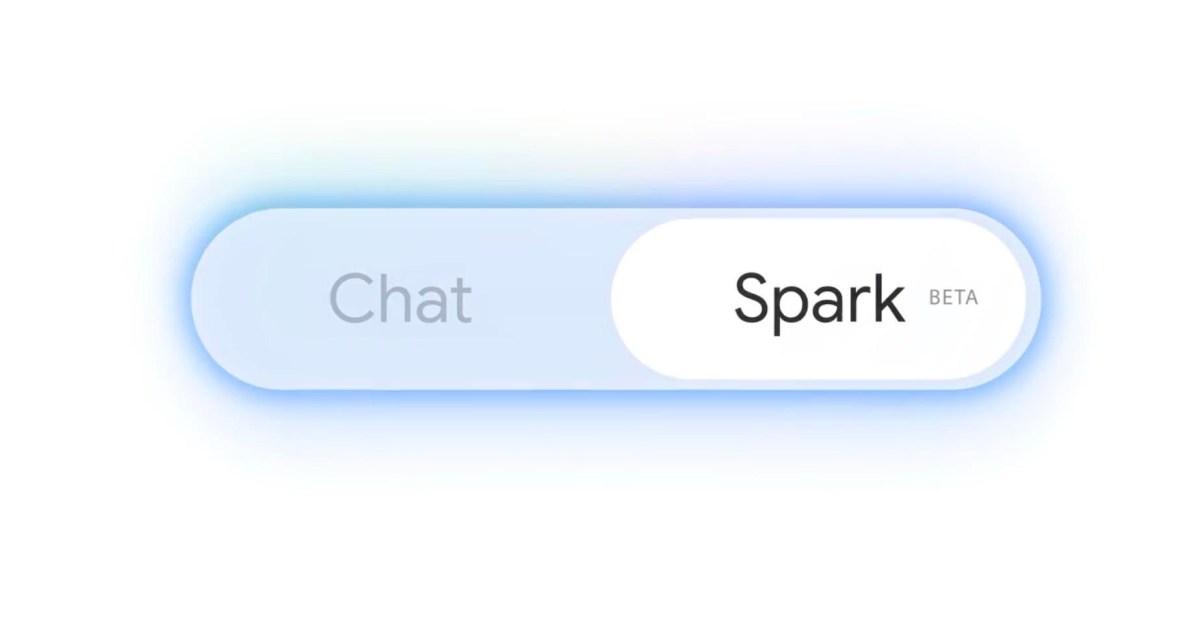
You need a Google account and the AI Pro subscription. Sign up at ai.google.com, choose the Pro plan, and make sure your region is set to the US. Once subscribed, open Gemini and look for the Spark toggle or mode selector. It should appear as an option in the main interface.
Start with something low stakes. Ask Spark to research a product you are thinking about buying, or to find the best price for something specific. This lets you see how the agent works without risking anything important.
A few tips from early users
Be specific with your requests. Vague prompts like “plan a vacation” produce generic results. Detailed ones like “find round-trip flights from Chicago to Miami for Labor Day weekend, under $300, with a hotel near South Beach” get much better output.
Double-check everything before confirming. Spark can get close to completing actions, but it sometimes misreads page elements or picks wrong options. Review the details before you let it finalize anything that costs money.
Use it for research first, then gradually trust it with actions. The jump from “find me information” to “book this for me” is significant. Get comfortable with how Spark handles research tasks before letting it make purchases or send emails on your behalf.
Spark vs other AI agents at $20
At this price point, Spark competes directly with ChatGPT Plus and Claude Pro. But it does something different. ChatGPT and Claude are conversation partners. Spark is a browser agent. Think of it like the difference between asking a friend for advice versus hiring someone to actually do the task for you.
That said, Spark is not as smart as GPT-5.6 or Claude when it comes to reasoning, writing, or coding. If you need help thinking through a problem, Claude is still the better tool. If you need someone to book a flight while you make coffee, Spark wins. The two are not really in competition. They solve different problems.
Is it worth $20 a month
For most people reading this, yes, but with a catch. If you already pay for Claude Pro or ChatGPT Plus, adding another $20 subscription stings. The smart move is to try Gemini Spark during a free trial or the first billing cycle, see if it fits your workflow, and then decide whether to keep it or drop it.
Where Spark really shines is for tasks that involve browsing multiple websites and taking action. Research, price comparisons, form filling, and trip planning are its sweet spots. For pure writing or coding tasks, Claude and ChatGPT are still better tools. Think of Spark as a complement to your existing AI setup, not a replacement.
The price drop from $200 to $20 is a big deal. It takes an AI agent that was only accessible to enterprise users and makes it available to anyone willing to pay what they already pay for other AI subscriptions. That is worth paying attention to, even if you end up not needing it yourself.