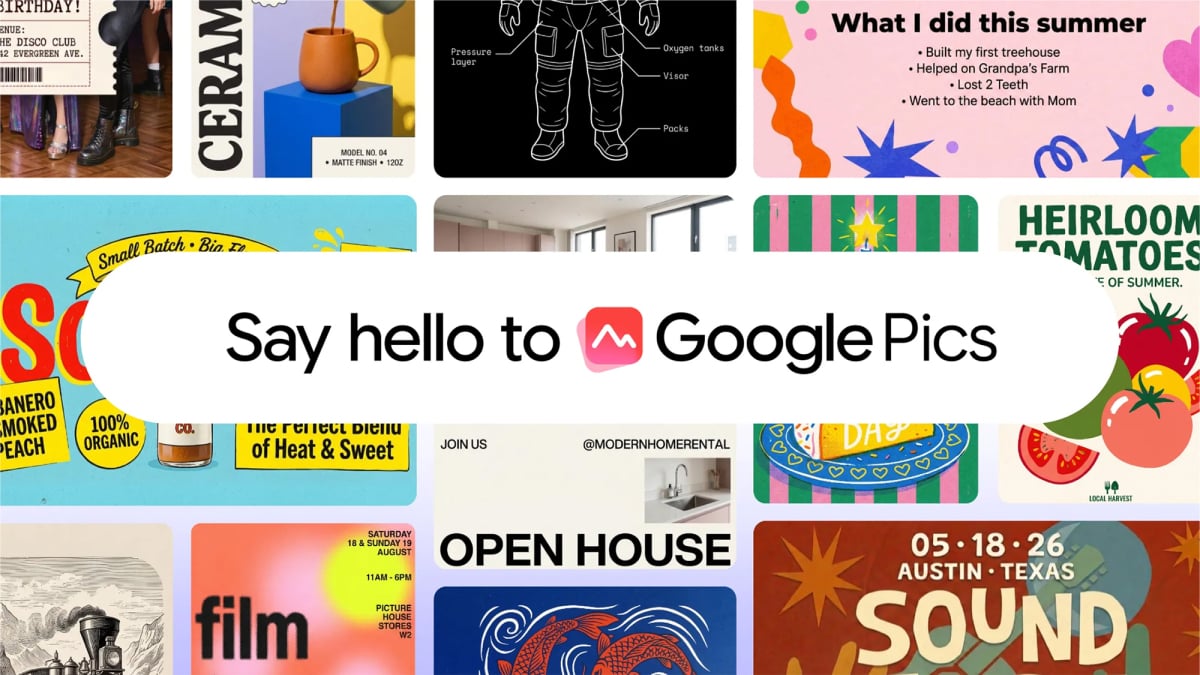

You’re paying for Canva Pro, and half the time you just need a decent flyer or a cleaner product photo. Google quietly built a fix for exactly that problem and tucked it inside Workspace. Google Pics is its name, and after a few weeks of watching people push it around, the honest verdict is: it replaces Canva for some jobs, and it face-plants on others.
What Google Pics actually is
Google Pics is a web app for creating and editing images with AI, built on Google’s Nano Banana model. It lives alongside Docs, Sheets, and Slides in your Workspace, and it also slides into those apps as an overlay, so you can click any image in a doc or deck and edit it without switching tabs. The Verge called it Google bringing graphic design into Workspace, and that framing fits. It’s less “Photoshop clone,” more “design helper that talks.”
There’s no separate install either. You open it like any other Google app, or you go straight to pics.new to start a fresh canvas.
The Workspace integration is the part that grows on you. Click an image inside Google Docs or Google Slides and Pics opens as an overlay right there, so the edit happens without exporting, switching apps, and re-uploading. Google says Drive support is coming in the following weeks, which will extend the same trick to any image sitting in your storage. For anyone who lives in Docs all day, that alone kills a chunk of tab juggling.
Getting started takes two minutes
Here’s the whole onboarding process.
- Go to pics.new or open Pics from your Workspace app grid.
- Type a prompt for something new, or hit Upload, Drive, or Photos to bring in an existing image.
- Pick an aspect ratio at the top if you care about dimensions.
- Generate, then pick from the four or five variations it hands you.
That’s it. When I say it works like the Gemini app, I mean the prompt box is the product. Want an A5 flyer for a birthday party with balloons, cake, and parking details in the small print? One detailed prompt gets you a handful of usable options in seconds.
One catch worth knowing before you get attached: access requires a Google AI Pro plan at $19.99 a month, or an Ultra plan at $99.99 or $199.99 depending on the tier. There’s no meaningful free tier for Pics right now.
What Google Pics does well
Object-level editing is the party trick. Click on an element in your image, like a sky or a chair, and a prompt box appears for that piece alone. You can also drag a box around something and type “make this blue” or “remove this person.” Google Pics doesn’t know what’s behind the object it just deleted, so it guesses, and the guess is usually convincing.
Text handling might be even better. Select any text block in the image and retype it directly, no prompt needed. Swap a price, fix a typo, translate a tagline into Spanish. Traditional editors treat text as pixels or force you to match fonts. Pics just rewrites the picture.
Other things it handles without complaint:
- Upscaling images to 2K or 4K resolution
- Cropping presets for web, social, print, and digital formats
- Editing text elements in other languages, not just English
- Batch edits you can queue up and apply together
- Sharing a canvas with a link so a teammate can poke at it
Speed deserves a mention too. Most edits land in about ten seconds, which beats the export-import-reopen loop you’d run through with a traditional editor.
A few prompts worth stealing, since they show where Pics shines compared to typing instructions into a chatbot:
- “Make the sky at golden hour but keep the shadows where they are” for real estate and travel shots
- “Replace the background with a clean white studio wall” for product photos you’d otherwise reshoot
- “Turn this into a flat vector illustration” for quick social graphics
- “Add a headline at the top that says SOLD in bold letters” for flyers, done in one pass
- “Remove the stranger on the left and fill in the fence behind him” for vacation photo cleanup
The pattern in all five is small scope with a clear target. Pics nails those. Vague prompts like “make this look professional” spread the edit across the whole image, and the results get mushy.
Where Google Pics falls flat
For all that, this is a bare-bones app wearing an AI trench coat. There are no layers. You can’t draw or touch up anything by hand. Traditional resizing controls don’t exist, and precise pixel-level work is off the table. If your design needs a logo exactly 37 pixels from the edge, Google Pics will vibe its way close and call it a day.
Removals on busy backgrounds get ugly too. Pull a car out of a crowded street scene and you’ll often get smeary artifacts where the AI guessed wrong about what’s behind it. Simple backgrounds work fine. Complexity is where it trips.
There’s also a usage ceiling. Google says “higher access” runs until February 2027, and the limits depend on factors like image resolution, which is corporate speak for “we’ll tell you when you hit it.” Heavy users should expect some kind of throttle eventually.
Google Pics vs Canva at a glance
Numbers make the trade-offs easier to see, so here’s the side-by-side.
| Google Pics | Canva Pro | Canva Free | |
|---|---|---|---|
| Price | Requires Google AI Pro ($19.99/mo) or Ultra | $18/mo or $144/yr | $0 |
| Best for | Quick AI edits inside Workspace | Full design projects with templates | Casual, occasional design |
| AI engine | Nano Banana (generative edits) | Magic Studio AI tools | Limited AI uses |
| Layers | No | Yes | Yes |
| Template library | No real templates | 3.6M+ templates | 1.6M+ templates |
| Edit text inside an image | Yes, directly | Only via extraction tools | No |
| Upscaling | 2K and 4K built in | Limited | No |
| Precision editing | No | Yes | Basic |
| Collaboration | Link sharing | Full team features | Basic |
Clear winner, since hedging helps nobody: for serious design work, Canva Pro still wins on layers, templates, and control. But if your needs are “make this poster” and “clean up this photo,” and you already pay for Google AI Pro, Pics covers the majority of everyday tasks at zero extra cost. That’s the whole pitch, and it holds.
Who should actually pay for this
Skip Pics if you don’t already subscribe to Google AI Pro, because buying a $19.99 plan just for image edits makes little sense when Canva’s free tier exists. Freelancers who live in Docs and Slides all day are the sweet spot: social graphics, one-off flyers, quick photo cleanups, presentation visuals, all without leaving the tab you’re already in.
If you want a second opinion on workflow, our beginner guide to designing with AI pairs nicely here. And if you’re comparison shopping image tools, we also broke down ChatGPT Images 2.5 vs Nano Banana 2, plus a look at Qwen Image 2.1 if free and open-source is more your speed.
The takeaway
Google Pics won’t kill Canva, and it doesn’t need to. It kills the fifteen-minute errands: the flyer, the resized header, the ex-coworker photobombing your team photo. Try it at pics.new with one real task from your actual workload. If it handles that, you just got a design department included in a subscription you were already paying for.