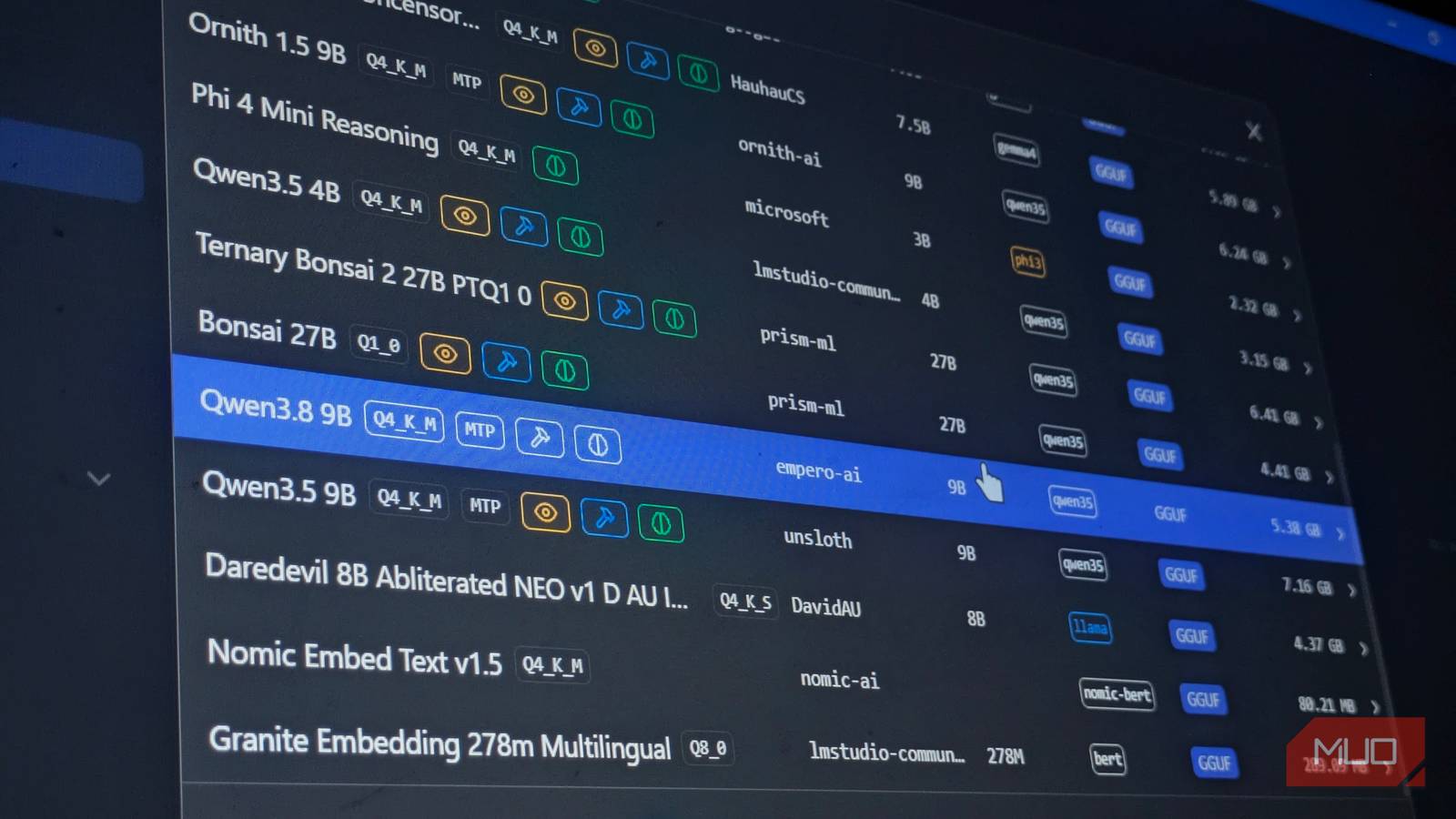

You want to run AI on your own machine. Zero API costs. Zero data leaving your computer. No rate limits whatsoever. But you open Hugging Face and see 500,000+ models. Which ones actually work on a regular laptop?
I tested four small LLMs on an 8GB RTX 3060 this past weekend. Two are coding specialists. One handles creative writing without guardrails. One operates on a Raspberry Pi. All are free, open-weights, and available in LM Studio or Ollama right now.
Here’s the shortlist of the best local LLMs for your hardware.
Why Run AI Locally? (And Why This Weekend)
Cloud AI adds up. $20/month for ChatGPT Plus. $20 for Claude Pro. $20 for Gemini Advanced. That’s $720/year — and you’re still sending your data to someone else’s servers.
Local models cost zero after the hardware. Your conversations stay private. You can fine-tune them. You own the weights.
The catch: you need decent hardware. But “decent” has gotten surprisingly affordable. An 8GB GPU from 2020 runs 9B parameter models smoothly. A MacBook Air M-series runs 3B models on CPU alone. Even a Raspberry Pi 5 can handle the smallest ones.
New models drop weekly. The four below are the best local LLMs worth your Saturday.
Quick Picker: Which Model Matches Your Hardware?
| Your Hardware | Best Pick | Why |
|---|---|---|
| 8-12GB VRAM (RTX 3060/4060, 16GB+ unified Mac) | Qwen3.8-9B-Distill or Ornith-1.5-9B | Best quality/speed balance |
| 12GB+ VRAM (RTX 3080/4080, 24GB+ Mac) | Any 9B at Q6/Q8 quantization | Higher quality, same speed |
| 6-8GB VRAM / 16GB system RAM | Qwen3.8-9B-Distill at Q4_K_M | Fits comfortably |
| CPU only / Apple Silicon / Raspberry Pi | Llama-3.2-3B-Instruct | Works everywhere |
| Main use case: coding | Ornith-1.5-9B | Beats 35B models on agentic tasks |
| Main use case: creative writing/RP | Qwythos-9B-v2 | Uncensored, reduced looping |
| Main use case: general chat & tools | Qwen3.8-9B-Distill | Function calling + vision support |
Not sure? Download Qwen3.8-9B-Distill at Q4_K_M. It’s the safest bet among the best local LLMs right now. This best local LLMs guide will help you decide.
Model 1: Qwen3.8-9B-Distill — Best All-Rounder
Base: Qwen3.5-9B, distilled from Qwen3.8-2.4T (a massive 2.4 trillion parameter teacher model)
Quantizations: Q4_K_M (~5.5GB), Q5_K_M (~6.5GB), Q8_0 (~9GB)
Context: 131K tokens
VRAM at Q4: ~6GB
This is the model I keep coming back to. It’s not the flashiest 9B model. But it strikes a rare balance: fast, smart, and versatile.
It supports function calling out of the box. That means you can give it tools — search the web, run code, control your smart home — and it actually uses them correctly. Vision works too if you download the separate mmproj file (about 1GB). Suddenly your local model can “see” images you drop in chat.
Benchmark speed on my 3060: ~73 tokens/second at Q4_K_M. Plenty for real-time conversation.
Best for: Daily driver. General questions, tool use, document analysis, light coding. The “install this first” model.
Get it: huggingface.co/empero-ai/Qwen3.8-9B-Distill-GGUF — grab the Q4_K_M file for most GPUs.
Model 2: Ornith-1.5-9B — Best for Coding
Base: Qwen3.5-9B, fine-tuned by DeepReinforce for agentic coding
Quantizations: Q4_K_M (~5.5GB), Q5_K_M (~6.5GB), Q6_K (~7.5GB)
Context: 262K tokens (huge)
VRAM at Q4: ~6GB
Ornith doesn’t look special on paper. Same base as Qwen. Same parameter count. But it codes differently.
It was built for agentic workflows — the kind where the model writes code, runs it, sees the error, fixes it, runs again. No human in the loop. The 1.0 version already punched above its weight against 35B models. Version 1.5 sharpens that edge.
On my laptop with OpenCode, it built a working React component from a screenshot in two tries. Qwen3.8-9B took five. The difference? Ornith plans before it writes. It asks clarifying questions. It uses the tool loop correctly.
Trade-off: slightly slower decode (~65 tok/s at Q4). General knowledge is weaker than Qwen. But if you write code, this is the one.
Best for: Coding agents, repository-level tasks, debugging, test generation.
Get it: huggingface.co/ornith-ai/Ornith-1.5-9B-GGUF — Q5_K_M if you have VRAM headroom, Q4_K_M if not.
Model 3: Qwythos-9B-v2 — Best for Creative Writing
Base: Qwen3.5-9B, fine-tuned by Empero AI
Quantizations: Q4_K_M (~5.5GB), Q5_1 (~6GB, custom KV cache precision)
Context: 131K tokens
VRAM at Q4: ~6GB
“Uncensored” usually means “produces garbage.” Qwythos-v2 doesn’t. It’s intentionally uncensored — no refusal training — but the v2 update specifically targeted looping and repetition, the two things that make uncensored models unusable.
I fed it a writing prompt: “Write a noir scene where a detective interviews a witness who’s actually the killer.” Qwen3.8-9B gave me a polite refusal about violence. Qwythos wrote the scene. Dark, atmospheric, zero looping.
It’s not for everyone. If you want guardrails, skip it. But for fiction, roleplay, and creative work where you need the model to go there, it’s the best 9B option.
Best for: Creative writing, roleplay, fiction, unrestricted brainstorming.
Get it: huggingface.co/empero-ai/Qwythos-9B-v2-GGUF — note the Q5_1 quantization (custom KV cache) for best quality/speed.
Model 4: Llama-3.2-3B-Instruct — Best for CPU-Only & Low Power
Base: Meta’s Llama 3.2 (3.21B parameters)
Quantizations: Q4_K_M (~2GB), Q8_0 (~3.5GB)
Context: 128K tokens
VRAM at Q4: ~2.5GB (works on CPU + system RAM)
This is the miracle model. 3.2 billion parameters. You’ll find it on a Raspberry Pi 5. It runs on a 2015 MacBook Air. It powers Project NOMAD (a DIY offline server built from e-waste).
I tested it on my home server — an old Intel NUC with 16GB RAM, no GPU. It answers questions at ~15 tokens/second on pure CPU. That’s slow but usable. For a local knowledge base (Kiwix + forum archives), it’s perfect.
Quality isn’t 9B territory. Complex reasoning fails. But for “what’s the command to recursively delete folders?” or “summarize this 5-page PDF,” it delivers.
Best for: Low-power always-on assistants, offline knowledge bases, travel laptops, Raspberry Pi projects.
Get it: huggingface.co/meta-llama/Llama-3.2-3B-Instruct-GGUF — official Meta release, Apache 2.0 license.
Quantization Guide: Q4 vs Q5 vs Q8 (Plain English)
Quantization compresses model weights. Lower number = smaller file = faster = slightly dumber.
| Quantization | File Size (9B) | Quality Loss | Speed Gain | Recommendation |
|---|---|---|---|---|
| Q4_K_M | ~5.5GB | Minimal | Baseline | Default choice |
| Q5_K_M | ~6.5GB | Barely noticeable | -5% | If VRAM allows |
| Q6_K | ~7.5GB | Negligible | -10% | 12GB+ VRAM |
| Q8_0 | ~9GB | None measurable | -15% | 16GB+ VRAM only |
Rule of thumb: Start at Q4_K_M. If it fits with room to spare, bump to Q5_K_M. Don’t chase Q8 unless you have VRAM to burn and need maximum quality for benchmarking.
KV cache precision matters too. Q5_1 (used by Qwythos) drops KV cache to 5-bit while keeping weights at 5-bit. Saves VRAM with minimal quality hit. Advanced but worth knowing.
LM Studio vs Ollama: Which Should Beginners Use?
LM Studio — GUI, cross-platform, model browser built in, one-click download, chat interface included. Best if you want to chat with models visually.
Ollama — CLI, lightweight, daemon-based, API-compatible, better for servers and automation. Best if you want to build with models programmatically.
Install both. They share the same GGUF files. LM Studio for exploration. Ollama for production.
Common Pitfalls & How to Avoid Them
Context overflow: You pasted a 50-page PDF into a 131K context model and it hallucinated. Fix: Chunk your documents. Use RAG (retrieval-augmented generation) — LM Studio has this built in now.
KV cache precision: You loaded a Q8 model but kept KV cache at Q8 too. VRAM exploded. Fix: Set KV cache to Q4 or Q5 in settings. Quality impact is near zero.
Model loading fails: “Out of memory” on an 8GB card with a 9B Q4 model. Fix: Close browser tabs. Close VS Code. Disable hardware acceleration in other apps. Or use system RAM offloading (llama.cpp supports this).
Function calling doesn’t work: You downloaded the model but tools don’t trigger. Fix: You need the right prompt template. LM Studio handles this automatically. For Ollama, check the model card for the required chat template.
Takeaway: Download One and Start Tonight
Don’t overthink the model zoo. Pick one from the best local LLMs above:
- General use + tools + vision: Qwen3.8-9B-Distill Q4_K_M
- Coding agent: Ornith-1.5-9B Q5_K_M
- Creative writing: Qwythos-9B-v2 Q5_1
- CPU only / always-on: Llama-3.2-3B-Instruct Q4_K_M
Open LM Studio. Search the model name. Click download. Wait 5 minutes. Start chatting.
Your data never leaves your machine. Your wallet stays closed. And you just joined the local AI movement — no API key required.
Sources: Hugging Face Qwen3.8-9B-Distill | Ornith-1.5-9B on Hugging Face | Llama 3.2 3B Instruct