
Most people pick an AI model based on hype, a blog headline, or whatever their friend uses. Then they stick with it for months, even when something better comes along. The problem is that comparing AI models side by side used to mean juggling five browser tabs and hoping you remembered the outputs correctly. Arena AI fixes that. It’s free, it’s fast, and it lets you run the same prompt through multiple models at once so you can actually see which one gives you better results.
Arena AI is a relatively new tool that puts frontier AI models head to head, using your own prompts. Not benchmark scores. Not someone else’s opinion. Your actual use case, your actual words, and the real output you’d get from each model. Here’s why that matters more than you think.
Why leaderboard scores don’t tell the whole story
You’ve probably seen the charts. GPT-4o scores 92% on some reasoning benchmark. Claude gets 89%. Gemini scores 94%. These numbers look precise, but they’re basically useless for your day-to-day work.
Here’s the thing: benchmarks measure very specific, controlled scenarios. A model that crushes a math exam might struggle with the casual email you need to write. A model that scores lower on paper might actually give you more natural, usable responses for your workflow. The only way to know is to test with your own prompts.
That’s exactly what leaderboard scores can’t do. They’re one-size-fits-all answers to a question that’s deeply personal. What coding assistant works best for your stack? What model writes marketing copy that doesn’t sound like a robot? What model actually follows your instructions instead of doing something creative?
Arena AI lets you answer those questions yourself, in about two minutes.
What is Arena AI and how does it work
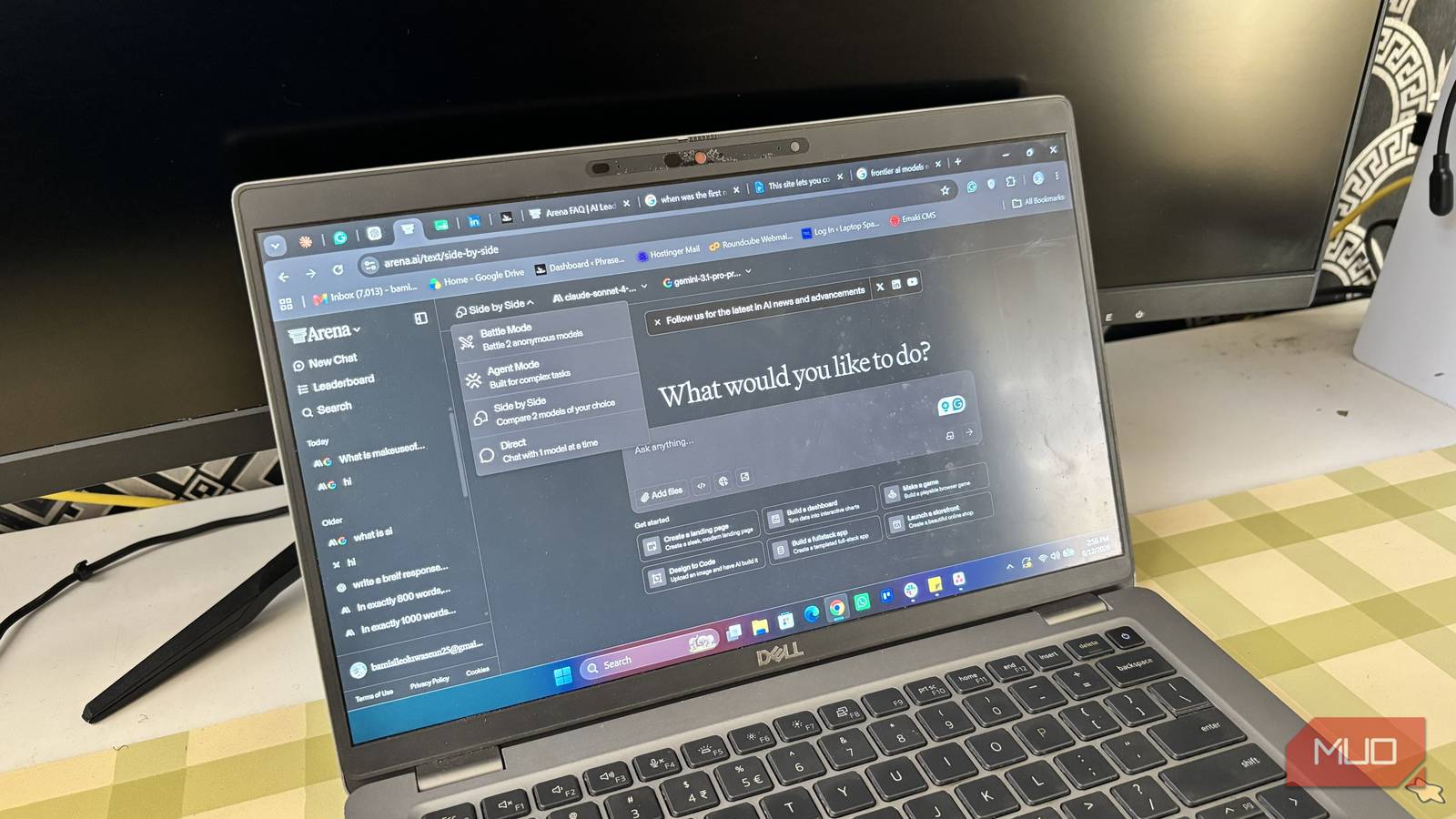
Arena AI is a web-based tool where you input a prompt, select which models you want to compare, and get responses from all of them displayed side by side. No API keys needed. No setup. You just go to the site and start testing.
The tool supports major models like GPT-4o, Claude, Gemini, Llama, and several others. You can pick two models for a direct head-to-head or select multiple for a broader comparison. The outputs appear in parallel columns so you can read through them without switching tabs.
It’s similar in spirit to LMSYS Chatbot Arena, but with a key difference. LMSYS uses blind voting and generates Elo ratings. Arena AI is more hands-on. You pick the models, you write the prompt, and you decide which response is better based on what you actually need.
Arena AI vs Chatbot Arena — what’s different
Both tools serve the AI comparison niche, but they approach it differently:
| Feature | Arena AI | LMSYS Chatbot Arena |
|---|---|---|
| Approach | Side-by-side output comparison | Blind voting with Elo ratings |
| Prompt control | You write your own prompts | Pre-set or limited prompts |
| Model selection | Choose specific models | Random or category-based |
| Best for | Practical decision-making | General model rankings |
| Cost | Free | Free |
If you want to know “which model is generally better,” Chatbot Arena’s leaderboard is fine. But if you want to know “which model writes better emails for my business,” Arena AI is the better tool. It’s practical, not theoretical.
How to compare AI models side by side on Arena AI
The whole process takes about two minutes. Here’s exactly what to do.
Step 1: Write a prompt that matches your real workflow
Don’t use a generic test prompt like “explain quantum computing.” That tells you nothing about how a model performs on your actual tasks.
Instead, paste in the kind of thing you’d actually ask an AI. A real email you need to draft. A piece of code you’re stuck on. A paragraph that needs rewriting. The closer the prompt is to your daily use, the more useful the comparison will be.
For example, if you mostly use AI for writing blog posts, try something like: “Write a 150-word intro for a blog post about how small businesses can use AI to save time on accounting. Make it casual and direct.”
Step 2: Select the models you want to test
Arena AI lets you pick from several frontier models. Don’t just test two. Pick three or four if you can. The whole point is that different models have different strengths, and a wider comparison reveals more.
If you’re deciding between paid plans, include the models you’re considering. If you’re choosing between free tiers, test those specifically. The point is to make the comparison relevant to your actual decision.
Step 3: Compare the outputs and pick your winner
Once the responses come in, read through them carefully. Look for:
- Accuracy (did it actually answer your question?)
- Tone (does it match what you need?)
- Completeness (did it miss anything important?)
- Follow-through (did it follow all your instructions?)
Don’t just pick the longest response. Some of the worst AI outputs are the ones that pad everything with filler. The best model is the one that gives you the most usable output with the least editing.
Honestly, you might be surprised. A lot of people assume GPT-4o is always the winner. In my experience, Claude often handles writing tasks better, while Gemini is surprisingly strong at summarizing long content. But those are generalizations. Arena AI shows you the specifics.
5 ways to use Arena AI for real decisions
Here are some practical ways to put this tool to work beyond just poking around.
Compare coding help between models
If you code, this is probably the most valuable use case. Paste in a function you’re struggling with or a bug you can’t figure out. Run it through Claude, GPT-4o, and your current model of choice. The differences in code quality, explanation clarity, and error handling can be significant.
Coding is one area where the “best model” really depends on the language and framework. Arena AI makes it obvious.
Test creative writing quality
Same prompt, same scenario, three different models. You’ll notice that some models write in a natural, engaging voice while others produce text that sounds like it came from a corporate template. For content creators, this test alone is worth the two minutes it takes.
Find the best model for email drafting
We all write dozens of emails a day. AI can cut that time dramatically, but only if the model writes the way you’d actually talk. Test a few of your common email types. Follow-up, decline, pitch, update. The model that consistently produces something you can send with minimal edits is your winner.
Compare reasoning and math skills
Not all AI models are equally good at logic. If you use AI for data analysis, financial calculations, or complex problem-solving, run a real example through the comparison. The model that gets the right answer isn’t always the one you’d expect.
Evaluate cost vs quality before paying
AI subscriptions aren’t cheap. Claude Pro, ChatGPT Plus, Gemini Advanced. That’s potentially $60+/month if you subscribe to all of them. Arena AI helps you figure out which one actually performs best for your needs before you commit to paying.
If GPT-4o gives you better coding help but Claude writes better emails, maybe you only need one subscription instead of two.
Arena AI alternatives worth knowing
Arena AI isn’t the only way to compare AI models side by side. A few other options exist, and some might be better for specific situations.
Poe.com lets you switch between models within one interface, which is handy for quick comparisons but doesn’t display outputs side by side. Chatbot Arena, as mentioned, uses the voting system for general rankings. Some people even just open two browser windows and manually compare.
For most practical purposes though, Arena AI hits the sweet spot. It’s free, it shows everything in parallel, and it doesn’t require any setup.
Which AI model should you actually use
There’s no single answer to this question. That’s the whole point of Arena AI. What works for a software engineer might not work for a marketing manager. What works for creative writing might fail at data analysis.
The best approach is to stop guessing and start testing. Open Arena AI, plug in a real prompt from your actual work, and see what comes out. Do it three or four times with different types of tasks. The model that consistently gives you the best results with the least editing is the one worth your time and money.
And if you’re already paying for an AI subscription but haven’t compared it against the competition in months? Do it now. You might find you’re paying for the wrong model. Or as we’ve seen before, not all AI models are created equal. If you use AI for automation workflows, your choice of model matters even more. Even for visual content, the gap between top models is real.