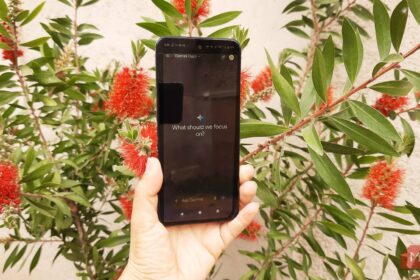
For years, Siri was the assistant everyone felt fine ignoring. Ask it a follow-up question and it stalled. Ask it anything current and it handed you a web search. That’s finally changing. Apple rebuilt Siri from the ground up, calls it Siri AI, and it’s rolling out to real people right now.
Here’s the part that took forever to admit: Apple fell behind. ChatGPT and Gemini made phone assistants look ancient, and everyone knew it. So Apple did something it rarely does. It went back to zero and rebuilt the whole thing, and it even borrowed Google’s Gemini brain to do it.
What is Siri AI?
Siri AI is an entirely new version of Siri, announced back in June at WWDC26 and powered by the next generation of Apple Intelligence. Not a facelift. Not a new voice. A rewrite.
The old Siri took commands one at a time and forgot everything the second you finished a sentence. Siri AI holds a real conversation. You can interrupt it, change your mind mid-sentence, and ask follow-ups without repeating yourself. It remembers what you were talking about, which is a harder trick than it sounds. Our guide to Claude’s memory shows how another assistant handles the same problem.
Under the hood it’s a completely different architecture, and Apple built it with a specific promise: it understands your context, but it does it privately. More on that below, because it’s the most interesting part.
What Siri AI can actually do
Let’s skip the marketing speak and get concrete. These are the features that matter for normal people.
It knows your stuff. Siri AI can search across your messages, emails, and photos to answer questions like “what time is my dentist appointment on Thursday?” or “find the photo my sister sent from the beach.” It’s not guessing. It’s reading your actual data, with permission.
It sees your screen. Point it at whatever you’re looking at. If you’re reading an email and ask “what do I need to reply to this?”, it understands what’s on the display and answers in context.
It knows the world. The old Siri only knew what Apple told it. Siri AI can pull current information from the web and answer questions about basically anything, the same way ChatGPT does.
It’s a conversation partner, not a command line. You can talk to it the way you’d talk to a person. “Remind me to call my mom tomorrow, and actually, add picking up her prescription to that.” One sentence. Done.
It got its own app. There’s now a dedicated Siri app where you can scroll back through old conversations and start new ones. It syncs across your Apple devices through iCloud, so a conversation you start on your iPhone can continue on your Mac.
Writing tools are baked in. Rewrite, summarize, and polish text anywhere on the system, in any app.
None of this is vaporware. Apple demonstrated every one of these features in June, and beta testers have been living with them all summer. Wired’s writer spent the whole summer using Siri AI, and the verdict was surprisingly positive.
Wait, is Siri AI powered by Gemini?
Yes, and this is the part people keep missing. Apple’s new assistant runs partly on Google’s Gemini models. Tech news covered it as the headline of WWDC: after years of treating each other like rivals, the two companies partnered so Siri could finally think.
That’s a big deal for a few reasons. First, it explains why Siri suddenly got smart overnight. Second, it means when Google ships a better Gemini model, Siri gets better too, without Apple having to rebuild anything. If you want the full breakdown of Google’s current models, we have a guide to Gemini 3.8 Flash that covers the family. And if you’ve ever wanted Google’s assistant to act more like the old one, we’ve got a guide for that too.
Apple is cagey about exactly how much of Siri AI runs on Gemini versus its own models. Your personal stuff, it insists, stays on-device and private. The heavy lifting and web answers lean on Gemini. For the official version of events, Apple’s press release covers all the details.
Which devices get it, and when
Siri AI runs on iPhone, iPad, Mac, Apple Watch, and Apple Vision Pro. It comes with the new operating systems: iOS 27, iPadOS 27, macOS 27, watchOS 27, and visionOS 27.
If you’re on a supported device, you’ll get it as part of the free software update this fall, which is when the finished version ships. That’s weeks away at this point.
One big caveat: Europe gets left out at launch. The EU’s Digital Markets Act rules and Apple’s fight with regulators mean Siri AI won’t ship on iOS 27 in the EU right away. Apple says it’s working on it, but European users should know the beta won’t appear for them.
How to get Siri AI today
You don’t have to wait for the fall release if you don’t want to.
The public beta of iOS 27 is out now. Apple launched new public and developer betas this week, and PCMag already published walkthroughs on installing them. The steps are the same as any iOS public beta: enroll your device on Apple’s beta site, download the profile, and update.
A few honest warnings before you do.
It’s a beta. It will have bugs. Apple published an official list of known issues and workarounds for beta 8, and the list isn’t empty. Battery life and app compatibility are the usual suspects.
Don’t put it on your main phone. If you only have one iPhone and you need it for work, wait for the public release. History says beta users regret this decision around day three.
Back up first. It’s the free advice everyone ignores until something breaks.
If you skip the beta, you lose nothing. Fall is close, and the final version lands for everyone.
The privacy stuff, quickly
Apple’s whole pitch is that your context stays yours. The architecture is designed so your personal data is processed on your device, and your conversation history syncs through iCloud with encryption, not through an OpenAI-style training pipeline.
Skeptical? Fair. Every company says this. But Apple’s business model doesn’t depend on selling your data, which is more than you can say for most of the competition. And it’s worth remembering the other assistant on your phone that reads everything you type.
What Siri AI still can’t do
Worth keeping the expectations at ground level, because the hype machine is running at full speed.
- Europe is locked out at launch. The EU situation isn’t a rumor, it’s official. Apple says it’ll come, but there’s no date.
- The HomePod situation is unclear. Apple’s been testing a new HomePod with Siri AI, but the smart speaker lineup wasn’t part of the June announcement.
- It’s not on every device. You need a device from the last few years. If your iPhone is more than four generations old, this fall’s update might pass you by.
- Third-party apps take time. Siri AI’s deep actions inside other apps depend on developers building support. That’s a slow trickle at first, it always is.
None of that changes the core story. But if you’re deciding whether to buy a new iPhone on the strength of Siri AI, check your device’s compatibility first.
The takeaway
Siri AI is the biggest upgrade to Apple’s assistant since Siri launched in 2011. It holds conversations, understands your context, sees your screen, and finally answers real questions. It’s built partly on Gemini, which is either weird or brilliant depending on your mood, and it’s coming free to hundreds of millions of devices this fall.
If you’re a casual iPhone user, here’s your move: wait for the public release in a few weeks. If you’re the type who likes being first, grab the iOS 27 public beta, keep your expectations realistic, and back up before you install.
Either way, the era of making fun of Siri is officially over. It grew up.