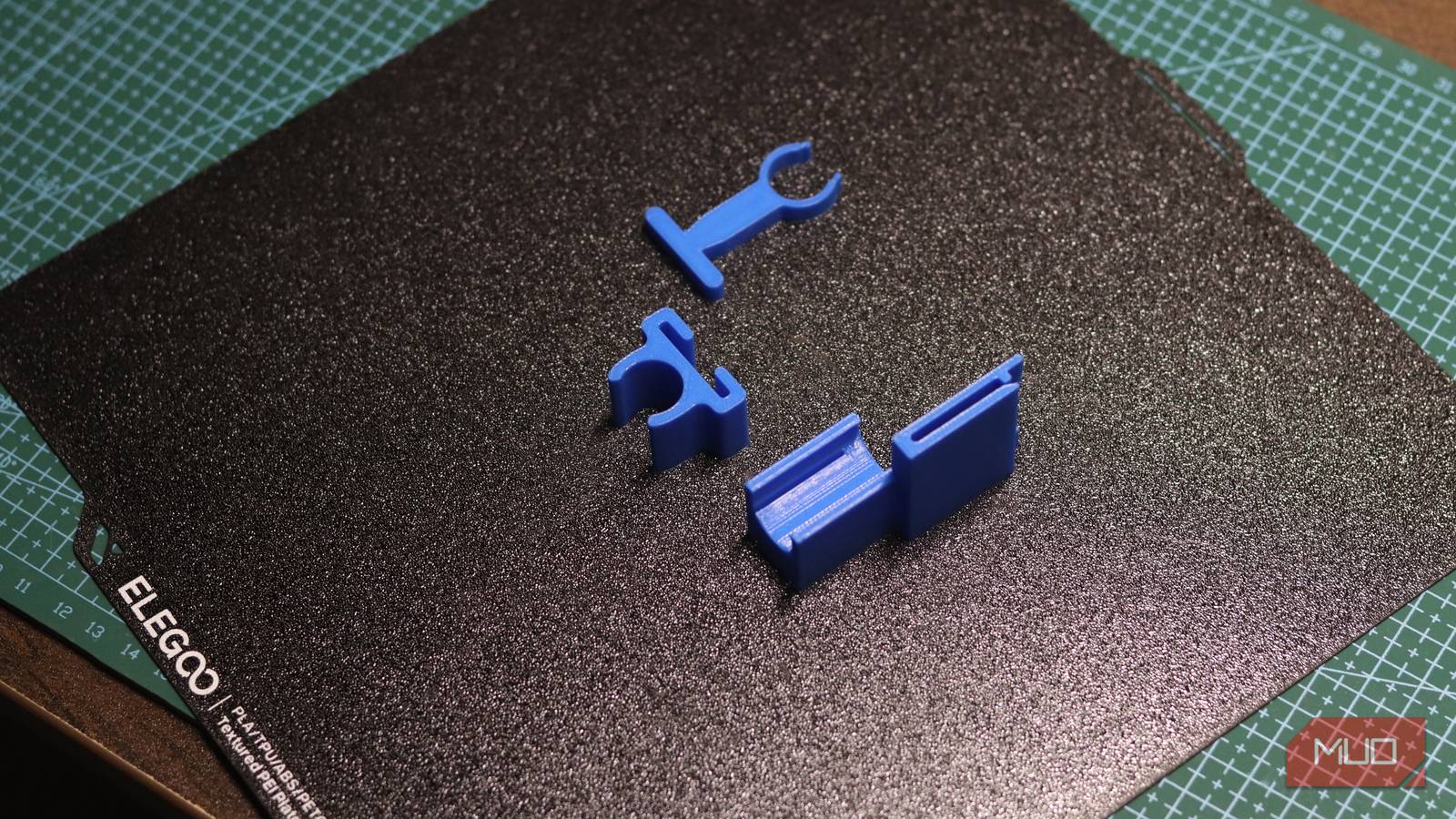

The clip on your backpack strap snaps. The knob on the coffee grinder cracks. Normally that means buying the whole replacement part, if you can even find it. A tech writer just showed that 3D printing with AI can rescue this stuff at home, and his test of three AI models has lessons for anyone with a broken plastic part and a little patience.
The test: three AIs, one broken clip
Yadullah Abidi at MakeUseOf ran a clean experiment. He had a hydration tube clip on his backpack strap that needed replacing. Instead of designing it himself, he asked three AI agents to each design the same part, then he 3D printed all three and tested them.
The contenders were OpenAI’s Codex, Anthropic’s Claude Code, and Google’s Antigravity. Each got connected to FreeCAD, a free and open source CAD program, through something called an MCP server. That last part matters more than it sounds, because it’s the bridge that lets a chatbot actually operate design software instead of just describing what you could hypothetically build.
Each AI received the same brief: the clip attaches to a webbing loop measuring 57 by 24 millimeters, holds a 14mm tube, has to print in PLA plastic without supports, and needs to survive being yanked around outdoors. Same measurements, same prompt, three very different results.
How each AI did
Here’s where it gets interesting, because the results mapped neatly onto three different failure modes.
Codex played it safe. It produced the cleanest first-pass model: compact, printable, technically correct. The catch? Its T-shaped locking head had no positive lock, so the clip could twist and slide off the strap. In other words, it nailed the geometry and missed the real-world use. Perfect part, wrong part.
Claude overengineered everything. It iterated repeatedly, second-guessed itself, and produced a carabiner-style design with locking tongues and a rigid spine. It even calculated insertion forces. The result worked, and it won the test on process: Claude explained its decisions, tracked open issues, and revised methodically. But the part was huge, about 12 cubic centimeters of plastic, with a chunky pedestal that added print time for no reason.
Antigravity needed three tries. Its first design couldn’t hold the strap and tube at the same time. The second attempt somehow produced ASCII art instead of a 3D model. The third try, in Google Argon’s task mode, came closest to what the author actually wanted. Then he checked the dimensions and they were completely wrong, meaning the part wouldn’t mount properly.
The scoreboard for 3D printing with AI: Claude won on process, Codex on printability, Antigravity on intent. Nobody got away clean. The printer itself was the final judge, and it caught problems no model did.
Why this matters even if you don’t own a printer
You could shrug and say “cool experiment, not for me.” But the economics here deserve a second look.
Replacement plastic parts are a quiet tax on owning anything. A $4 clip can total a $150 backpack, because the manufacturer doesn’t sell the clip separately. Appliance knobs, slider brackets, toys, car interior clips: same story. If a friend with a printer can print your part for 30 cents of filament, the “throw it away and rebuy” math falls apart.
That’s the real money angle. 3D printing with AI drops the skill barrier that used to protect this trick. Before, you either learned CAD (weeks) or paid someone on a modeling marketplace (days and $20-50 per part). Now the design step is becoming a conversation, and the printer does the rest. A spool of PLA filament runs about $20 and prints hundreds of small parts, so each replacement clip costs literal pocket change.
If you already tinker with AI on hardware projects, this slots right in. We’ve covered using Claude for PCB design and automating KiCad with AI scripts. Physical design is quietly becoming an AI-assisted workflow, from circuits to enclosures to clips.
The setup, in plain English
Curious how 3D printing with AI actually works? The pipeline is simpler than you’d think, and most of it runs free.
- Get a CAD program. FreeCAD is free and runs on Windows, Mac, and Linux. It’s the tool the AIs operated.
- Connect the AI via MCP. An MCP server (Model Context Protocol) gives the AI tools: create geometry, run Python inside FreeCAD, inspect the model, export files. The FreeCAD MCP plugin is on GitHub, and setup is copy-paste config.
- Feed the AI a real brief. This is where most people fail. The winning prompt included exact measurements, material, printer type, no-supports constraint, and even the request to state assumptions. Vague prompt, vague part.
- Export and slice. The AI delivers STL or STEP files. You drop the STL into your printer’s slicer software, which turns it into printing instructions.
- Print and test. PLA plastic, the most common filament, works for most household clips. Then comes the moment of truth the AIs can’t simulate: does it actually snap?
No printer? Two options. Print services like those built into craft stores and maker spaces print your STL for a few dollars. Or borrow time on a library or school printer, which many public libraries now offer for free or cheap.
The honest limits
Let’s not oversell this. The MakeUseOf test ended with a warning worth repeating: AI can operate CAD software and propose mechanisms, but it can’t feel whether a clip snaps securely onto a strap.
Measurements need checking, because AIs confidently produce parts with wrong dimensions, as Antigravity demonstrated. Print orientation matters, since layer lines across a flexing arm guarantee a snap point. Clearances between parts decide whether things fit or fuse. And load-bearing parts deserve real caution, because a plastic hook that fails under weight can drop the thing it holds.
So treat AI as the junior designer who drafts fast, not the engineer who signs off. You remain the person who measures twice, prints once, and catches the flaw the model never noticed. That’s a much lower bar than learning CAD from zero, which is exactly why this workflow is spreading.
One more practical note: start with non-critical parts. A keychain hook failing is funny. A bike part failing at speed is not. The stakes of your first AI-designed prints should be a broken coffee scoop, not a safety component.
Where this goes next
Extrapolate a year or two. Printers keep getting cheaper and more reliable. Models keep getting better at geometry, and the whole pipeline from “my thing broke” to “printed replacement” is shrinking from weeks to an afternoon. The MakeUseOf author needed multiple attempts; the same test a year from now probably lands on the first try.
For now, the smart move is small. Got a broken part? Measure it precisely, write a detailed prompt like the one in this test, and see what the AI produces. Worst case, you’re out a few cents of filament and some curiosity. Best case, you just fixed something the old way would have replaced entirely.
The takeaway
3D printing with AI already works well enough to rescue real household items, as long as you verify the measurements and expect to supervise the design. Grab the exact dimensions of something broken, try FreeCAD with an AI assistant or a local print service, and start with something that can’t hurt anybody when it fails.