
You’re staring at a refactoring task that’ll take four hours. You start it, grab coffee, come back — done. That’s the promise of OpenAI’s new OpenAI Codex persistent agent. It keeps working until you tell it to stop.
Most AI coding tools wait for you to ask. This OpenAI Codex persistent agent doesn’t.
What Is a Persistent AI Agent (And Why Should You Care?)
Think of regular Codex like a freelancer you hire per task. You say “build this API,” they build it, they’re done. A persistent Codex agent is more like a junior dev who sits next to you. You give them a direction — “clean up the auth module” — and the OpenAI Codex persistent agent chips away at it all day. Plus, it runs tests. It also fixes the failures. And it notices the deprecated pattern in the user service and updates it too. When you check in, the work is further along than you expected.
The difference: proactive, continuous work without new prompts.
Wired broke this on August 27. OpenAI is building a version of Codex that “continues working proactively until it is put to sleep.” That phrase — put to sleep — tells you everything. You’re not prompting anymore. You’re managing an OpenAI Codex persistent agent.
How Codex Works Today — Quick Refresher
Skip this if you live in Codex. For everyone else:
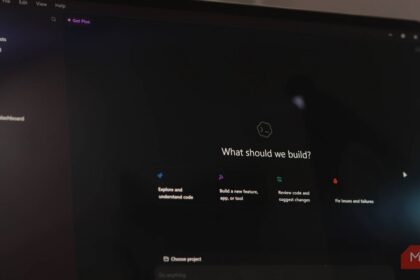
Codex is OpenAI’s cloud coding agent. It spins up a dev environment, clones your repo, and executes tasks you give it. Write a feature. Fix a bug. Generate tests. Document the legacy mess. It runs in ChatGPT’s interface (Pro, Team, Enterprise plans only — $200/mo for Pro).
Current flow: you prompt → Codex plans → Codex executes → you review → you prompt again.
It’s powerful. But it’s reactive. Every step needs your nudge.
What Persistent Mode Changes Everything
The persistent version flips the loop. Based on Wired’s reporting and what we know about agent architectures, here’s what shifts:
Background Task Execution
You say “refactor the payment module to use the new gateway.” A persistent Codex agent:
– Clones the repo
– Maps the current payment flow
– Creates a branch
– Starts refactoring file by file
– Runs tests after each change
– Commits working increments
– Keeps going until the suite passes or you intervene
You don’t babysit. You get a notification when it’s done or stuck.
Proactive Problem Detection
This is the big one. Today’s agents only see what you point them at. An OpenAI Codex persistent agent monitors the codebase continuously. It might:
– Notice flaky tests and stabilize them
– Spot deprecated API usage and update it
– Find security issues (hardcoded secrets, SQL injection patterns)
– Suggest performance improvements in hot paths
It’s not just “do this task.” It’s “watch this codebase and keep it healthy.”
“Put to Sleep” Control
You stay in charge. The agent runs until you:
– Say “stop” or “put to sleep” in chat
– Close the session
– Hit a budget limit you set
– Approve a PR it opened
Think of it like a background process with a kill switch you hold.
Current Access & Cost Reality Check
Here’s where the rubber meets the road.
ChatGPT Pro Required ($200/mo)
A persistent Codex agent will almost certainly require Pro or higher. The compute for continuous agent runs isn’t cheap. If you’re on Plus ($20/mo), you’re out of luck — at least for now.
GitHub Integration Setup
You’ll need to connect your GitHub account (or GitLab, Bitbucket). Codex needs repo access to work persistently. That means:
– Installing the Codex GitHub app
– Granting repo permissions (specific repos or all)
– Configuring branch protection rules so the agent can push
Enterprise users get SSO, audit logs, policy controls. Individuals get… the agent.
What It’ll Cost Beyond the Subscription
Persistent agents burn tokens. Lots of them. A 4-hour refactoring session could easily consume $10-50 in API costs on top of your $200 Pro sub. OpenAI hasn’t published pricing for persistent mode yet, but expect usage-based billing.
What You Can Do RIGHT NOW (Alternatives)
A persistent Codex agent isn’t public yet. But you can get 80% of the value today with tools that exist.
Local Agents with Scheduled Runs
Run a local coding agent (Claude Code, Qwen Code, Aider) on a cron job. Example:
# Every night at 2 AM, run tests and fix failures
0 2 * * * cd /my/project && claude-code "fix any failing tests" --auto-approve
Not as smart as a persistent cloud Codex agent. But free, private, and runs while you sleep.
Claude Code + Cron Jobs
Claude Code (Anthropic’s terminal agent) excels at focused tasks. Chain them:
# Morning: generate tests for new code
# Evening: run linting and auto-fix
# Night: update dependencies and test
You script the workflow. The agent executes each step.
GitHub Actions + AI
Put AI in your CI/CD. A workflow that:
1. Triggers on PR open
2. Runs an AI agent to review code
3. Posts comments with fixes
4. Optionally auto-applies safe changes
This is persistent in a different sense — it’s always watching your PRs.
The Bottom Line
A persistent Codex agent isn’t here yet. When it arrives, it’ll be the most polished “background dev” experience — if you pay $200/mo and accept the token costs.
For everyone else: start building persistent workflows today with local tools. The patterns you learn (scheduled runs, automated testing, proactive monitoring) transfer directly. When the OpenAI Codex persistent agent launches, you’ll already know how to manage a background coding agent.
And honestly? A local agent you control, running on your hardware, with zero per-token costs… that’s a pretty compelling alternative.
Want to try local persistent workflows now? Check out our guide on running Qwen 3.8 locally — free, private, and surprisingly capable.
Learn more about the official OpenAI Codex announcement.