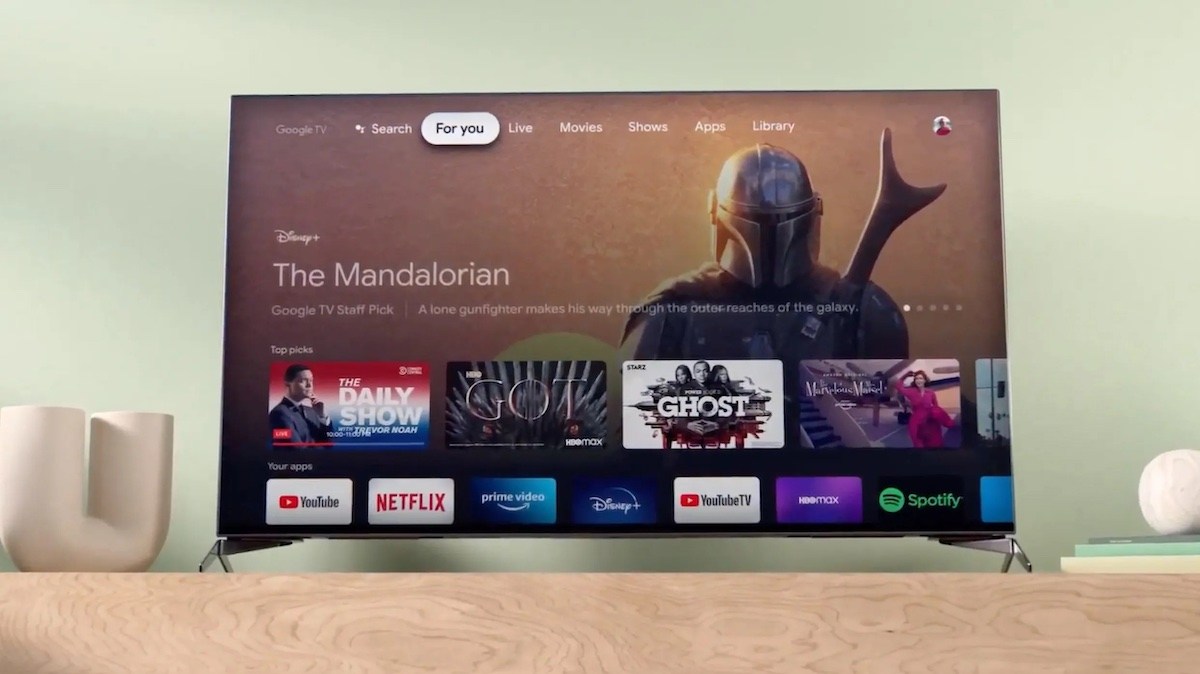

Your TV studies what you watch, reports it back home, and then interrupts you with an ad picked from that report. People finally snapped. Now thousands are pointing AI agents at their own televisions to strip out the smart TV ads, the trackers, and the sponsored clutter, and the result looks like a completely different device.
Why your TV is an ad machine
That glossy home screen on your TV is not just slow. It is a business, and the smart TV ads you keep skipping are the storefront.
Modern sets ship with something called automatic content recognition, or ACR. The TV takes a tiny fingerprint of the picture every few seconds, sometimes a snippet of audio, and matches it against a giant database. So the set knows you watched the game, the documentary, and the 2 a.m. reality show binge, even when the content came from a cable box or a console plugged into HDMI.
That log does not stay home. It flows to the manufacturer, gets packaged, and gets sold to advertisers who want to know whether their commercial actually reached your living room. The FTC made Vizio pay $2.2 million over exactly this, back when the agency said viewing data from 11 million TVs had been collected and sold. Vizio’s advertising business, for scale, generated about $598 million in 2023. That is real money riding on your remote control.
Before you assume this is ancient history: in early 2026 Samsung settled with the Texas attorney general over how its TVs collected and monetized viewing data, and agreed to rewrite those confusing consent screens. The ads on the home screen are only the visible part. The quiet part is the data pipeline underneath.
If this sounds familiar, it should. We already covered how ChatGPT ad targeting uses your prompts, and it is the same trade dressed up differently.
The AI fix that went viral
On October 17, a developer who goes by Gathin T. got tired of seeing a sponsored ad on his parents’ TV before Netflix even loaded. So he “vibe coded” a fix. He gave Claude Code the TV’s model number, let it find the set on Wi-Fi, and had it remove 25 Xiaomi bloatware packages, then write a fresh launcher. His parents’ TV now boots into a simple row of apps that looks like an Apple TV.
He posted the before and after on X. It pulled 29.9K likes, and by his own count a few thousand people did the same to their own TVs within two days, across Xiaomi, TCL, Sony, Fire TV, and LG sets.
Two things make this different from the TV-hacking projects of years past:
- No root access required, so no warranty heart attacks.
- It is reversible, so the TV can go back to factory defaults if someone hates it.
There is also a second project called dumbtv, built by Muzzammil Yasin Sabuwala, tested end to end on Fire TV Edition sets and Android or Google TV hardware from Sony, TCL, Philips, Hisense, Xiaomi, and Shield. His mission statement: your TV should do what you paid for, your apps and your HDMI inputs, nothing else. No smart TV ads, no watch tracking, no updates nobody asked for.
How to stop smart TV ads the boring way (10 minutes)
You do not need an AI agent to kill most of the tracking. The single most important toggle is ACR, and every brand hides it under a different name.
| Brand | The ACR toggle is called | Where to find it |
|---|---|---|
| Samsung | Viewing Information Services | Settings > All Settings > General & Privacy > Terms & Privacy |
| LG | Live Plus | Settings > All Settings > General > Additional Settings |
| Vizio | Viewing Data | Settings > All Settings > Admin & Privacy |
| Roku TV | Smart TV Experience | Settings > Privacy > Smart TV Experience |
| Sony / Google TV | Samba Interactive TV | Settings > Device Preferences > Privacy |
| Fire TV | Automatic Content Recognition | Settings > Preferences > Privacy Settings |
Three steps, in order:
1. Turn off the toggle for your brand from the table above.
2. While you are in there, switch off Interest-Based Ads (or Limit ad tracking) and reset the advertising ID. Samsung documents the options on its own support page.
3. If you never use the voice assistant, mute the TV’s microphone in privacy settings.
Ten minutes, no risk, no warranty drama. Do not stop there, though. Wirecutter found some TVs keep capturing ACR data while offline and upload it when you reconnect. Roku also notes data collected while the feature was on may be retained after you opt out. So disabling ACR is a big win, not a total cure.
Expect to redo this after major software updates, too, because menus shift and toggles have a way of drifting back on.
If you enjoy this kind of control, the same logic works on your feeds. We put together a guide to fixing your Facebook algorithm with plain words, and it pairs well with tonight’s TV cleanup.
Going further: let an agent clean the whole thing
If settings feel like bailing water with a spoon, the agent route removes the smart TV ads and tracking entirely. Here is the honest version of how it works.
Android-based TVs (Sony, TCL, Xiaomi, Hisense, Fire TV, and others) include a remote-control channel called ADB, short for Android Debug Bridge. It is meant for developers. An AI agent uses it to see the installed packages, flag the ad and tracking components, and remove the ones that are safe.
The typical flow looks like this:
1. Enable developer mode and ADB over Wi-Fi in the TV’s settings.
2. Point your coding agent (Claude Code, Codex, whatever you use) at the cleanyourtv or dumbtv GitHub repo and give it your TV’s brand and model number.
3. Make it list what it wants to remove before it touches anything, then confirm.
4. Reboot and check the new launcher. Hate the result? A factory reset puts everything back.
The cleanyourtv route goes one step further and installs a replacement launcher, which is why the result looks so clean. That launcher swap is also the riskiest step, so treat it as optional.
There is a certain irony here worth enjoying: websites are busy blocking AI agents, while on your couch an agent is finally working for you instead of against you.
The catch
Fair warnings, in order of importance.
Settings toggles are completely safe. Removing packages is usually reversible but not zero-risk, so never let an agent delete anything on a TV you cannot afford to factory reset, and skip the random “speed up your TV” package lists floating around forums.
Keep expectations realistic, too. Turning off ACR stops the TV from fingerprinting your screen, but Netflix, Prime, and YouTube still track what you watch inside their own apps, because that is account data, not ACR. You are cutting off the set maker and the data brokers, not every service on earth.
Takeaway
Tonight, before you watch anything, open the privacy menu and kill the ACR toggle for your brand. That one switch stops the quietest data pipeline in your house. If you want the smart TV ads gone from the home screen as well and you are comfortable pasting a prompt, hand the job to an agent from one of the two repos above.